May 2026 - Product Update
Bulk actions, widget controls & smarter Hugo... Discover all the new features released by the Crisp team in May 2026.


New Features
Bulk actions are here: handle multiple conversations at once ⚡
Now you can select multiple conversations and apply an action to get through your Inbox faster. Do things like bulk resolve or bulk assign, to all of them at once, instead of repeating the same steps over and over.
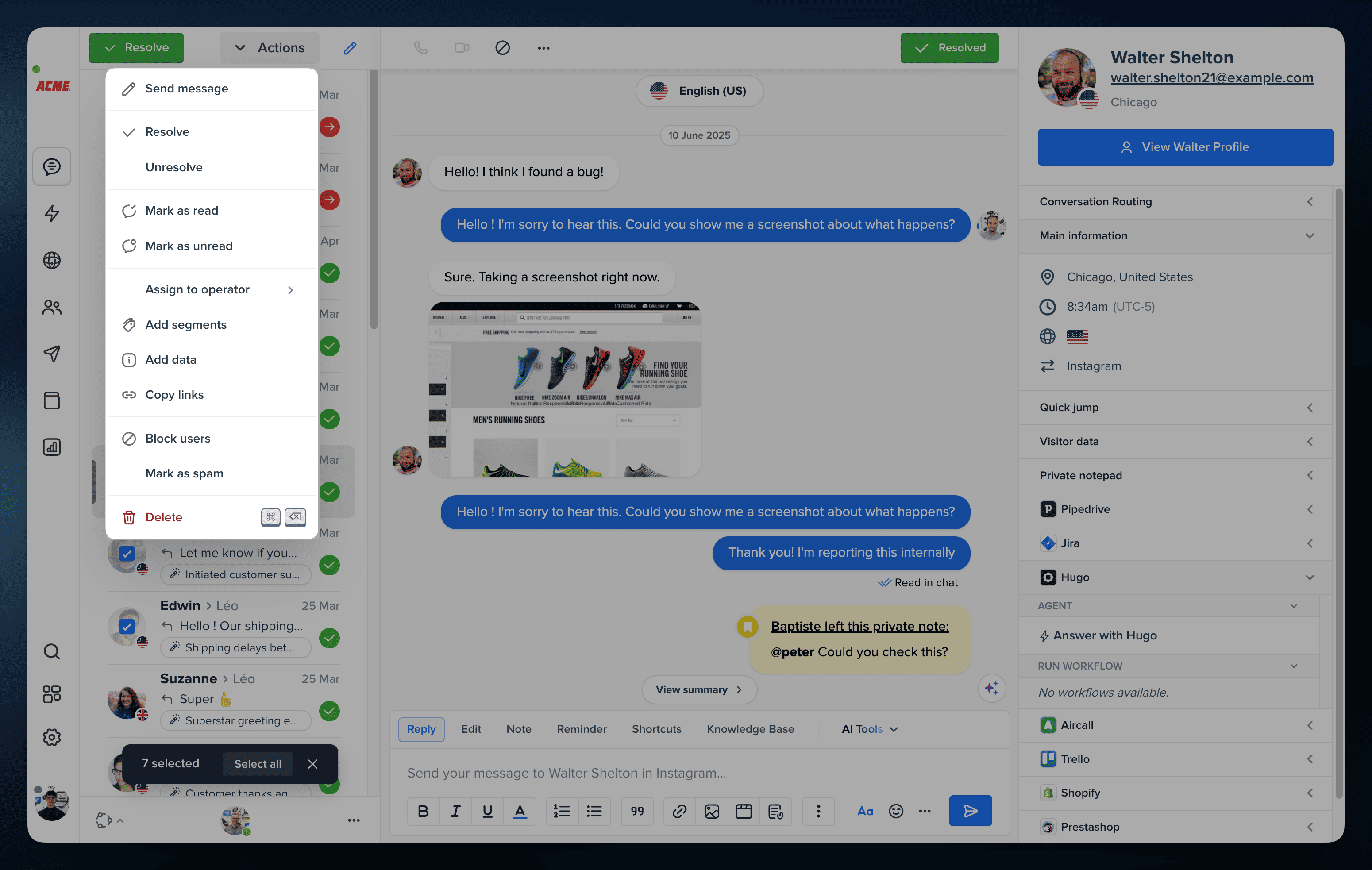
Try bulk actions →
Customize your Inbox layout with widget controls 🧩
We now let you reorganize your Inbox widgets sidebar the way you work best. Reorder widgets, hide the ones you do not need, and keep the interface focused on the information that actually matters to you.
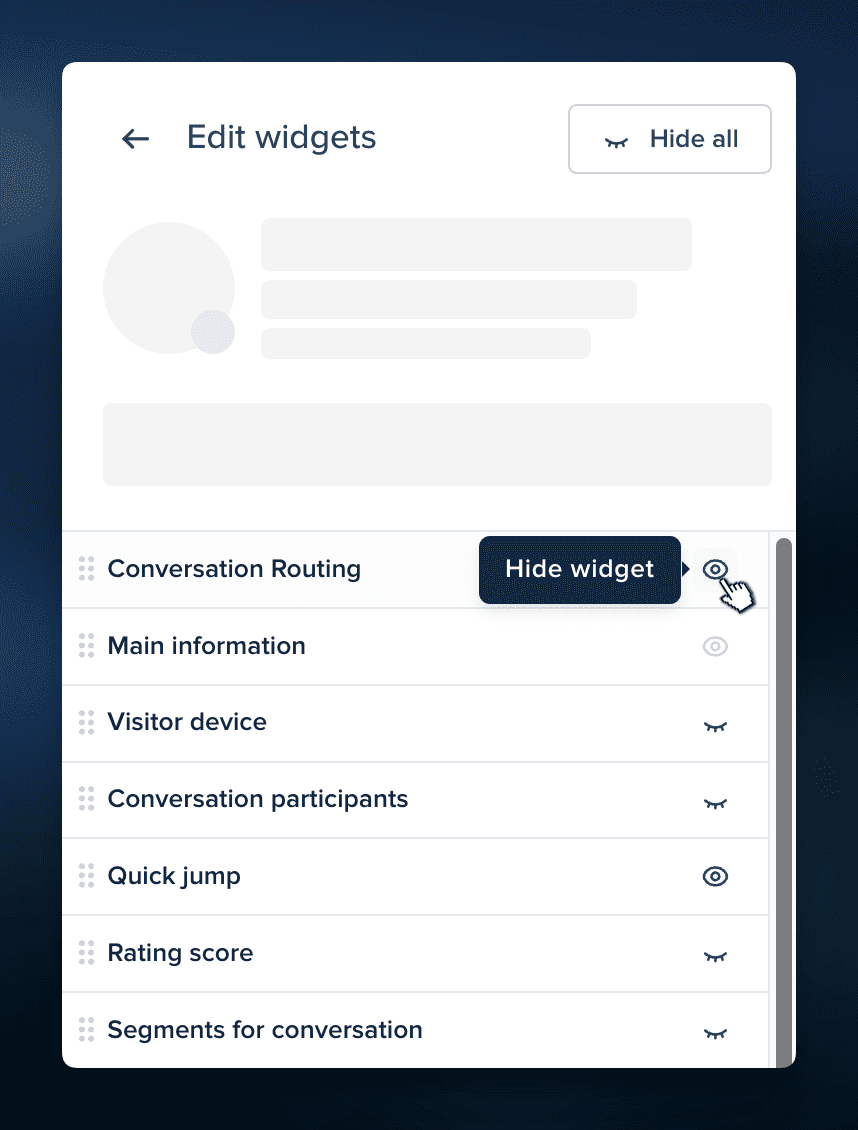
Manage widgets →
Show smarter predefined replies in your chatbox with Hugo Triggers 💬
Helps visitors engage with your brand seamlessly through always-on buttons. By simplifying the way leads and customers are engaging with you, you increase conversations’ volume while making the experience friction-less.
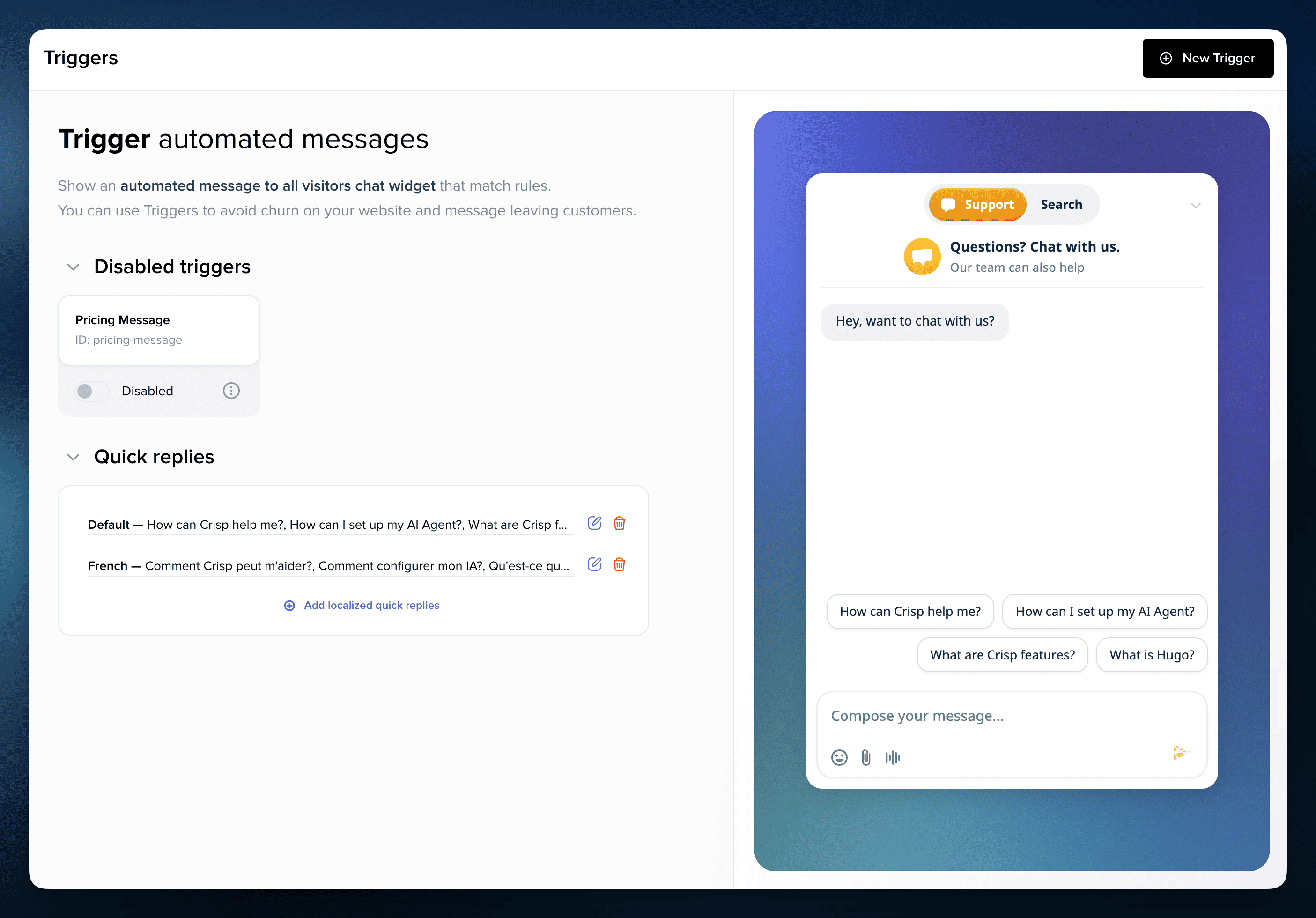
Configure quick replies →
Keep your AI available with Hugo auto-fallback 🛟
When OpenAI or Claude cannot process a request, Hugo can automatically switch to Crisp’s built-in AI model so your AI stays available and your support flow keeps moving.
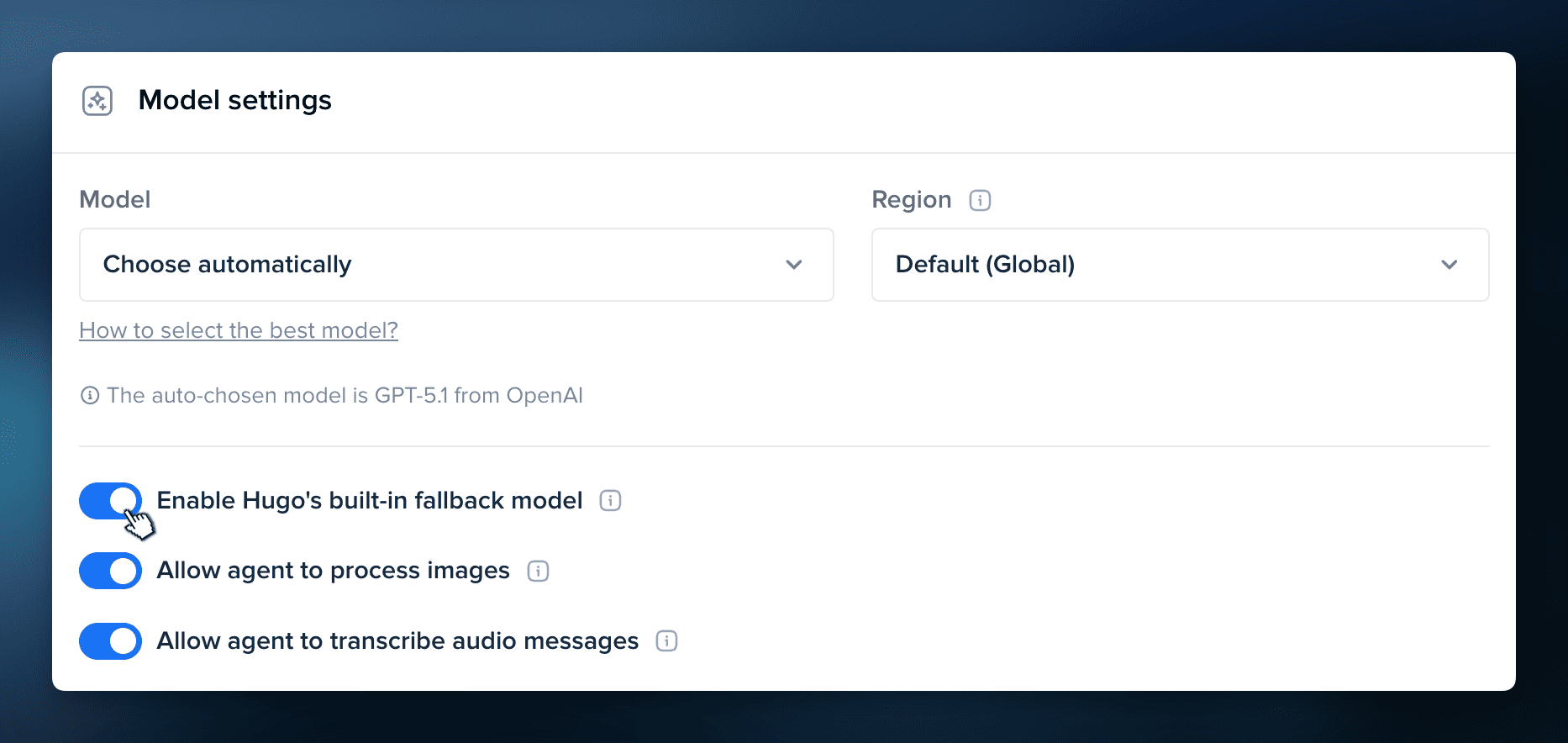
Configure fallback →
Compare AI models side by side in Hugo 👀
Finding the right model is a key part of building a strong AI setup. With side-by-side comparisons in Hugo, you can test different models on the same use cases and choose the one that performs best for your support team.
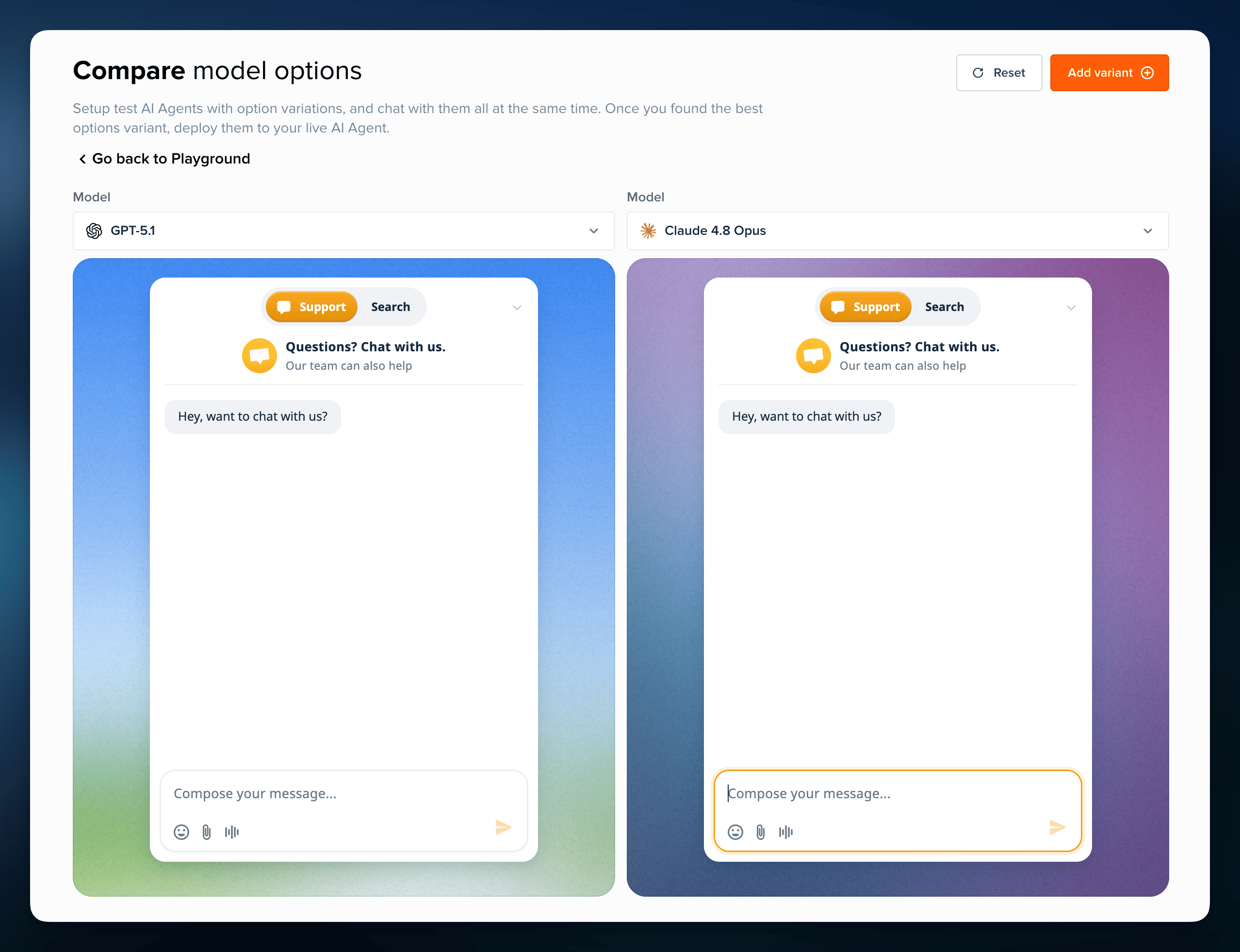
Compare model options →
Inspect images more easily with improved file preview 🖼️
Our file preview for images now gives you more control, with smoother zoom and pan to focus on the exact part you want to review. It makes image-based conversations easier to handle without leaving the Inbox.
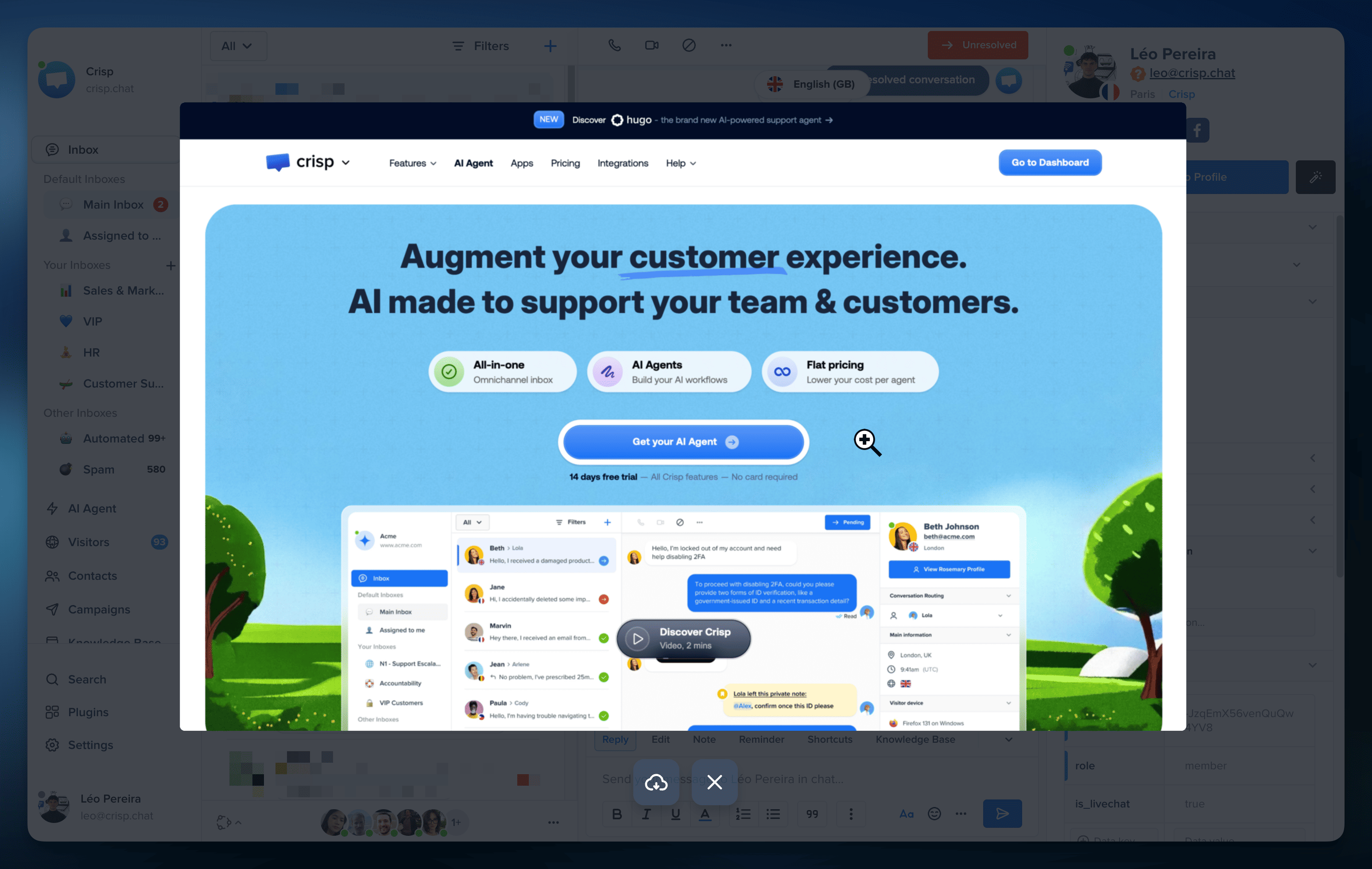
Try our improved file preview →
Export your campaign analytics in a few clicks 📤
Pull campaign results straight from the analytics view and export exactly what you need, whether it is opens, clicks, unsubscribes, or the full dataset. Much easier for deeper analysis, reporting, or sharing results outside Crisp.
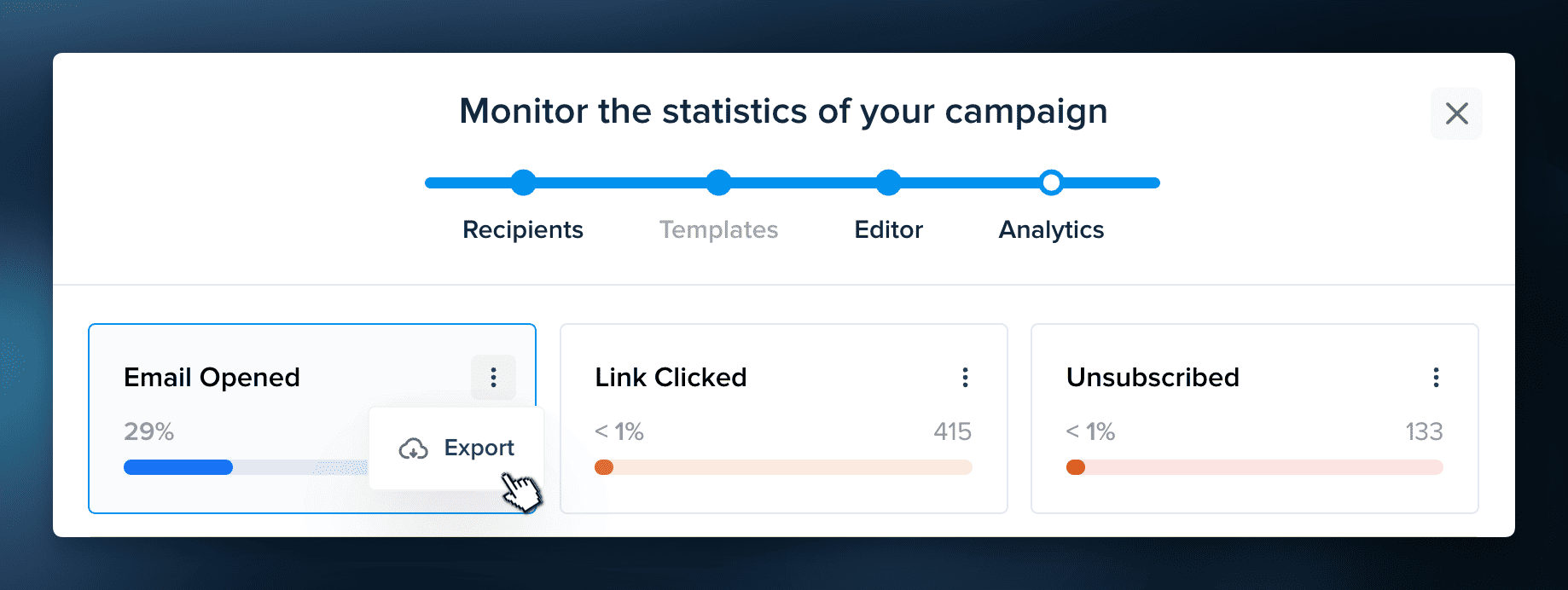
Export campaign analytics →
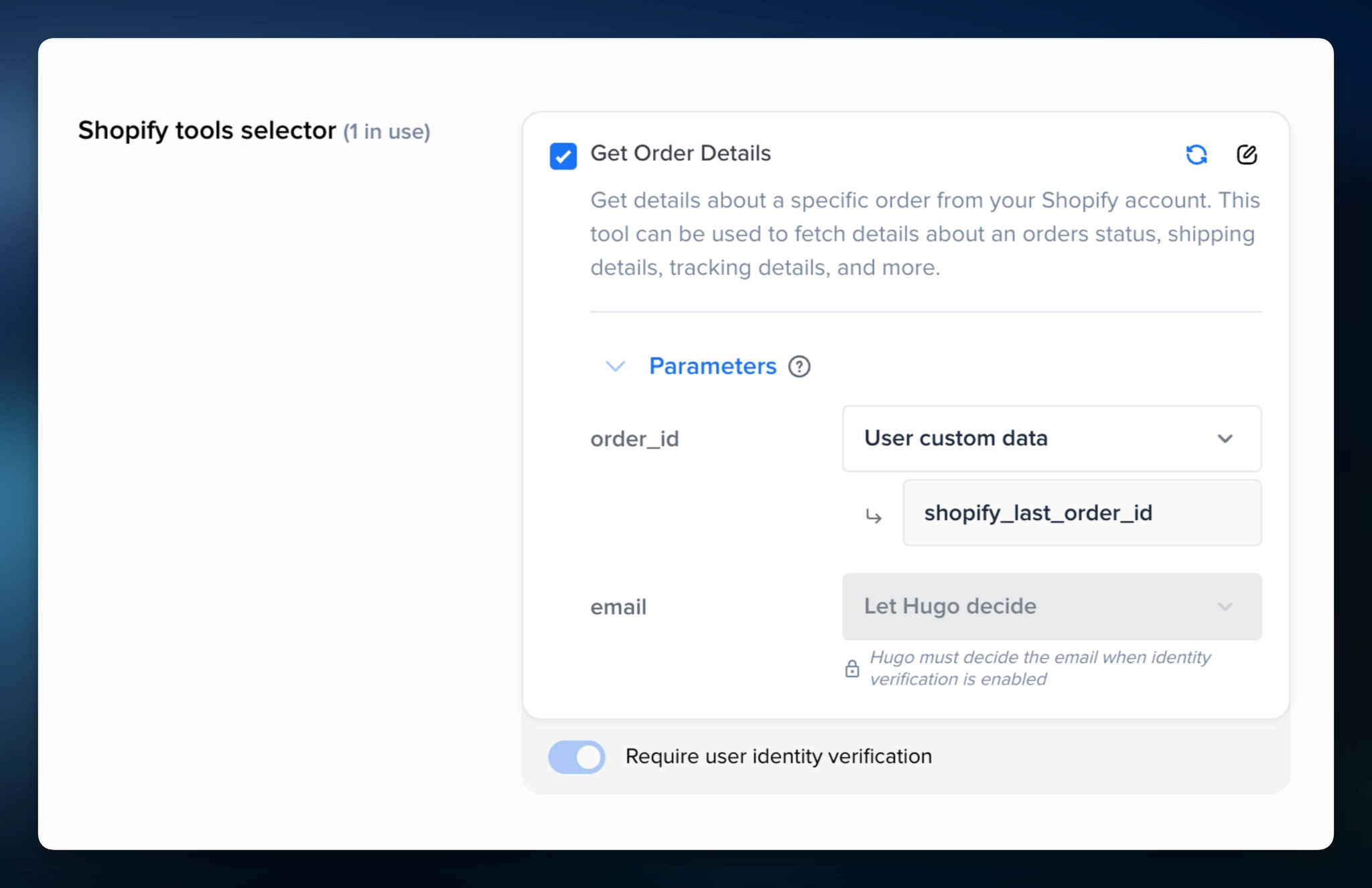
Make MCP actions more reliable with parameter overrides 🔌
When precision matters, leave nothing to chance. You can now pin your AI integration actions to specific conversation or contact data. It helps you to make sure Hugo AI fetches the right order, account, or record every time.
Get Started with Hugo AI Agent →
Bug fixes & improvements 💪🏼
- AI Agent: Hugo now supports image processing with Gemini, making it easier to handle conversations that include visual content.
- AI Agent: Hugo now supports GPT 5.5, Claude Opus 4.7, and Gemini 3.5.
- AI Agent: OpenAI models now support EU processing with zero data retention, giving you more flexibility for compliance-focused AI setups.
- AI Agent: On Mistral mode, Hugo now gives more accurate answers with fewer hallucinations.
- AI Agent: Hugo can now track multiple topics in a single conversation, giving you a more complete view of what customers actually ask.
- AI Agent: Hugo Topics can now be imported and exported, making it easier to reuse or move your topic setup.
- AI Agent: API-triggered workflows now support workflow variables in the “Update custom data” block.
- Widget: Unread messages are now visible directly from the chatbox home, making it easier for visitors to spot active conversations.
- Inbox: Shortcuts search is now more accurate, typo-tolerant, and highlights exact matches.
- Contacts: Contacts now supports bulk actions for segments, custom data, exports, and link copy.
- Settings: Routing settings have been reorganized for more clarity, with updated wording that better reflects how routing rules actually work.
- Knowledge Base: Large knowledge bases now perform better, with updates that reduce slowdowns on high-volume article collections.
Helpdesk Updates 📚
How to use Hugo Tools to set up and improve your AI Agent
This guide shows you how to use Hugo Tools to write clearer instructions, build better workflows, and improve your AI setup before applying it in Crisp.
Learn how to use Hugo Tools →
How to select and manage multiple conversations in the Crisp Inbox
This guide shows you how to select multiple conversations, use the selection bar, apply bulk actions, send the same update to several users, and use bulk actions safely in the right situations.
Learn how to use bulk actions →
How to select and manage multiple contacts in Crisp
This guide shows you how to select multiple contacts, apply bulk actions, add segments or custom data, and export selected profiles faster.
Learn how to manage contacts in bulk →
How to use the conversation sidebar in the Crisp Inbox
This guide shows you how to review customer context from the Inbox sidebar, reorder widgets, and hide the ones you do not need before replying.
Learn how to use the sidebar →
How to use Message Triggers and Quick Replies in Hugo AI Agent
This guide shows you how to use Message Triggers and quick replies to adapt your chatbox based on visitor behavior, page context, and your website or app.
Learn how to use Triggers →
How to enable Hugo’s built-in fallback model
This guide shows you how to configure Hugo’s built-in fallback model and understand when to use it to keep your AI available during provider issues.
Learn how fallback works →
How to export Campaign Analytics from Crisp
This guide explains how to export Campaign analytics from Crisp so you can analyze and report on results outside your workspace.
Learn how to export Campaign analytics →
How to classify customer support topics with Hugo AI
This guide shows you how to create Hugo Topics, write better topic descriptions, and use them to understand what your customers ask the most.
Learn how to use Topics →
Product Webinar 👩🏫
Automatically Route Every Conversation to the Right Place with AI
On June 18, 2025
Learn how to route conversations more accurately with Hugo, inbox rules, and workflows.
Save my spot →
Give Customers Faster Answers Without Growing Your Support Team
On July 9, 2026
Discover how to improve answer speed with the right mix of self-serve, AI, and human support.
Save my spot →
Teasing next releases 💥
- AI Suggestions Spot AI dataset training gaps, outdated content, and duplicate answers to improve your AI setup faster.

September 2026 - Product Update
Discover the new Knowledge Base editor, benchmark your AI support performance, track how often Hugo escalates conversations, and more. Discover the latest features and improvements released by the Crisp team in September 2026.

Summer 2026 - Product Update
Meet the refreshed Crisp experience, Understand how Artificial Intelligence handles every conversation, Build reusable teams across your workspace, and more. Discover the latest features and improvements released by the Crisp team in Summer 2026.

Best 9 helpdesk software and ticketing systems for 2026
Need help to choose your next helpdesk with a ticketing tool for 2026? We've gathered a guide that gives you everything you need to convince your C-levels.