Summer 2026 - Product Update
Meet the refreshed Crisp experience, Understand how Artificial Intelligence handles every conversation, Build reusable teams across your workspace, and more. Discover the latest features and improvements released by the Crisp team in Summer 2026.


New Features
Meet the refreshed Crisp experience 🧼
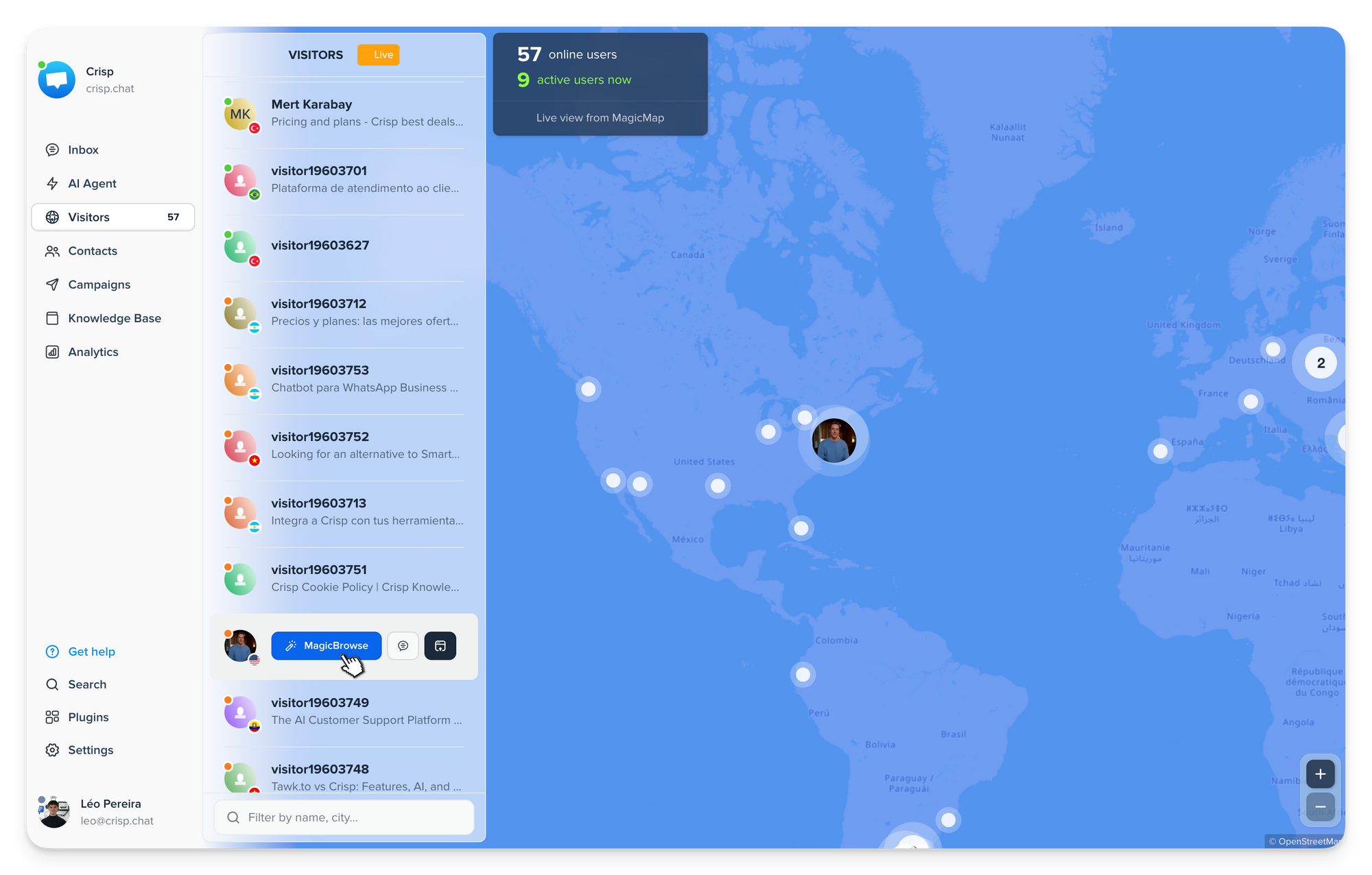
Crisp has been refreshed across the app with a cleaner, more modern interface. Inbox, Visitors, Contacts, Campaigns, Analytics, Plugins, Settings and Hugo now share a more consistent visual experience.
Understand how Artificial Intelligence handles every conversation 🔍
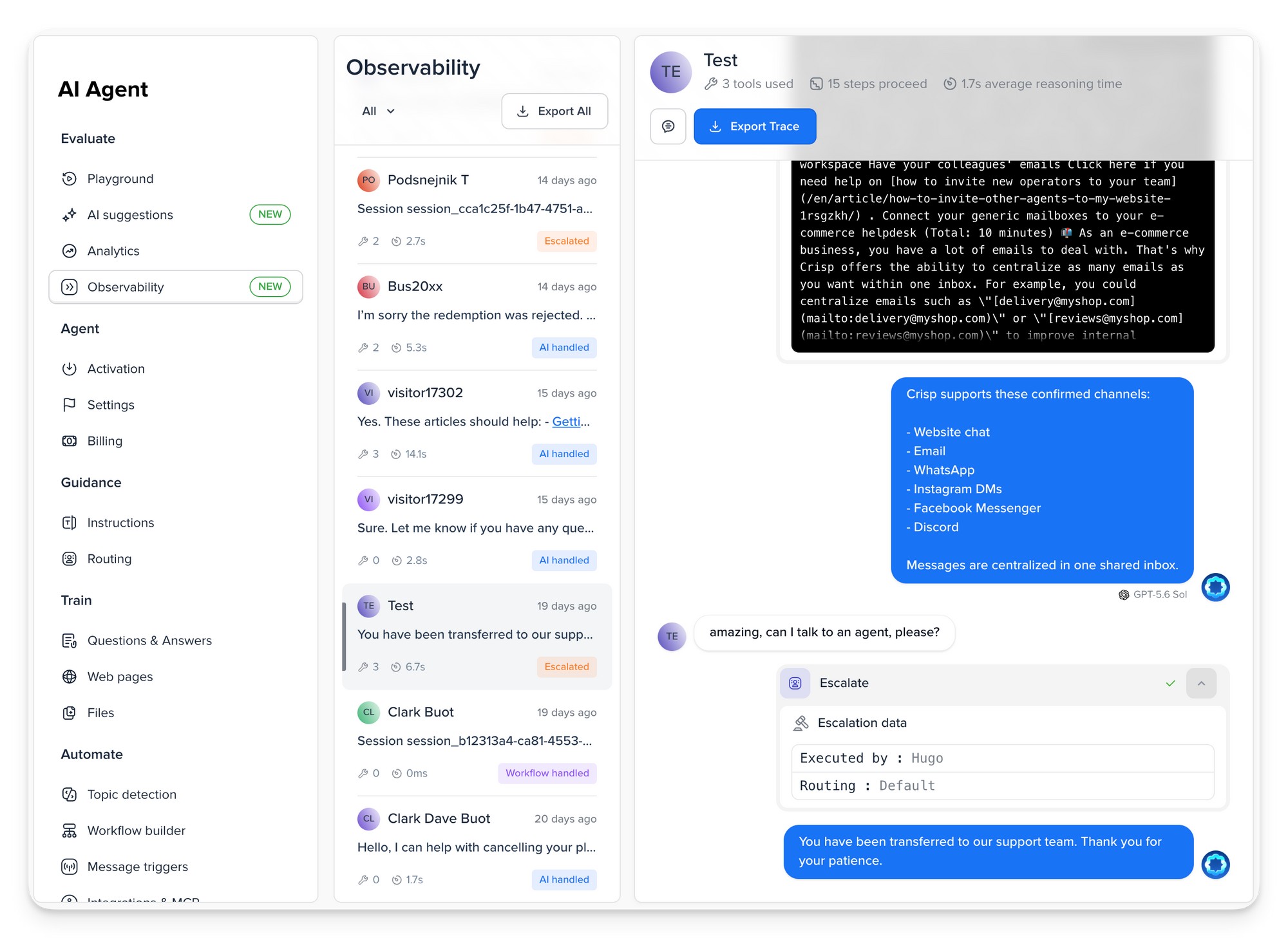
Hugo Observability gives you a detailed timeline of each AI-powered conversation, showing which models were used, which tools and MCPs were called, how Hugo reasoned through each step, how long responses took, and where errors occurred.
Build reusable teams across your workspace 👥
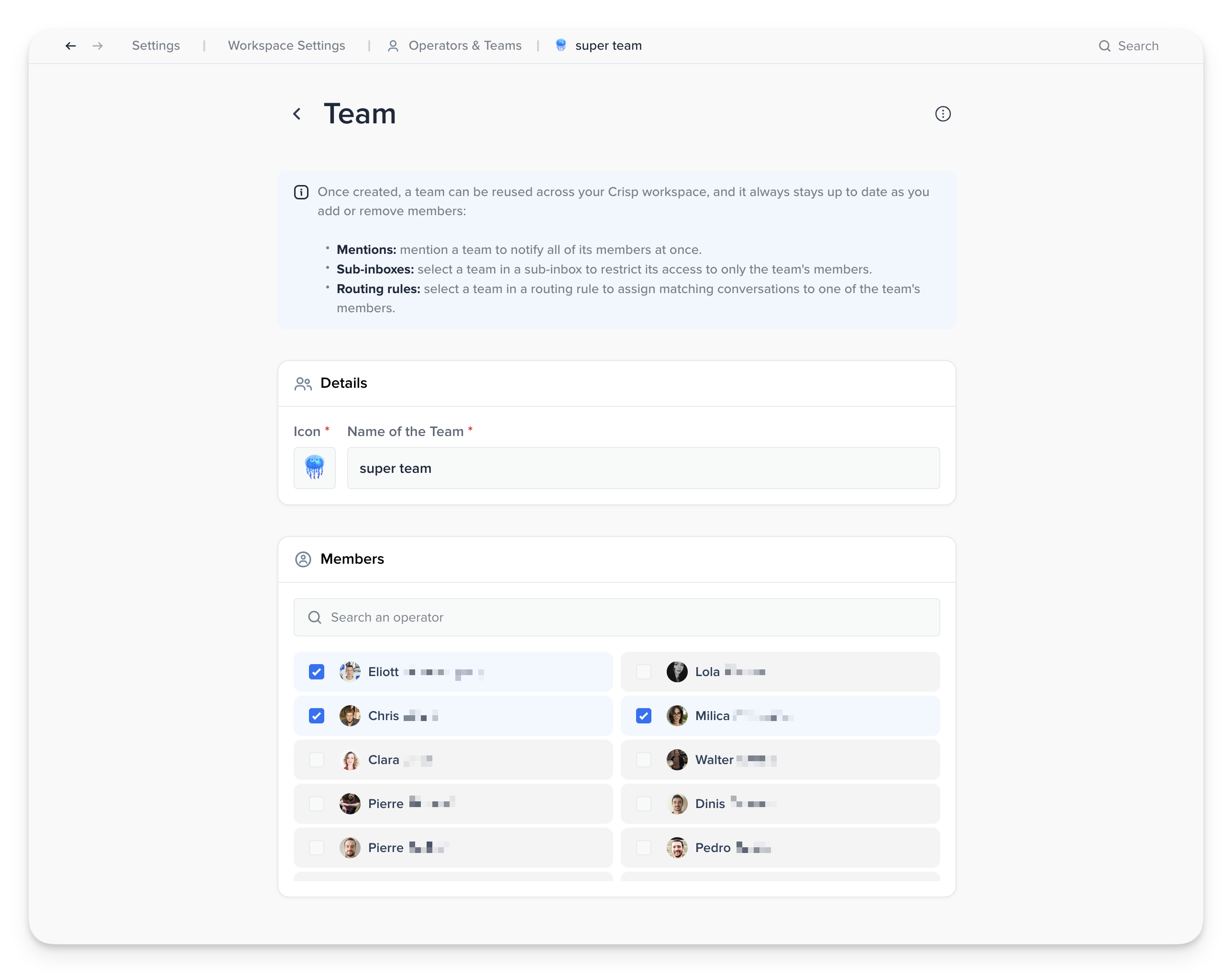
Create a team once and reuse it across mentions, Sub-Inboxes, and Operator Routing. Membership stays synchronized automatically, making access management and conversation routing easier.
Access the latest AI models in Hugo 🧠
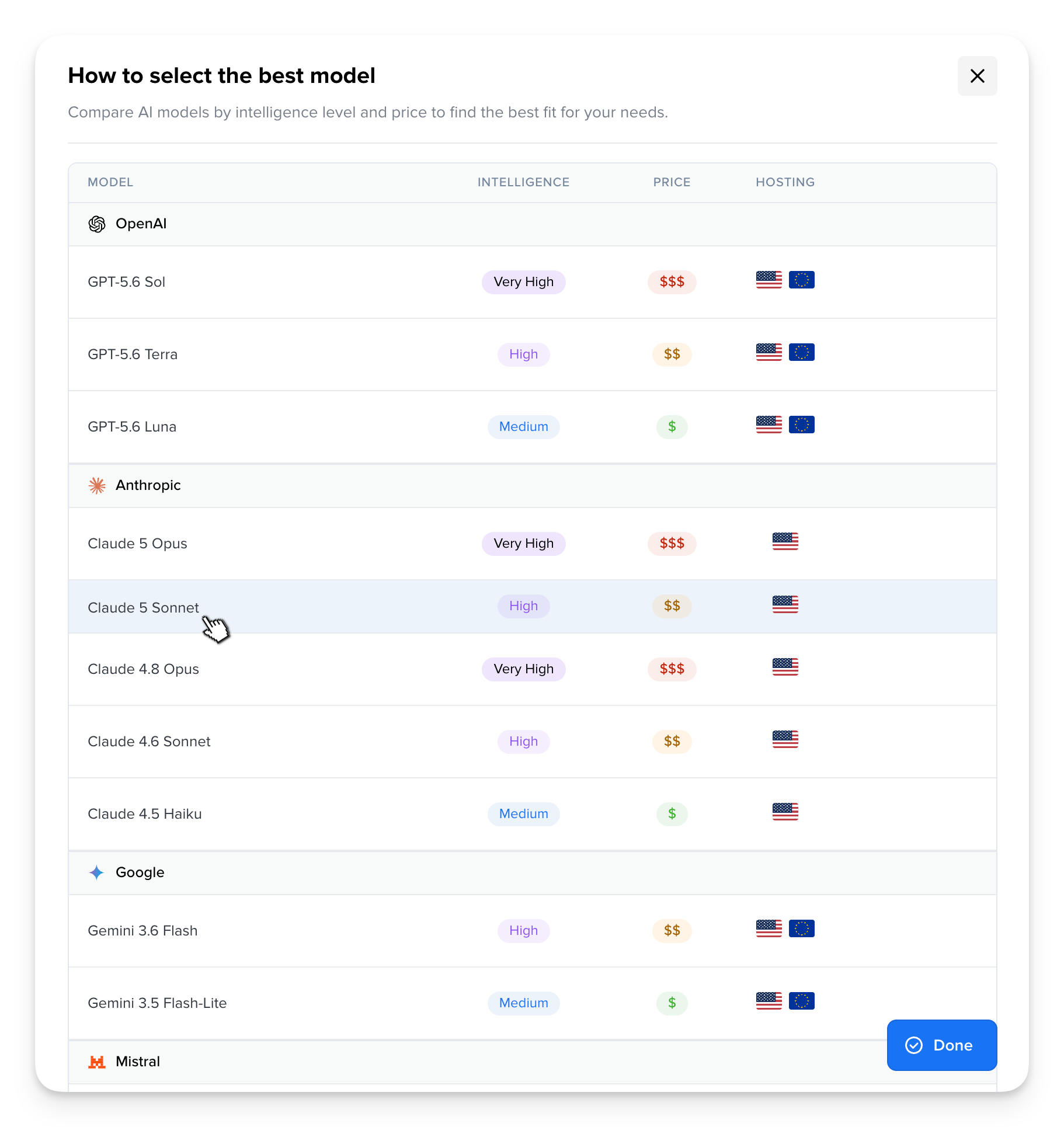
Hugo now supports GPT-5.6, Claude Sonnet 5, Gemini 3.6 Flash, and Gemini 3.5 Flash-Lite. The automatic model now runs on GPT-5.6 Luna, while Crisp Medium Plus has also been upgraded for stronger performance.
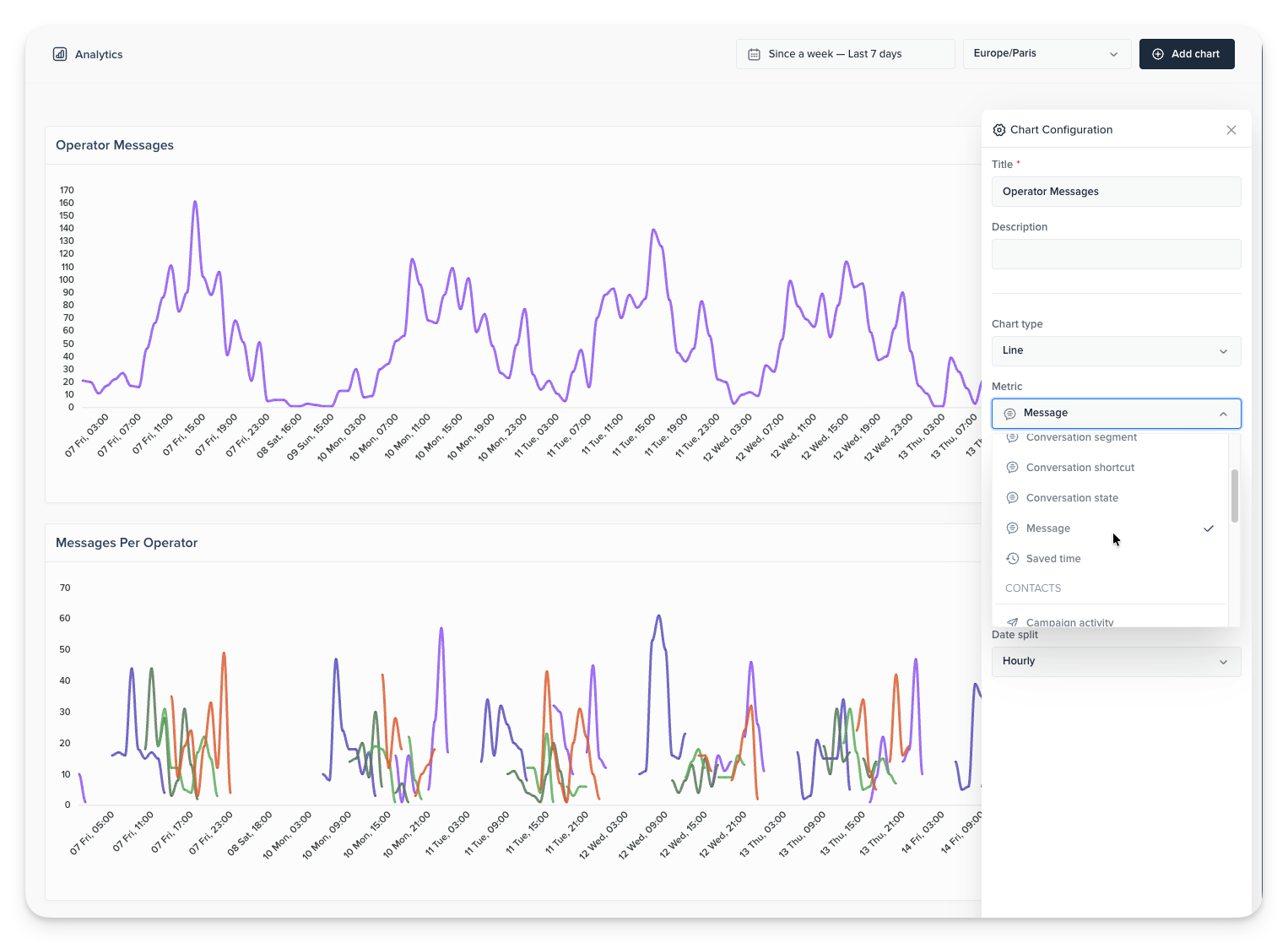
Track operator activity with new message metrics 📊
Track message volume over time, by operator, and by message type to better understand team activity and workload. Use message-type splits and filters to compare activity, spot trends, and build more precise Analytics dashboards.
Create dedicated instructions for Hugo Copilot 🎯
You can now create instructions that apply only to Hugo AI Support Copilot, giving operators guidance tailored to internal support work without changing how Hugo AI Agent responds to customers.
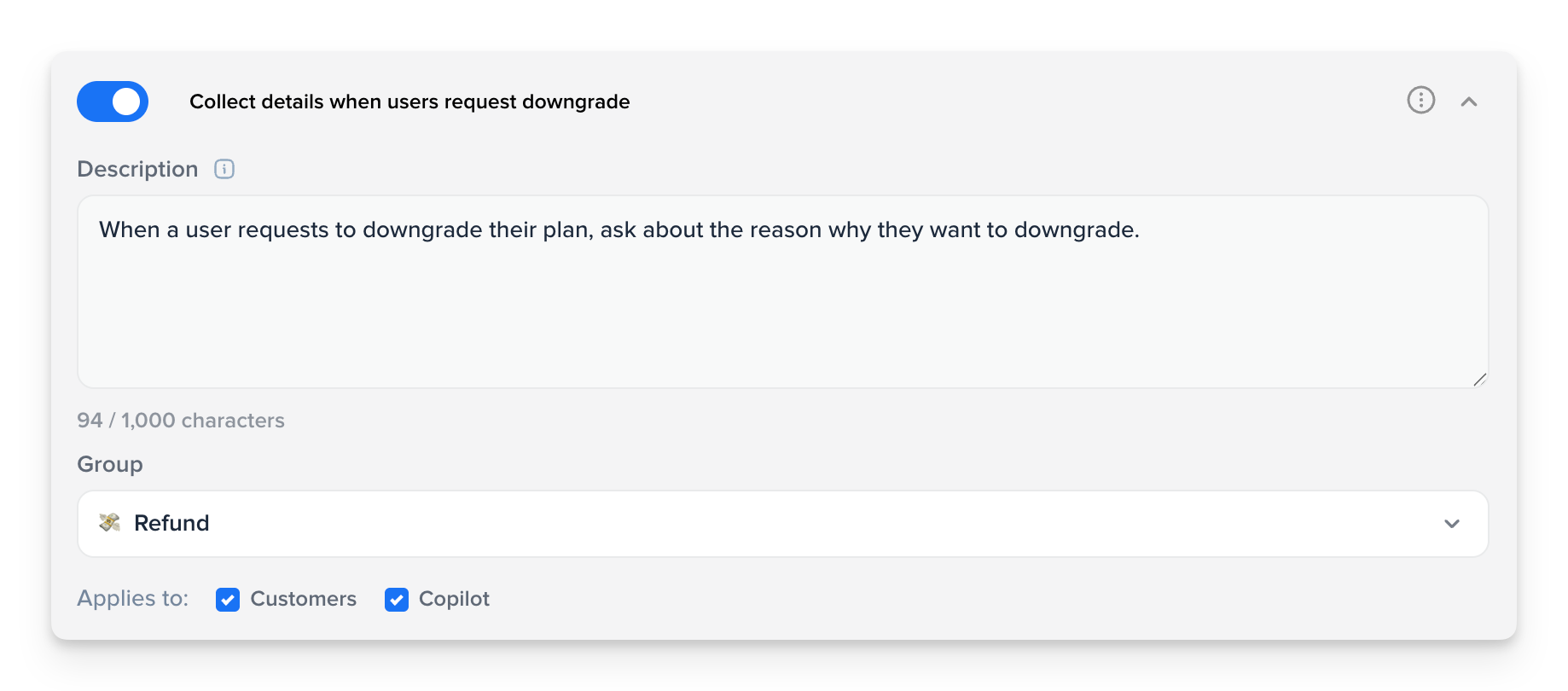
Configure Copilot instructions →
Protect your chat widget from bot attacks 🛡️
Crisp now better protects Crisp Widget against bots and spam with automatic safeguards and configurable protection levels, including an emergency mode for workspaces under heavy attack.
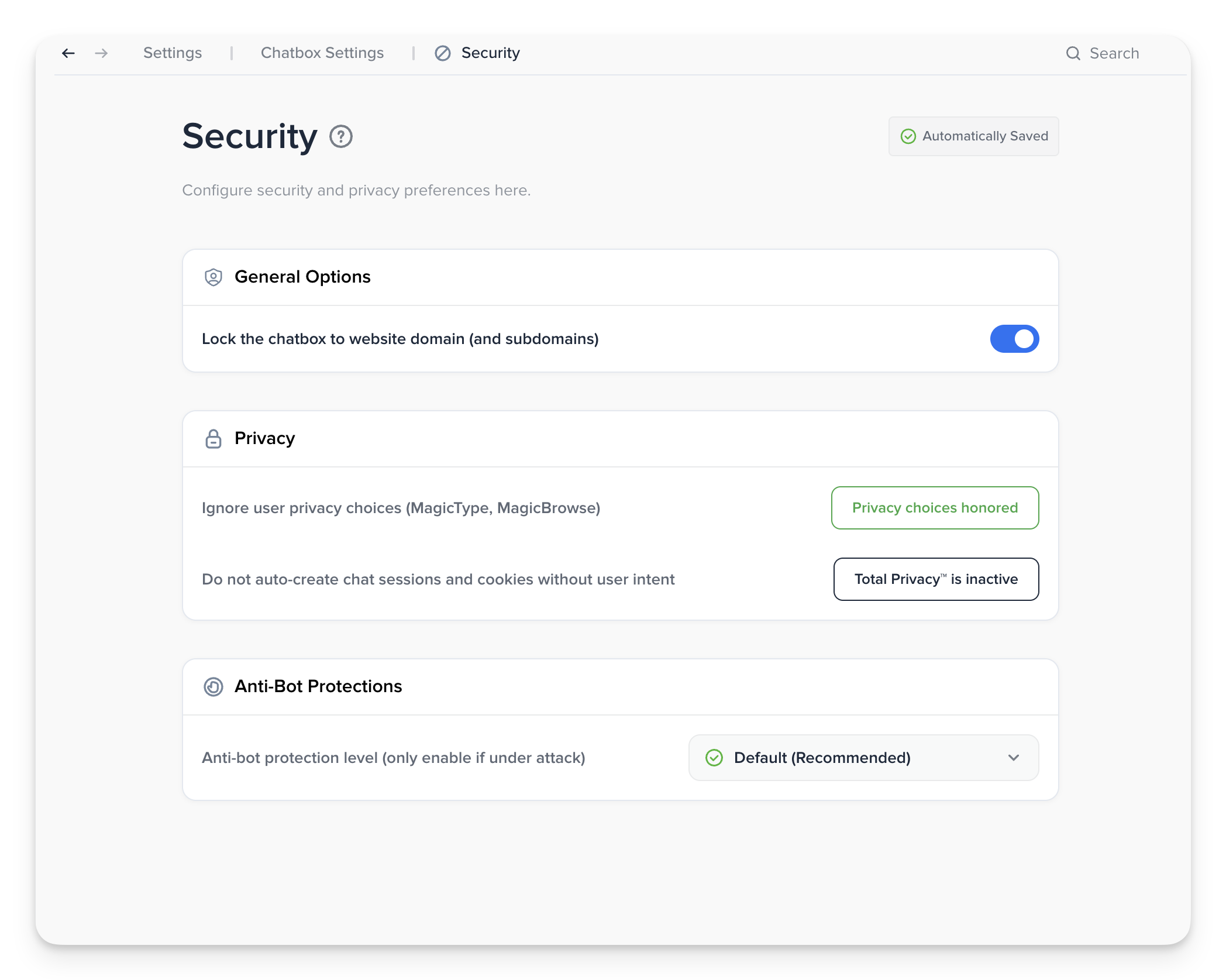
Configure chat widget protection →
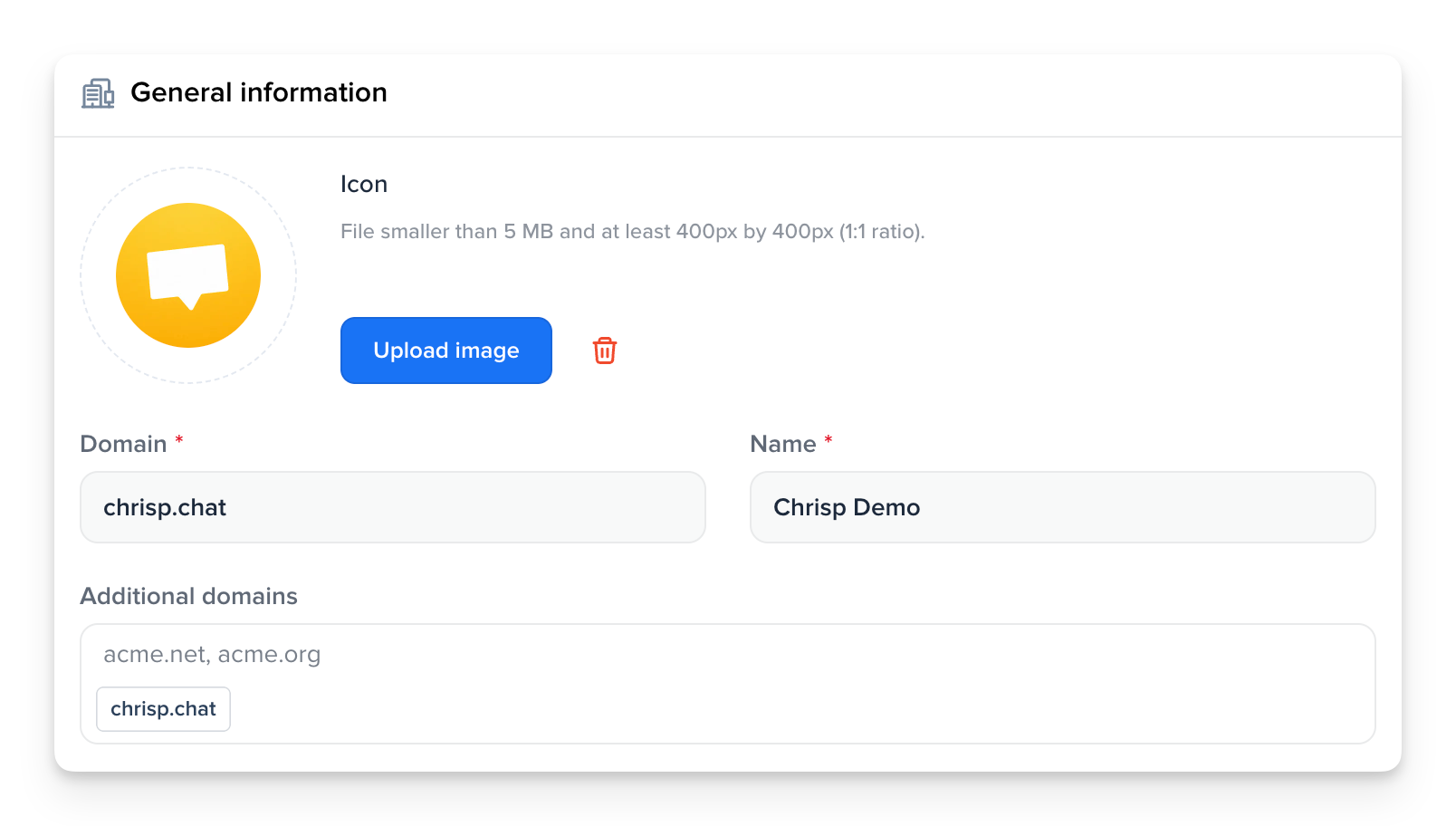
Secure your chatbox widget across multiple domains 🔐
Add multiple domains to the same workspace and keep domain locking enabled across all of them. This lets you deploy the Crisp chatbox on several websites without lowering your workspace security.
Increase control of email tracking and data privacy for your users 👁️
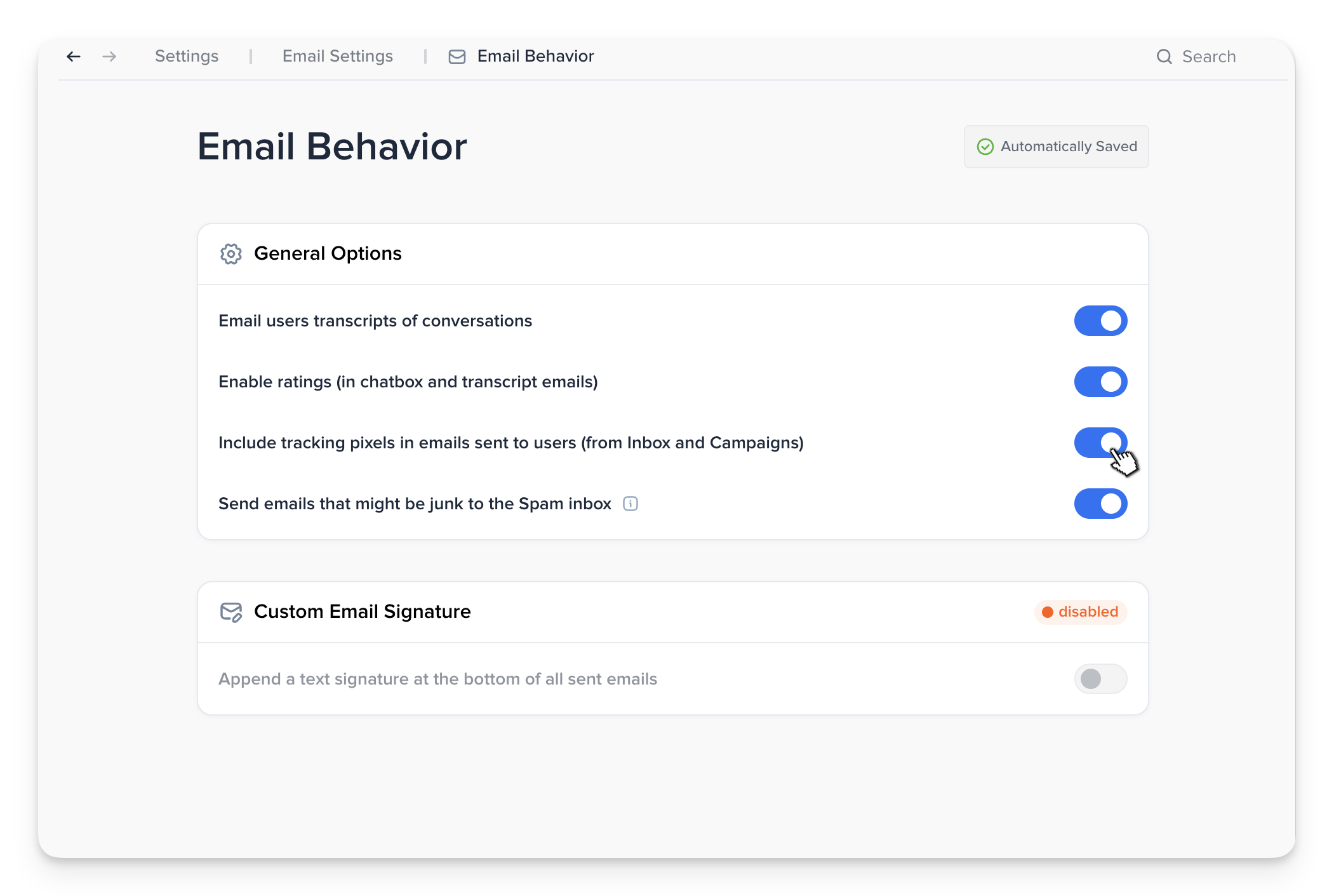
Workspace owners can now disable tracking pixels for all emails sent from the Inbox and Campaigns. This gives teams more control over privacy and compliance, but disables email open and read tracking. Tracking remains enabled by default.
Discover the redesigned Sub-Inboxes ✨
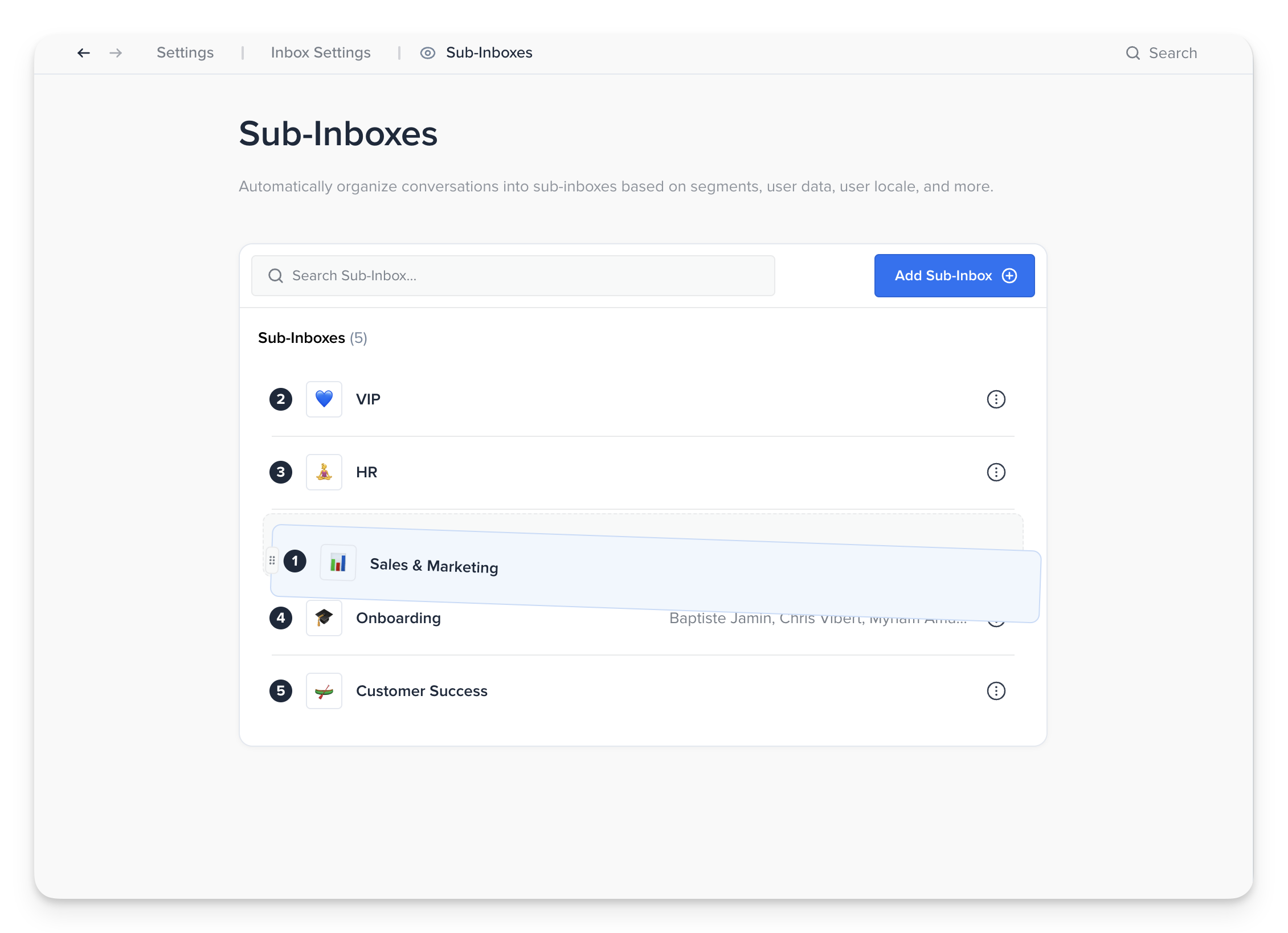
Sub-Inboxes now have a dedicated management screen with search, drag-and-drop reordering, duplication, and faster operator selection. The new interface also brings Sub-Inbox settings in line with the rest of Crisp and Hugo.
Experience the new Dark Mode in Crisp 🌙
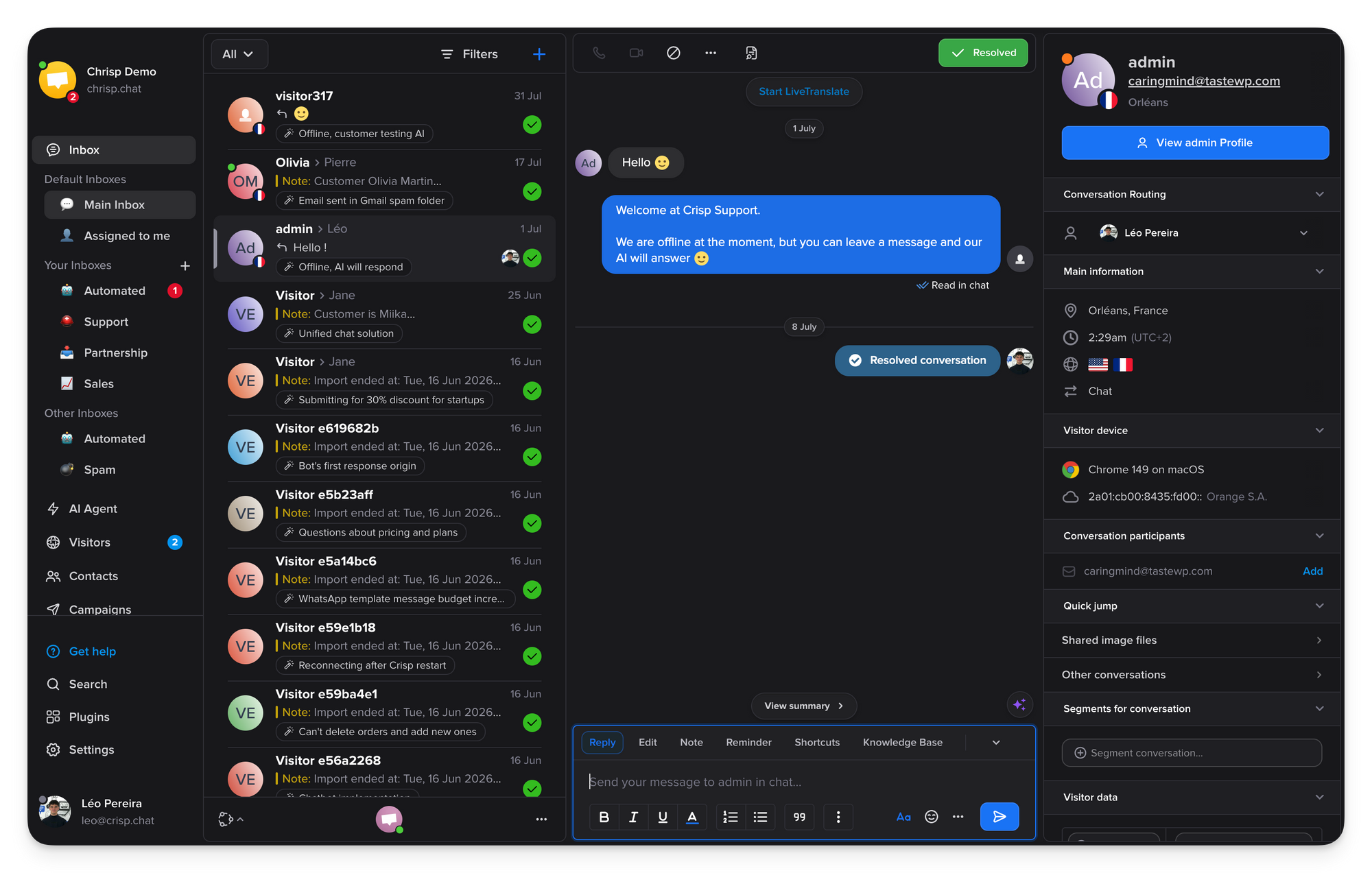
Dark Mode in Crisp has been fully redesigned with a new color system, more intentional contrast, and better visual hierarchy, making the app more comfortable to use day after day.
Bug fixes & improvements 💪🏼
- AI & Automation: Pickers and fields now interpret plain-text replies and trigger the expected action.
- AI & Automation: Workflow evaluation has been optimized to skip non-matching rules and start eligible workflows faster.
- AI & Automation: The Copilot panel can now be resized to better fit the workspace.
- AI & Automation: Copilot now follows generated answers more smoothly with improved auto-scrolling.
- AI & Automation: Copilot now displays text generated between tool calls, preventing parts of answers from being hidden.
- AI & Automation: Crisp Medium and Crisp Medium Plus now generate more reliable answers with fewer hallucinations.
- AI & Automation: Crisp’s internal models can now understand images shared in conversations.
- AI & Automation: Gemini models can now use EU hosting for setups that require European data residency.
- Inbox & Messaging: Unread badges now count unread conversations instead of individual messages.
- Inbox & Messaging: Web push notifications now open the correct conversation whether Crisp is already open or not.
- Inbox & Messaging: Common actions are now available directly from the selection toolbar across Contacts and Inbox.
- Inbox & Messaging: Full conversation transcripts can now be sent by email with the subject and content already filled in.
- Inbox & Messaging: Audio transcription now detects the source language, keeps the original transcript, supports LiveTranslate, and uses a more accurate internal model.
- Inbox & Messaging: PDF attachments can now be previewed directly from the composer or conversation without downloading them.
- Inbox & Messaging: Crisp’s built-in signature can now be shown or hidden above a custom signature when no operator name tag is used.
- Inbox & Messaging: Email replies are now routed back to the correct Crisp conversation more reliably when recipient matching fails.
- Routing & Triage: Operator Routing now distributes conversations more fairly across operators and overlapping routing rules.
- Routing & Triage: Hugo-handled conversations can now follow existing Crisp routing or stay separate in the Automated Inbox.
- Analytics & Reporting: Analytics charts now load faster and display values and date ranges more clearly.
- Analytics & Reporting: Conversation charts can now be split by segment to compare customer groups over time.
- Knowledge & Content: Campaigns and Knowledge Base now support range selection, select all, and faster bulk deletion.
- Workspace & Administration: Audit logs now link directly to the related conversation, contact, campaign, template, article, or plugin.
- Workspace & Administration: Plugin management now uses a cleaner interface aligned with Crisp and Hugo, with additional language support.
- Widget & Customer Experience: The Crisp Widget now loads with an initial bundle around 30% smaller.
- Widget & Customer Experience: Phone fields now include country selection, automatic dial codes, and country-specific formatting to reduce invalid numbers.
- Apps & SDKs: Synced contacts and conversations can now be assigned to the matching Pipedrive owner based on the Crisp operator’s email.
- Apps & SDKs: The WhatsApp plugin now has refreshed settings, dark mode support, and translated API guides.
- Apps & SDKs: The Android app now supports LiveTranslate V2 and sent, delivered, and read statuses, with additional stability improvements.
- Apps & SDKs: Flutter SDK v2.7.0 now includes Crisp Events Stream alongside improvements to notifications, security, performance, and documentation.
- Apps & SDKs: The Windows and macOS apps now have more reliable updates, with fixes for address autocomplete and Hugo file uploads.
Product Webinar 👩🏫
Crisp Customer Support Benchmark 2026: How Does Your Team Compare?
On September 24, 2026
Discover what great customer support looks like today with real Crisp data, and benchmark your team against key AI, support, and performance trends.
Save my spot →
How to Handle End-of-Year Support Spikes With AI
On October 20, 2026
Learn how to prepare your support team for end-of-year demand, absorb higher conversation volumes with AI, and keep service quality high during peak periods.
Save my spot →
How to Continuously Improve Your AI Support Performance
On November 17, 2026
Learn how to identify where your AI support falls short, understand why, and continuously improve performance with Analytics, Observability, and AI Suggestions.
Save my spot →
Turn a Year of Customer Conversations Into Actionable Insights With AI
On December 15, 2026
See how to analyze a year of customer conversations with AI, uncover patterns you might otherwise miss, and turn them into actionable insights for 2027.
Save my spot →
How to Build a Modern AI Customer Support Stack in 2027
On January 19, 2027
Learn how to combine AI, customer data, automation, and support tools into a modern stack that works together and scales with your team.
Save my spot →

October 2026 - Product Update
Create custom skills for Hugo Copilot, Write and improve Knowledge Base articles with Copilot, Analyze your support data with Copilot, and more. Discover the latest features and improvements released by the Crisp team in October 2026.

September 2026 - Product Update
Discover the new Knowledge Base editor, benchmark your AI support performance, track how often Hugo escalates conversations, and more. Discover the latest features and improvements released by the Crisp team in September 2026.

Best 9 helpdesk software and ticketing systems for 2026
Need help to choose your next helpdesk with a ticketing tool for 2026? We've gathered a guide that gives you everything you need to convince your C-levels.