October 2026 - Product Update
Create custom skills for Hugo Copilot, Write and improve Knowledge Base articles with Copilot, Analyze your support data with Copilot, and more. Discover the latest features and improvements released by the Crisp team in October 2026.


New Features
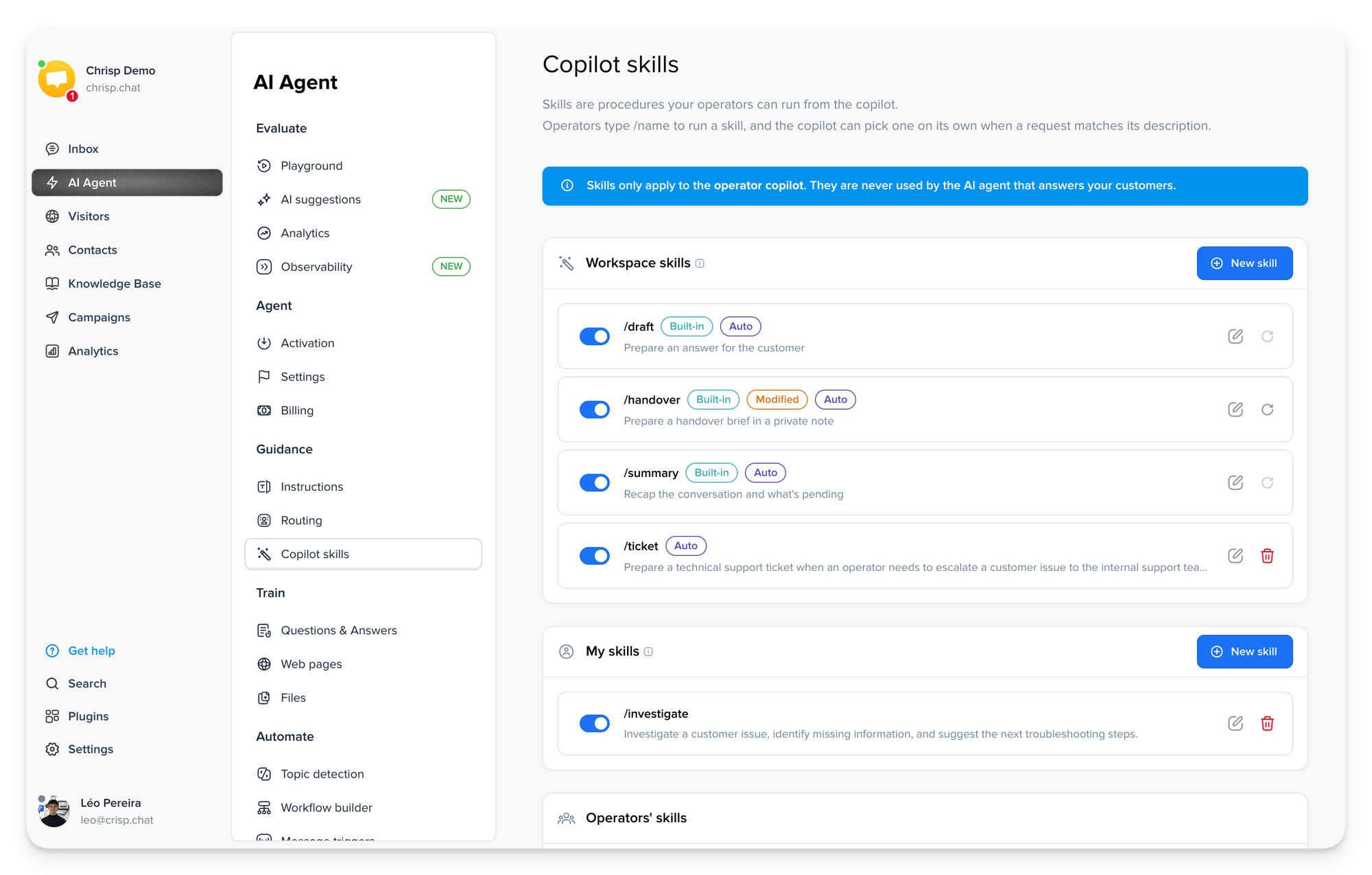
- Create custom skills for Hugo Copilot 🪄
Create custom Copilot Skills for recurring support tasks, with your own instructions, output format, and trigger behavior. Teams can build shared workspace skills, while operators can also create personal ones for their own workflows.
- Write and improve Knowledge Base articles with Copilot ✍️
Use Copilot directly in the Knowledge Base to create, proofread, and improve articles faster, with built-in Skills that streamline common content tasks and help you refine content without leaving the editor.
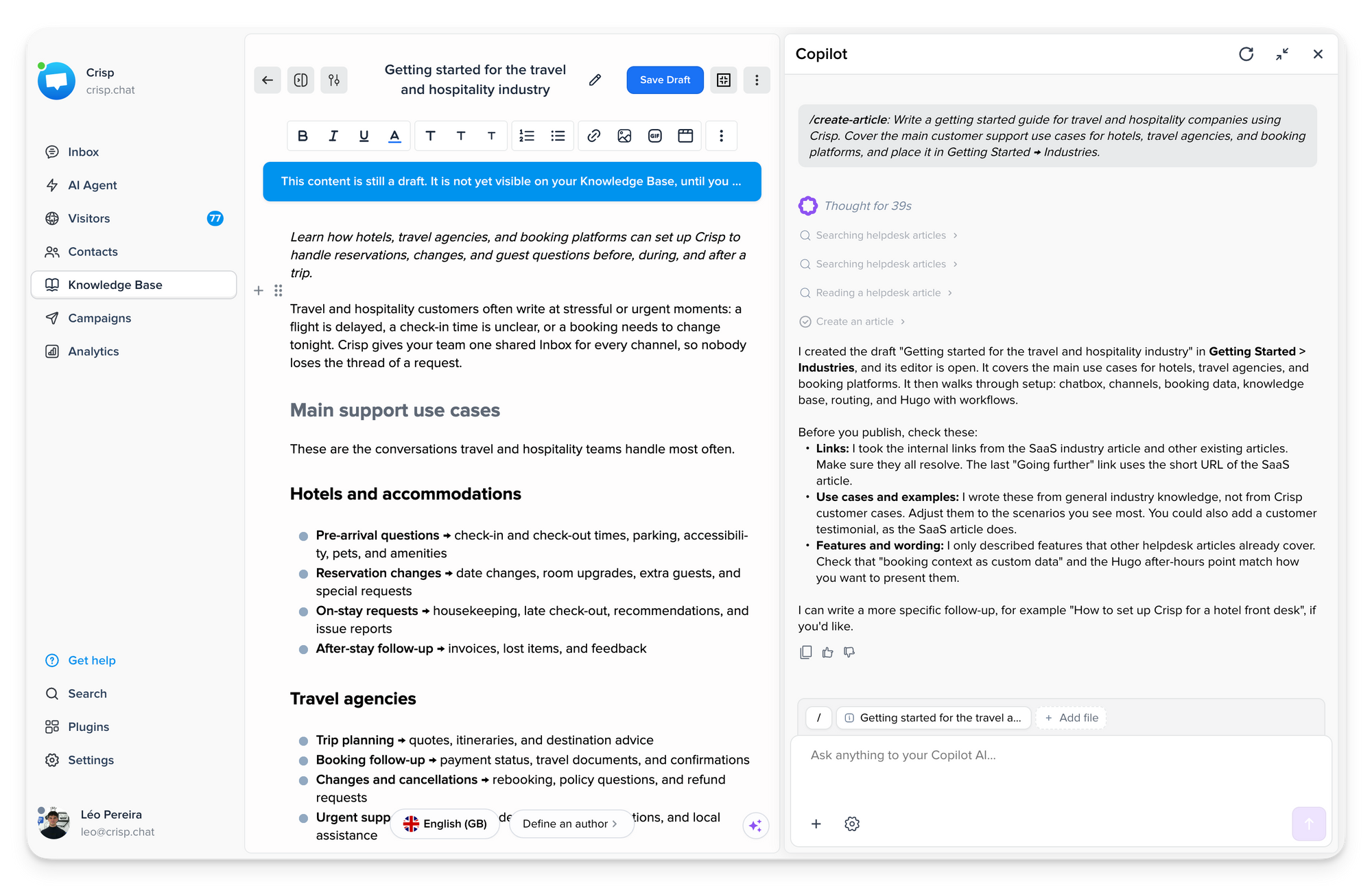
Open Copilot in Knowledge Base →
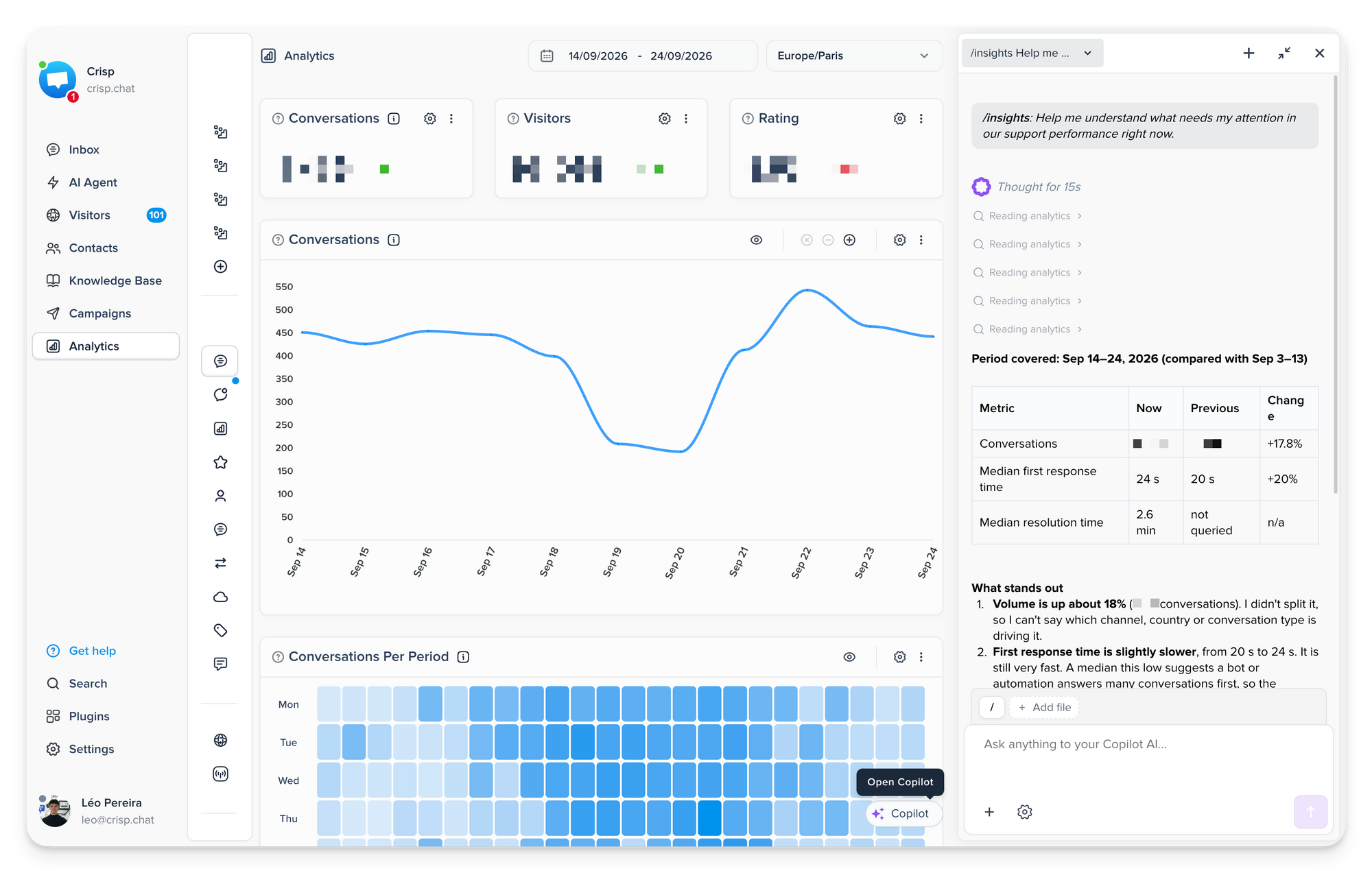
- Analyze your support data with Copilot 📊
Use Copilot directly in Analytics to explore your customer support data, get answers with real metrics, and create charts or complete dashboards. You can also adjust the reporting period and review changes before applying them.
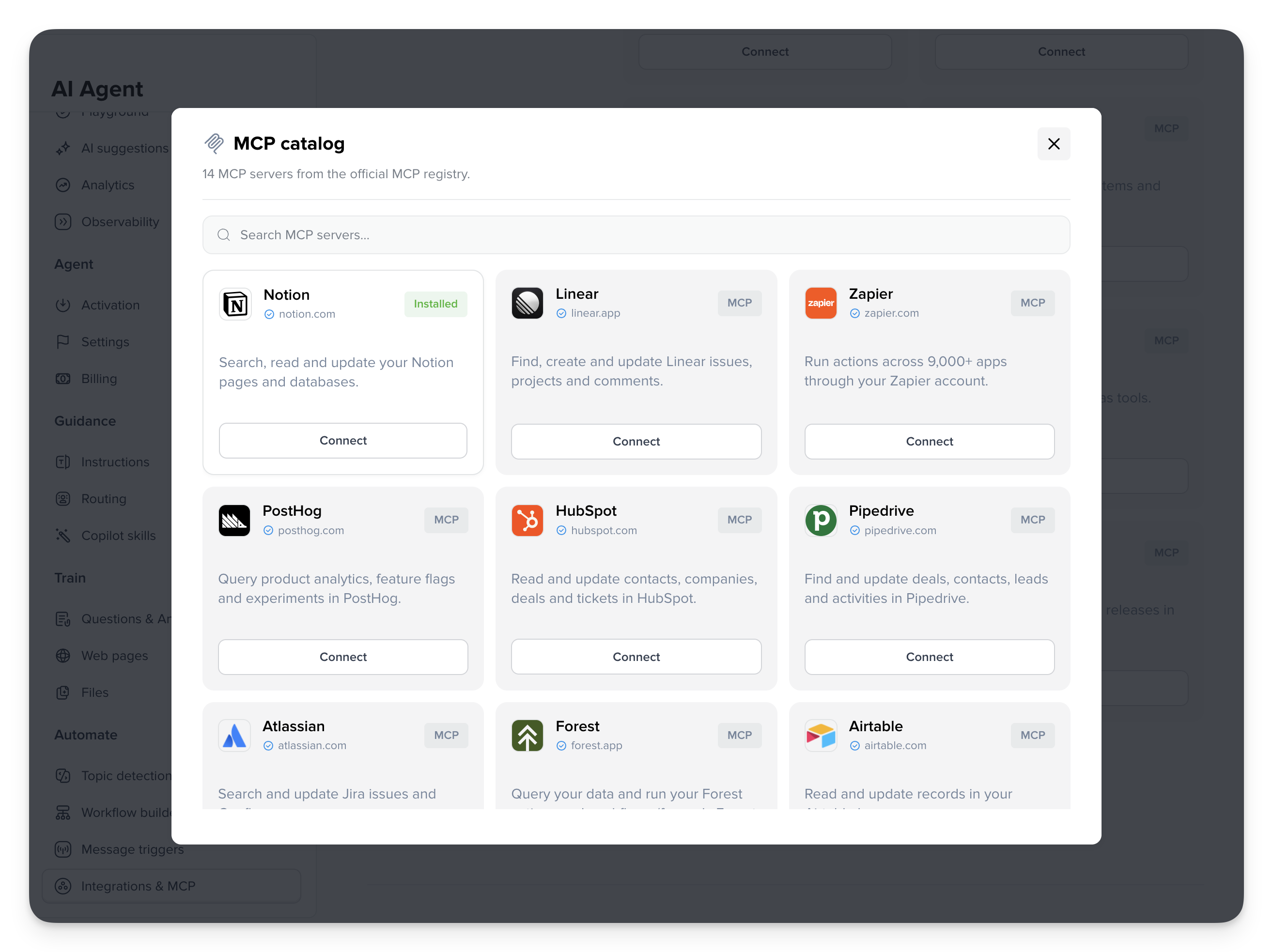
- Connect Hugo to 26,000+ tools ⚡
Hugo now includes an MCP Store with 26,000+ integrations you can connect directly from the dashboard. Integrations can be shared across your team or connected individually for each operator in Copilot.
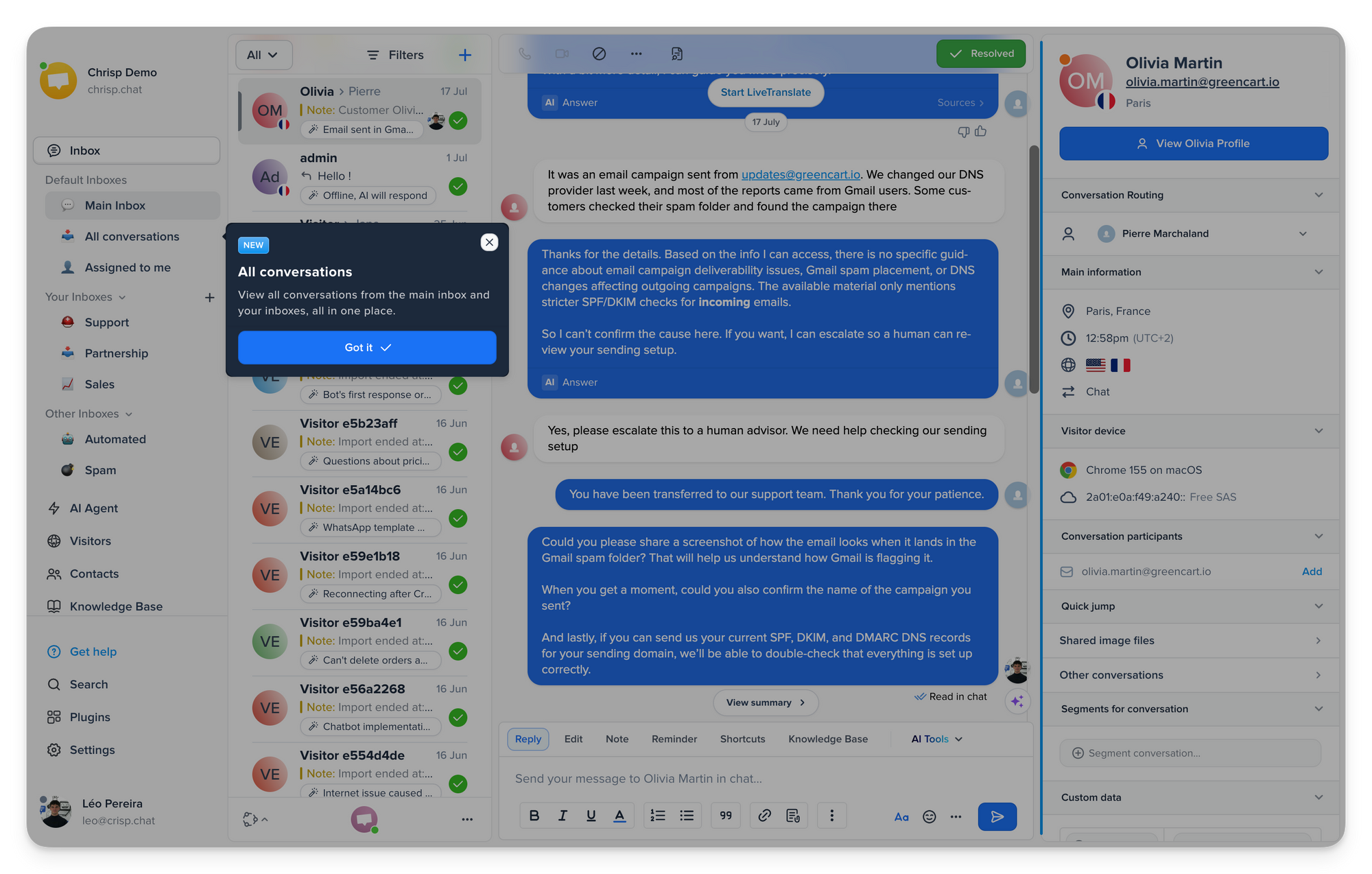
- See every conversation in one place 📥
The new All conversations inbox brings together every conversation you can access across the Main Inbox and your Sub-Inboxes. Use filters to review everything from one place, including mentions, without switching between inboxes.
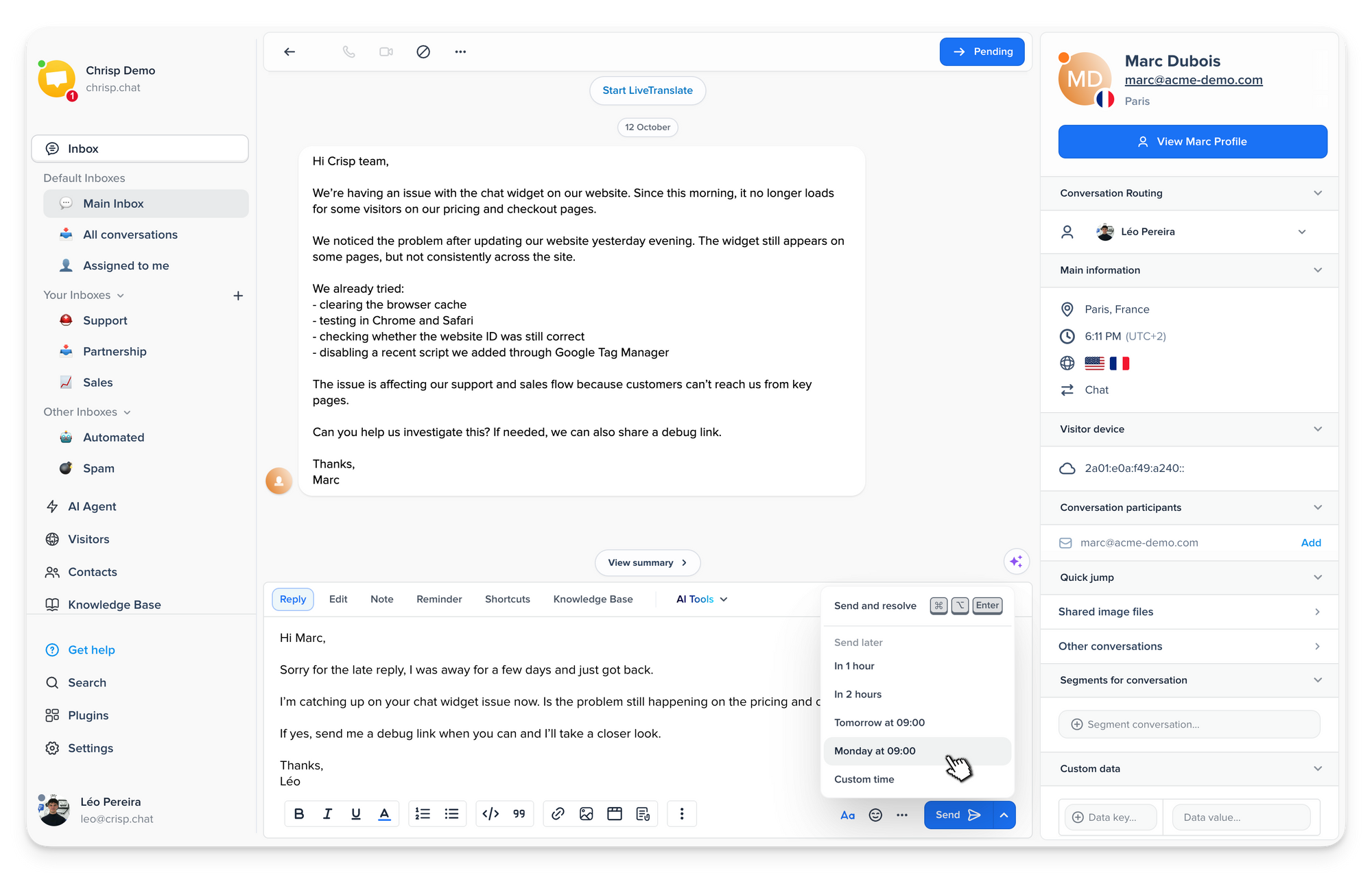
- Send messages at the right time ⏰
Keep customer follow-ups on time without relying on manual reminders. Schedule messages, private notes, or files for later, adjust them anytime, and keep upcoming follow-ups easy to find from the Inbox.
- Let external AI agents work inside Crisp 🔌
The Crisp MCP Server has been rebuilt with expanded tools for conversations, inboxes, CRM, and Knowledge Base content. External AI agents can search conversations, send messages or notes, move conversations between inboxes, and access more Crisp data.
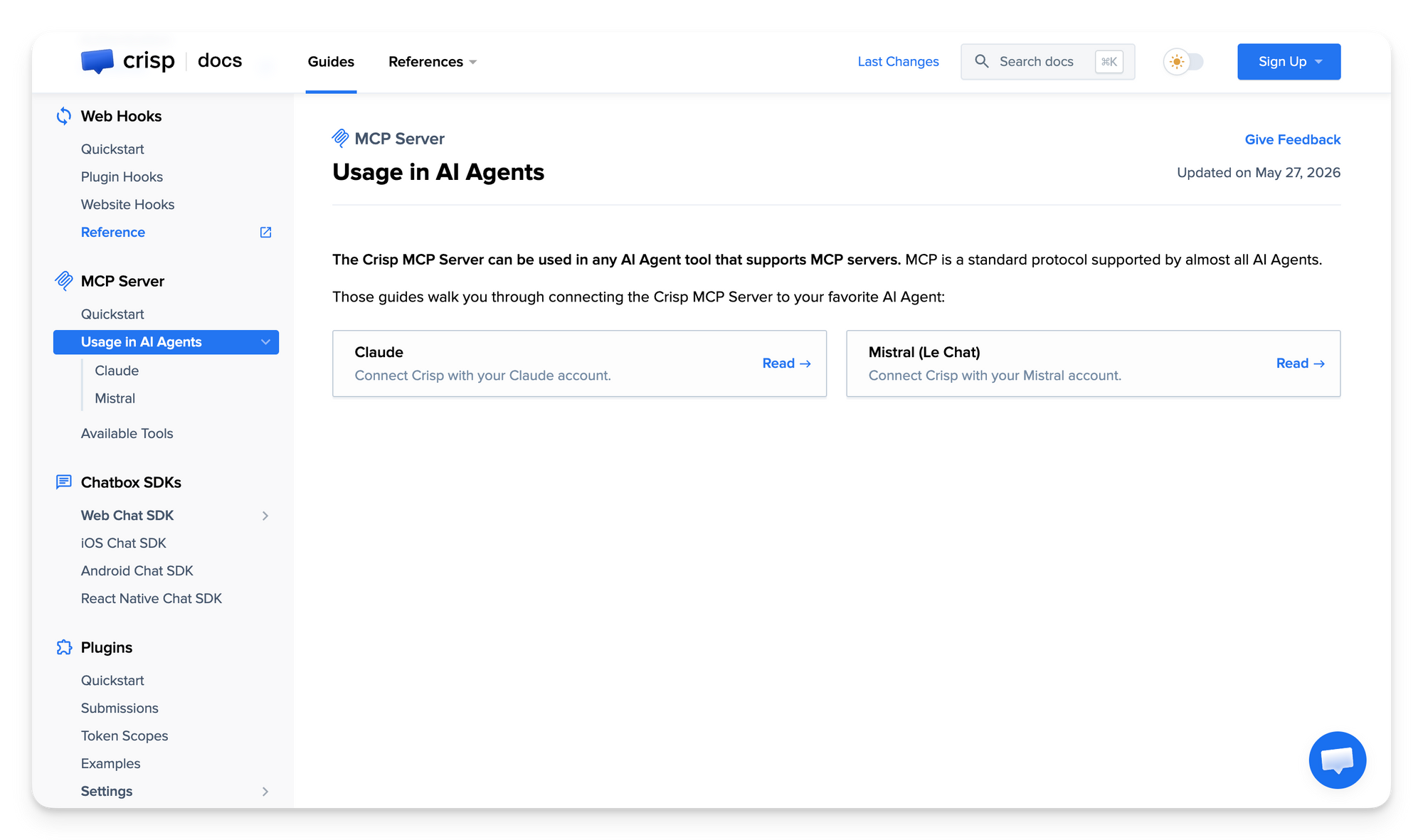
Explore the Crisp MCP Server →
- Connect your Knowledge Base to AI tools 🔗
Knowledge Bases can now expose their content through a public MCP server, letting tools like ChatGPT and Claude search articles, summarize information, and retrieve answers directly from your documentation.
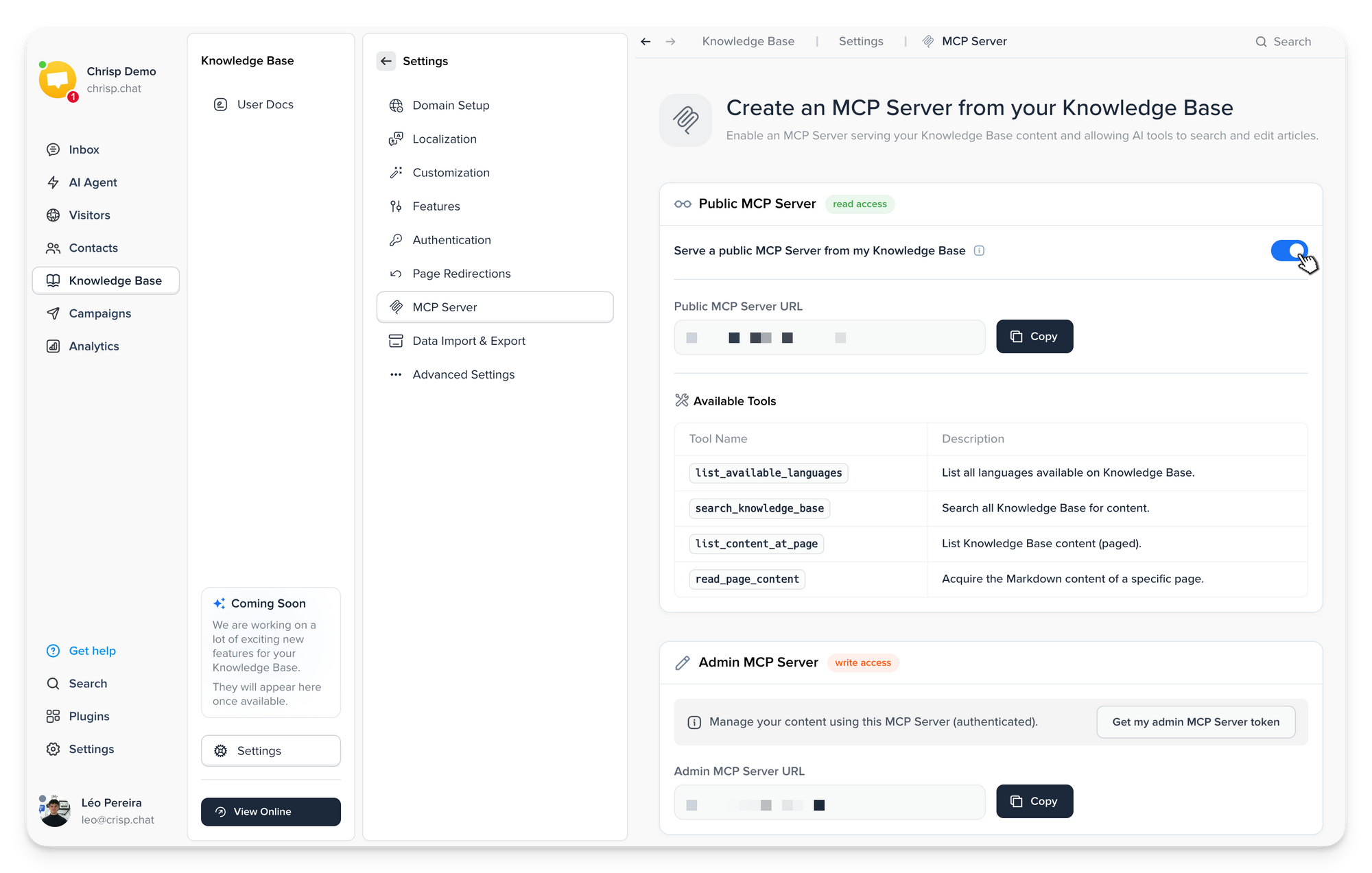
Configure Knowledge Base MCP →
- Edit and organize your Knowledge Base faster 📚
The new Knowledge Base editor keeps getting better with article duplication, smoother drag-and-drop organization, safer deletion flows, improved article search, and a new Focus Mode for distraction-free editing.
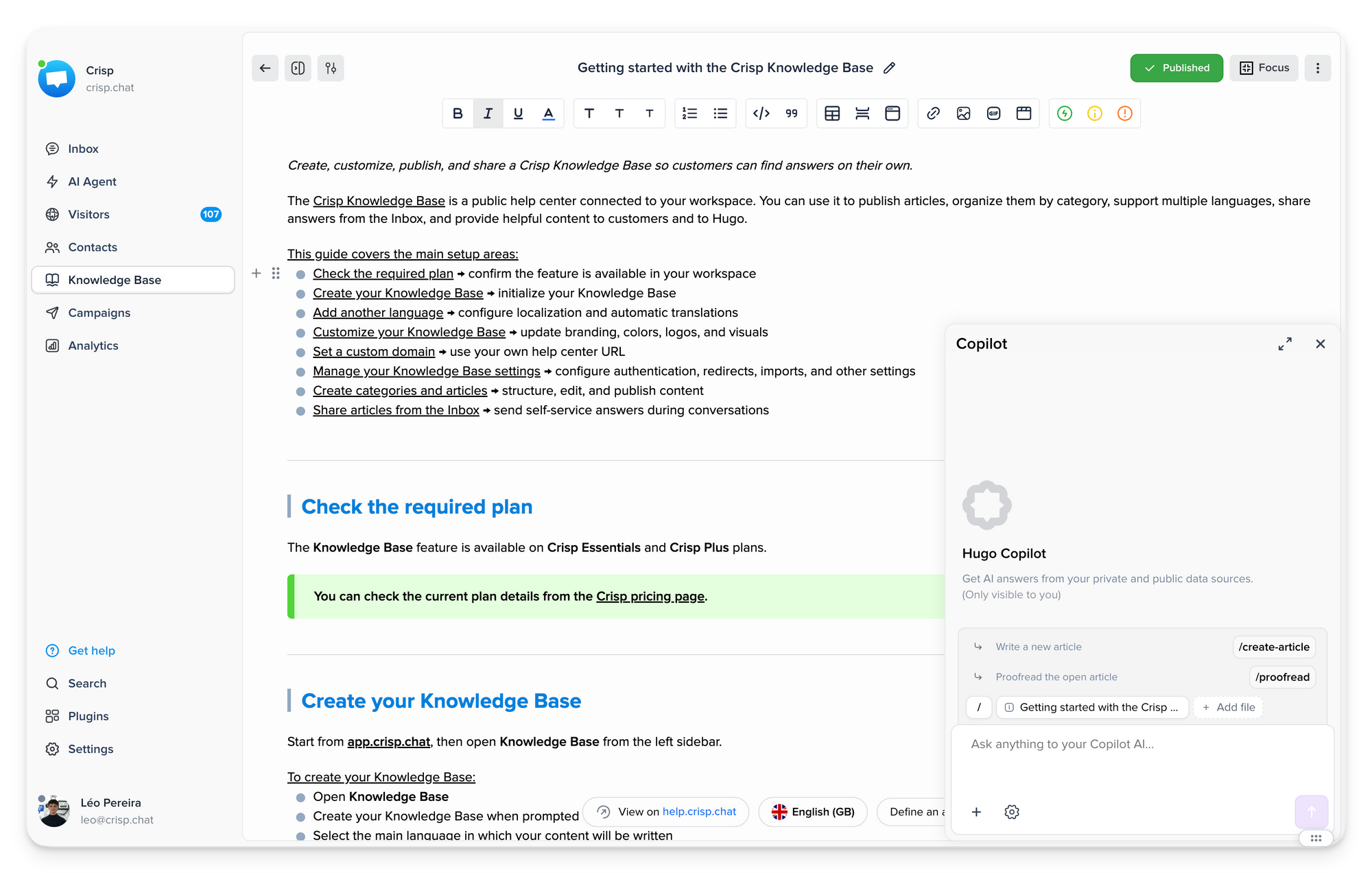
Open the Knowledge Base editor →
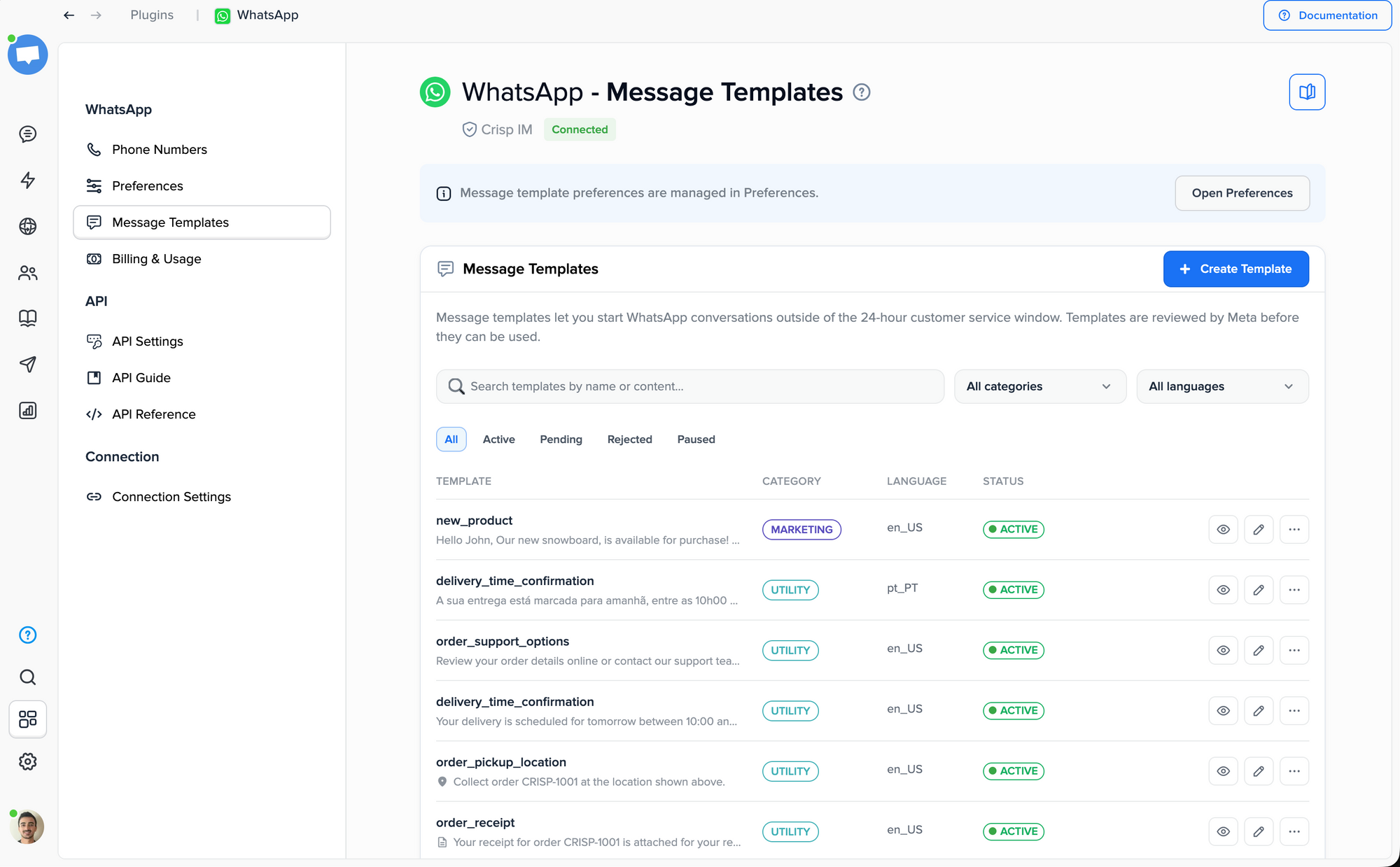
- Create richer WhatsApp templates in Crisp 💬
Create, edit, and manage WhatsApp templates directly in Crisp, now with support for carousel templates. Build richer messages with multiple cards, media, and actions, then preview and send them from the Inbox.
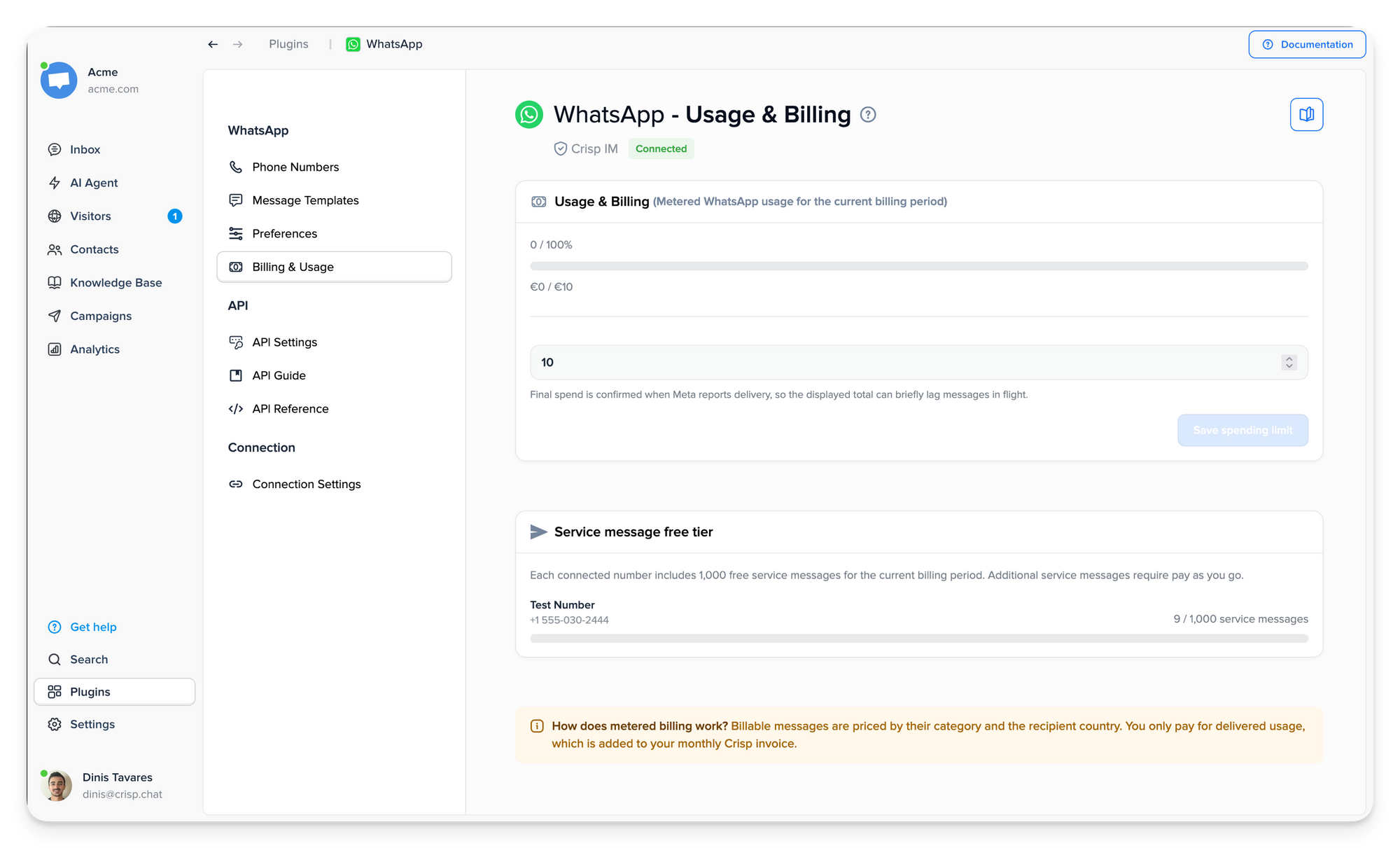
- Take control of your WhatsApp spending 💳
WhatsApp now supports pay-as-you-go billing, letting you manage your spending limit directly from Billing & Usage instead of configuring plugin credits manually. This gives you more flexibility to adjust costs as your WhatsApp usage changes.
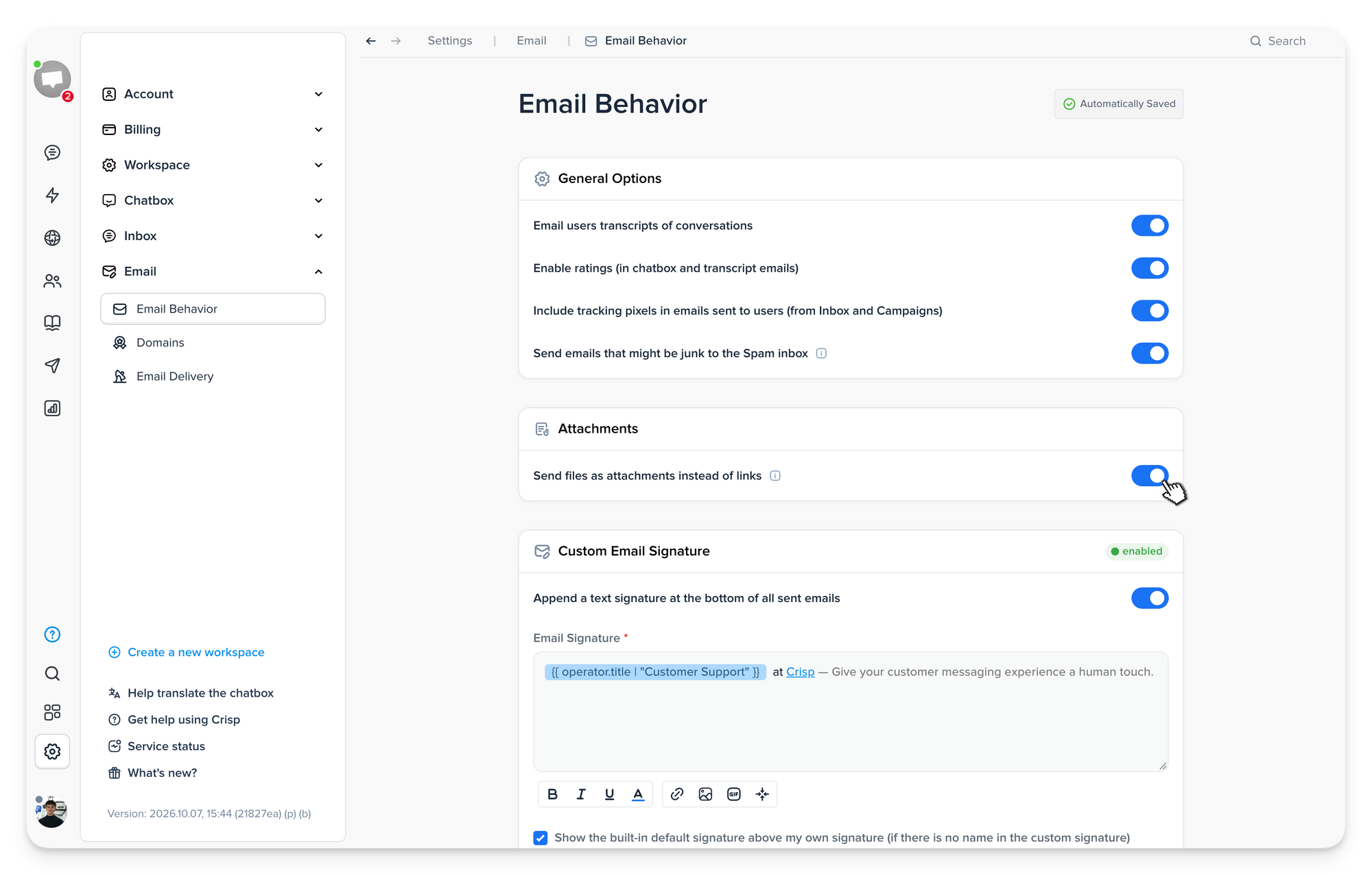
- Send files as real email attachments 📎
Files can now be sent as true email attachments instead of links when using a custom email domain, making documents easier for customers to receive and download. Files up to 18 MB are attached directly, while larger files are still sent as links.
- Start conversations with a private note 📝
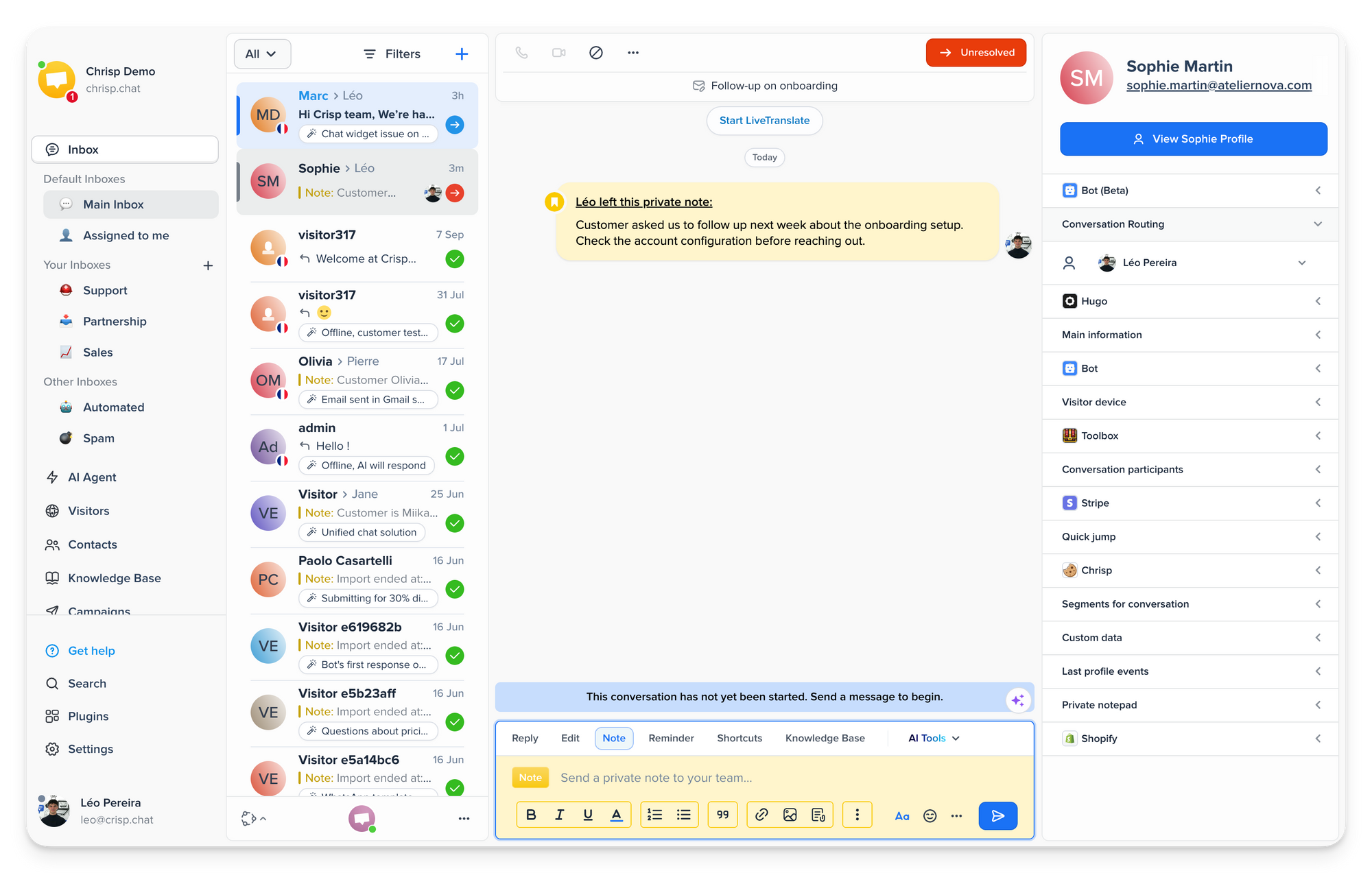
Create conversations with a Private Note so they appear in the Inbox without contacting the customer. This makes follow-ups and internal tickets easier to prepare before reaching out.
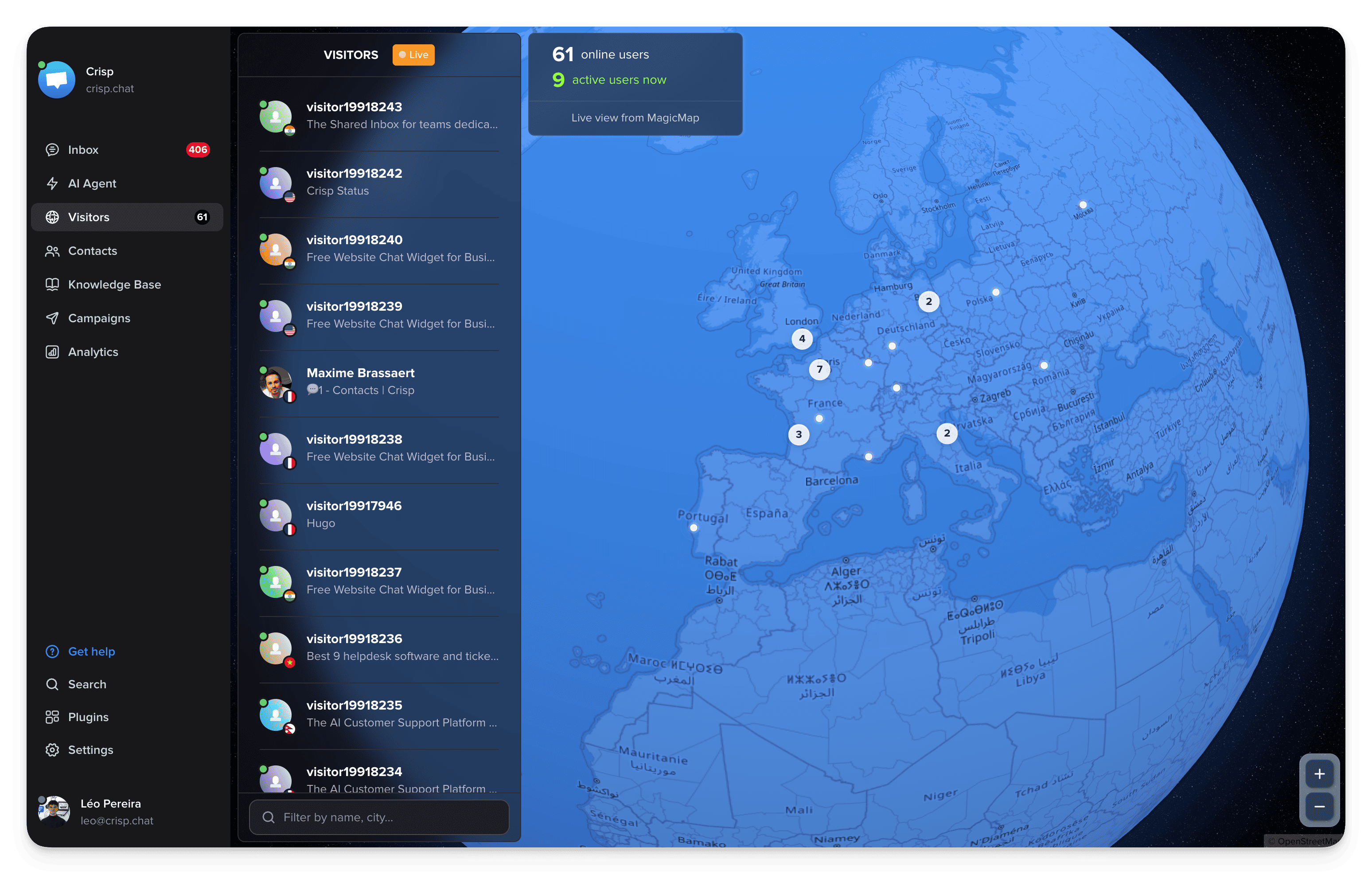
- Explore your live visitors on a 3D globe 🌍
MagicMap now comes with a new 3D globe view to visualize where your website visitors are connecting from in real time, spot activity across regions, and get a clearer geographic view of your audience.
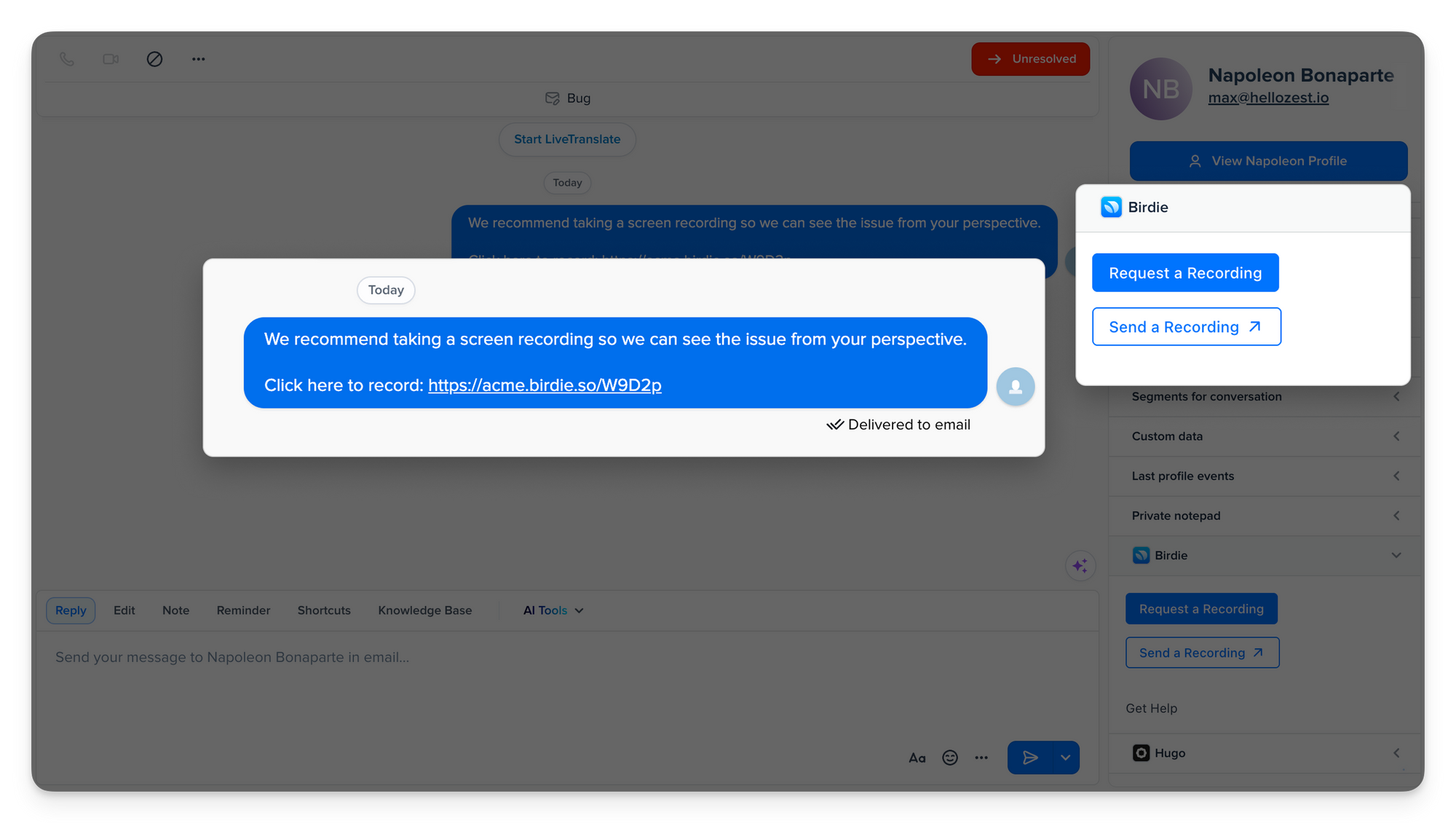
- Resolve support issues faster with screen recordings 🎥
The new Birdie integration lets customers record their screen directly from Crisp, giving your support team clearer context to troubleshoot issues faster. Recordings can also capture console logs and network activity for more technical investigations.
Bug fixes & improvements 💪🏼
AI & Automation
- More Anthropic models in Hugo
Hugo now supports Claude Haiku 5.5, Opus 5, and Sonnet 5, with Opus 5.5 and Sonnet 5.5 also available in beta. - Latest models for existing setups
Legacy models have been upgraded to GPT-6.1 Terra, GPT-6.1 Sol, and Claude Haiku 5.5, with users migrated automatically. - Clearer Hugo escalations
See why Hugo escalated a conversation directly in the private note and Tester history, making handoffs easier to understand and review. - More flexible floating Copilot
Move and resize floating Copilot more freely, switch between threads, and access Skills and suggestions directly from the prompt area. - Track Copilot usage separately
Filter your Billing & Usage data by source to monitor Copilot usage and costs separately from AI conversations. - Control access to email addresses
Choose whether Hugo can access customer email addresses, giving you more control over the user data available to the AI Agent.
Inbox & Messaging
- Larger file uploads
Users and operators can now upload files up to 100 MB (expiring after 5 days). - Fewer duplicate email conversations
Email replies sent to your support address are now matched with the existing conversation when possible, reducing duplicate conversations in the Inbox. - Reuse recent conversation subjects
Quickly reuse your last 15 conversation subjects when creating or editing one, saving time on recurring support topics. - Show timestamps on every message
Choose to display the date and time on every Inbox message, making conversation timelines easier to scan without hovering. - Persistent Quick Jump view
Quick Jump now remembers whether you last viewed Files or Other conversations when switching conversations, reloading Crisp, or changing browsers.
Knowledge Base
- Control search query tracking
Choose whether Knowledge Base search queries are collected in Analytics, giving you more control over the search data stored in your workspace.
Workspace & Administration
- Persistent navigation history
Quickly return to recently visited pages across Crisp, with your navigation history in the sidebar, kept even after refreshing the app. - Plugin activity in audit logs
Audit logs can now include actions reported by plugins, starting with Hugo, making it easier to track important changes across your workspace. - Easier chatbox customization
Advanced chatbox customization now has its own settings page, making translations, positions, and colors easier to find and manage.
Apps & SDKs
- Improved Android experience
The Android app now improves long emails, adds an Updates tab, auto-detects languages for LiveTranslate, and includes several UI fixes. - Updated Windows and macOS apps
The latest Crisp desktop app releases are now available on Windows and macOS. - Refreshed HubSpot conversations panel
The Crisp conversations panel in HubSpot now mirrors the Inbox more closely, making conversation status, notes, and context easier to scan. - Better widget support for Rails and Turbo
The Crisp widget now stays loaded across Rails and Turbo page changes, while open conversations keep their scroll position.
Helpdesk Updates 📚
New articles
- Turn recurring support tasks into Copilot Skills
This new guide explains how to create reusable Copilot Skills for recurring support tasks, configure how they run, and manage shared, personal, and built-in Skills.
Read the Copilot Skills guide → - Write and improve Knowledge Base articles with Hugo Copilot
This new guide shows how to use Hugo Copilot in the Knowledge Base to create, proofread, translate, and manage help content with AI, including built-in Skills and review flows.
Read the Copilot Knowledge Base guide → - Analyze support data with Hugo Copilot
This new guide shows how to use Hugo Copilot in Analytics to explore support data, get answers with real figures, create charts, build dashboards, and adjust reporting periods.
Read the Copilot Analytics guide → - Plan customer follow-ups with Scheduled Messages
This new guide shows how to schedule messages, private notes, files, and mentions for later, manage upcoming sends, and find scheduled conversations directly from the Inbox.
Read the Scheduled Messages guide → - Connect your Knowledge Base to AI tools with MCP
This new guide explains how to enable the public MCP server and connect your Crisp Knowledge Base to tools like ChatGPT and Claude, so they can search and retrieve answers from your help content.
Read the Knowledge Base MCP guide → - Set up Crisp for FinTech customer supportThis new guide shows FinTech teams how to support authenticated users across web and mobile, keep account context connected to conversations, and route sensitive requests to the right team.
Read the FinTech setup guide → - Set up Crisp for Travel and Leisure customer support
This new guide shows travel and leisure teams how to centralize customer conversations, keep booking context accessible, and support travelers throughout their journey with Crisp and Hugo.
Read the Travel and Leisure guide → - Review Crisp’s RGAA 4.1.2 accessibility compliance
This new guide summarizes the Crisp Chatbox accessibility audit, including full RGAA 4.1.2 compliance, the audit scope, results, and how to report an accessibility issue.
Read the accessibility compliance guide →
Updated articles
- Connect Hugo AI Agent to the tools your team already uses
We updated this guide to cover Hugo’s new MCP Store, including 26,000+ integrations, direct OAuth connections, shared or personal access, and custom MCP servers.
Explore Hugo integrations → - Customize your chatbox with the new settings experience
This guide has been updated to reflect the new chatbox customization UI and settings location, covering appearance, texts, positioning, colors, and localized settings.
Read the chatbox customization guide →
Knowledge Base update
- Find answers faster with a clearer Knowledge Base structure
We reorganized the Crisp Knowledge Base with clearer categories and better-structured sections to make help content easier to navigate. Article improvements are still underway.
Explore the new Knowledge Base →
Product Webinar 👩🏫
How to Continuously Improve Your AI Support Performance
On November 17, 2026
Learn how to identify where your AI support falls short, understand why, and continuously improve performance with Analytics, Observability, and AI Suggestions.
Save my spot →
Turn a Year of Customer Conversations Into Actionable Insights with AI
On December 15, 2026
See how to analyze a year of customer conversations with AI, uncover patterns you might otherwise miss, and turn them into actionable insights for 2027.
Save my spot →
How to Build a Modern AI Customer Support Stack in 2027
On January 19, 2027
Learn how to combine AI, customer data, automation, and support tools into a modern stack that works together and scales with your team.
Save my spot →

September 2026 - Product Update
Discover the new Knowledge Base editor, benchmark your AI support performance, track how often Hugo escalates conversations, and more. Discover the latest features and improvements released by the Crisp team in September 2026.

Summer 2026 - Product Update
Meet the refreshed Crisp experience, Understand how Artificial Intelligence handles every conversation, Build reusable teams across your workspace, and more. Discover the latest features and improvements released by the Crisp team in Summer 2026.

Best 9 helpdesk software and ticketing systems for 2026
Need help to choose your next helpdesk with a ticketing tool for 2026? We've gathered a guide that gives you everything you need to convince your C-levels.