Spring 2026 - Product Update
Want to know what we've done the past months at Crisp? Make sure to check out our product update for Spring 2026!


New Features
Your Crisp Widget now has a homepage 🏡
Bring your most important support entry points into one place. The new homepage helps customers quickly choose the right next step: start a conversation, search your help article, or find answers on their own.
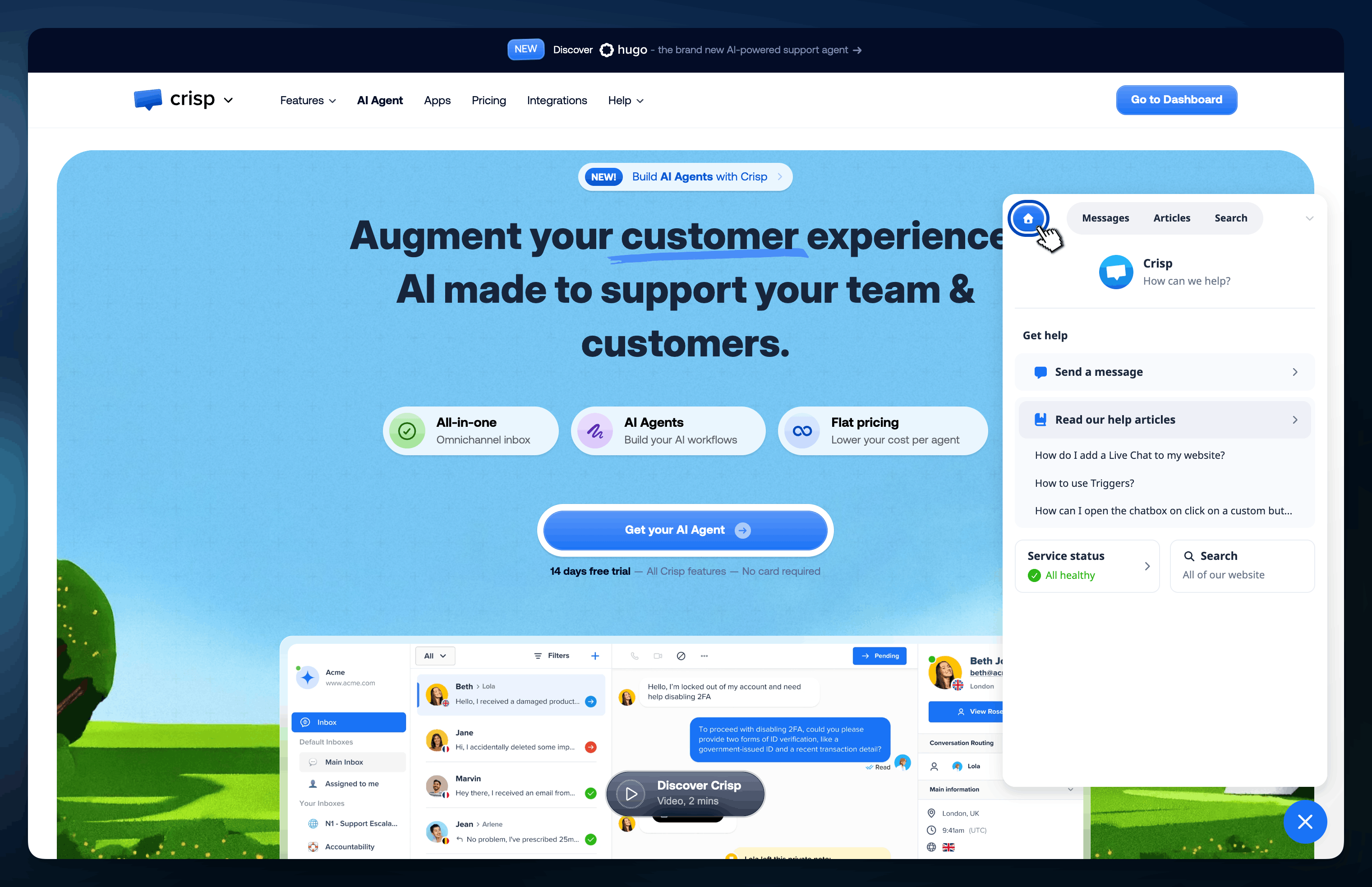
Enable the home section for my Crisp Widget →
Route conversations with more context in Hugo 🧠
Hugo AI Agent can now detect topics, assign segments, and support clearer escalation flows. This gives your team more control over how conversations move across your support workflow, without adding setup complexity.
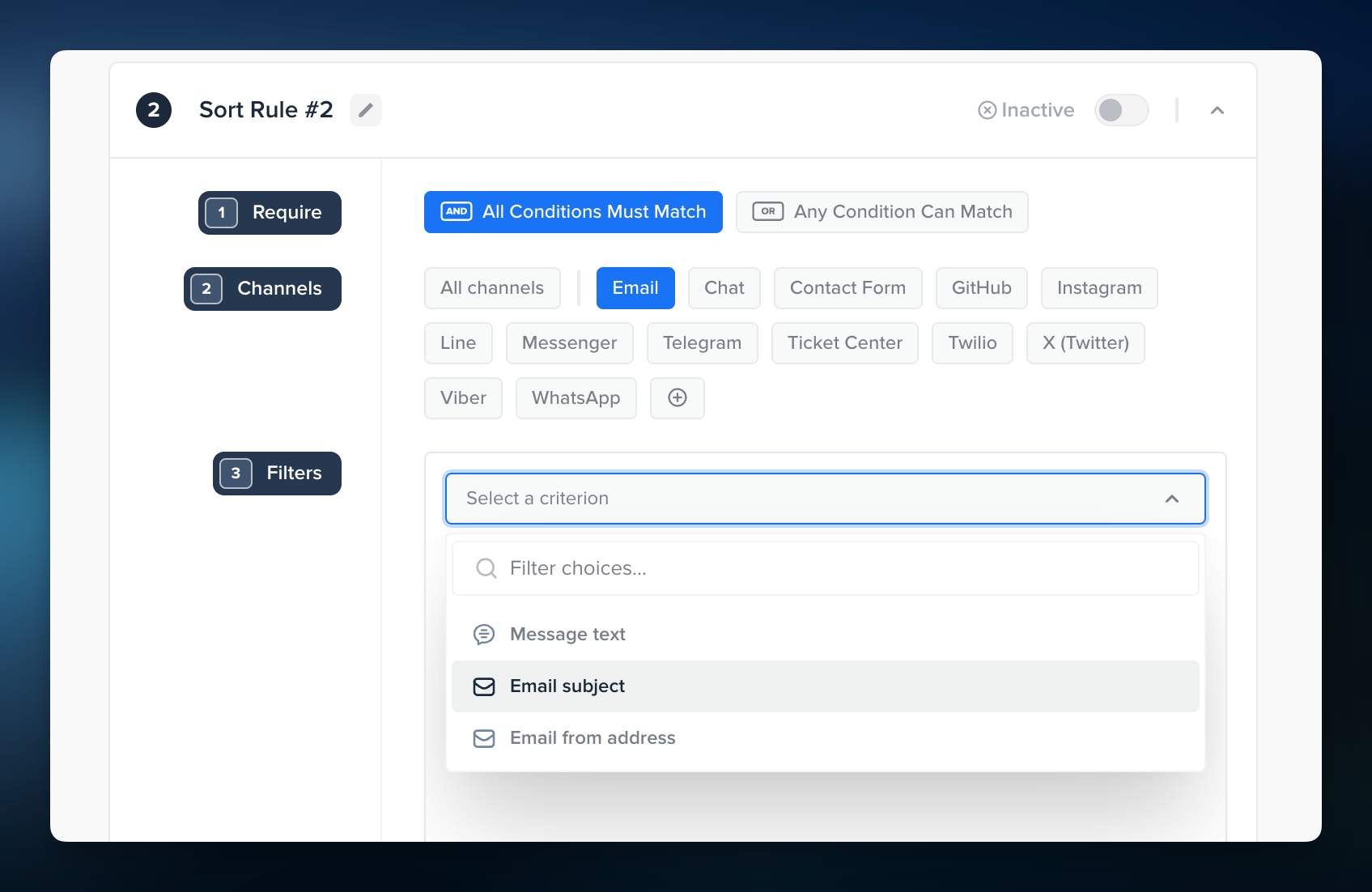
Build more flexible email routing rules in Crisp ✉️
Triage and inbox rules are now much more powerful, with support for new comparison operators, AND / OR logic, email subject conditions, and the “to” email address for incoming emails. This makes advanced routing easier to set up and easier to trust.
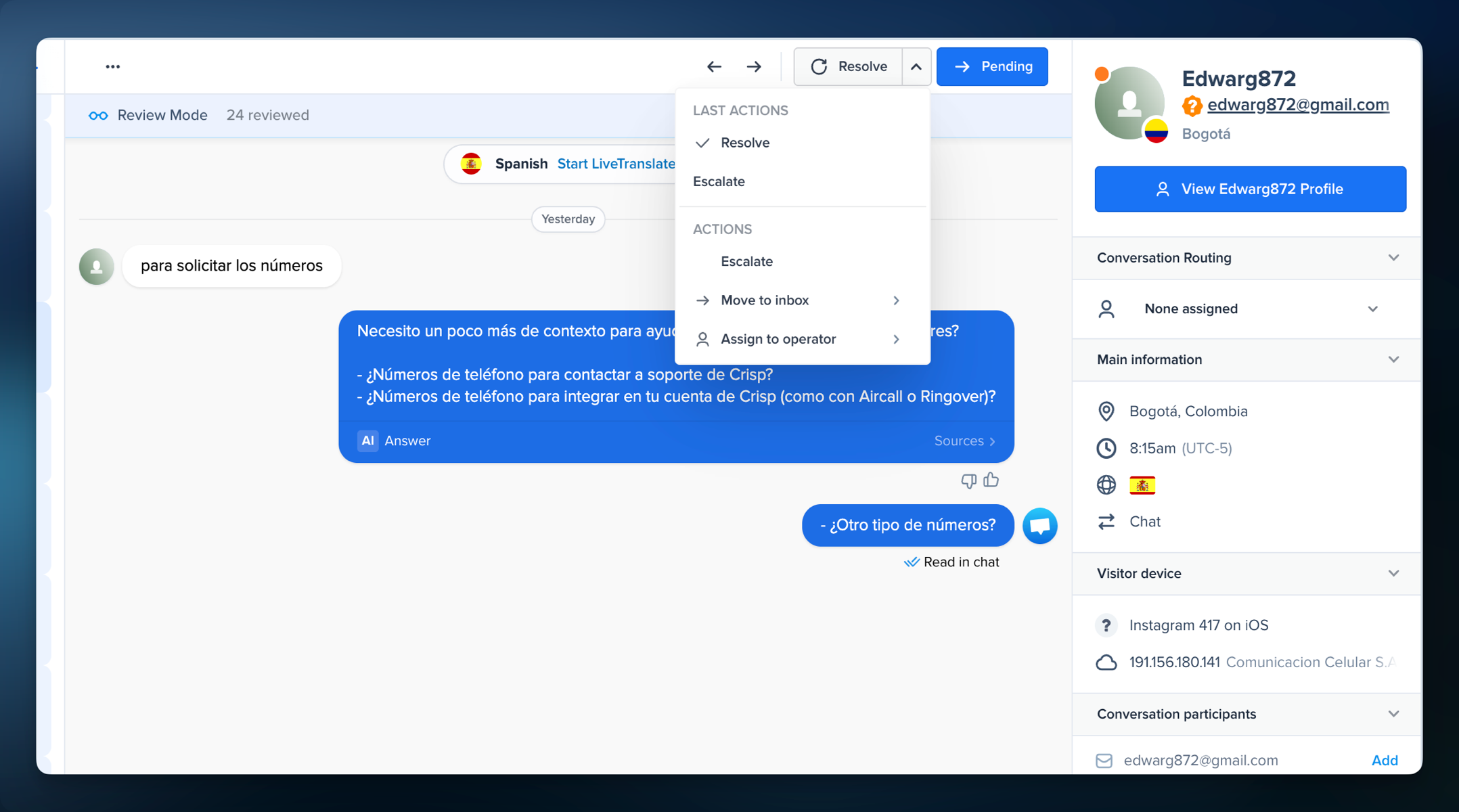
Review conversations faster at scale ⚡
Review Mode helps teams process high volumes of conversations much faster with quick navigation, a review counter, and an action button to repeat your last action instantly or choose from recent ones. It is always enabled in the Automated Inbox and can also be enabled in other sub-inboxes.
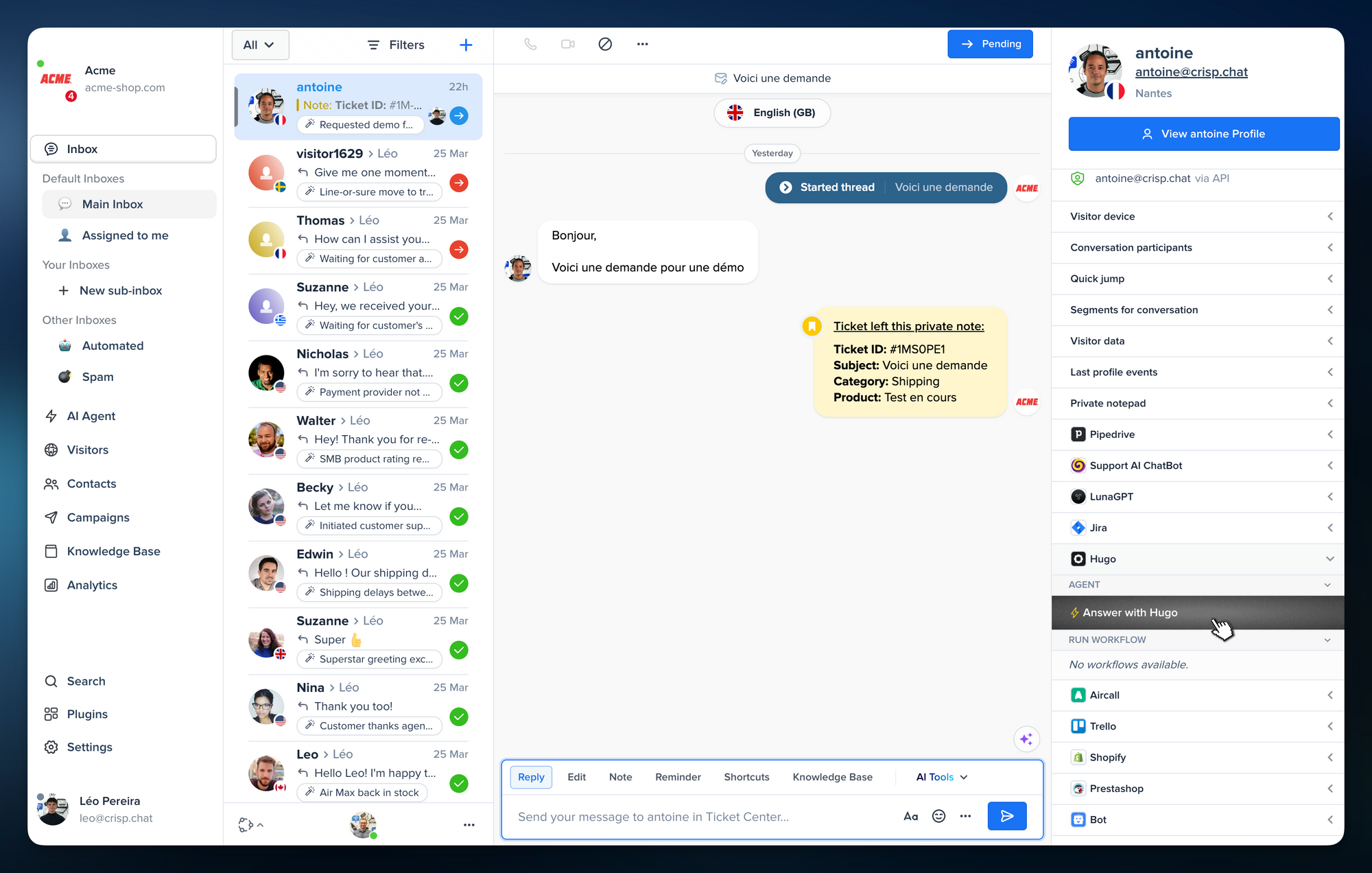
Let customers start with Hugo from the widget 🤖
You can now trigger Hugo directly from the widget, making it easier to guide customers toward instant answers before a human agent needs to step in.
Give customers a better self-serve experience with Overlay AI 🔎
Overlay AI has been improved to make self-serve support smoother and more useful. It helps customers find answers before reaching your team, while still keeping human support one step away when needed.
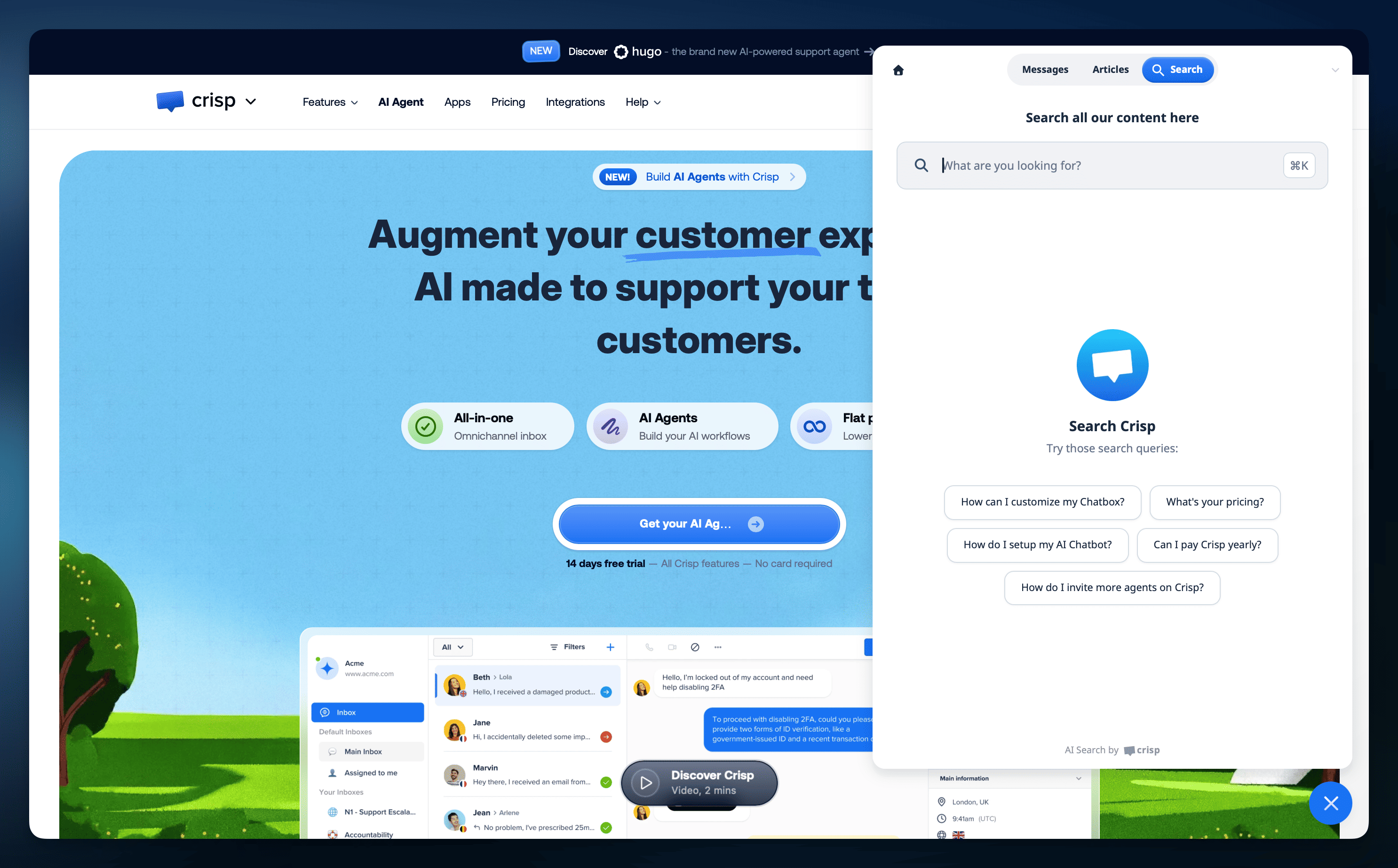
Enable Overlay Today in my Chat Widget →
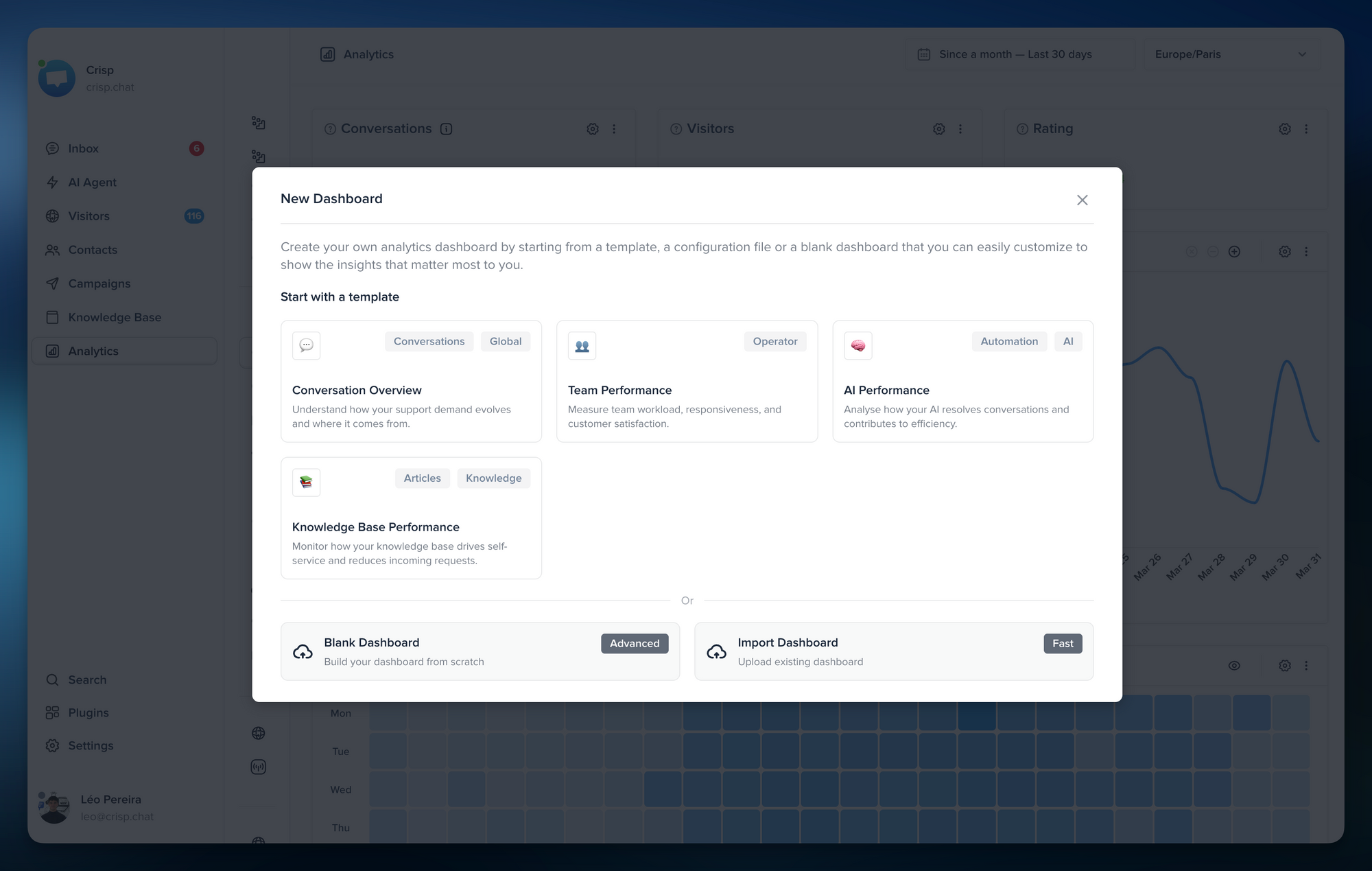
Start faster in Analytics with in-app templates 📊
You can now create dashboards from prebuilt templates directly inside Crisp Analytics. It is the fastest way to get started with meaningful reporting without building every chart from scratch.
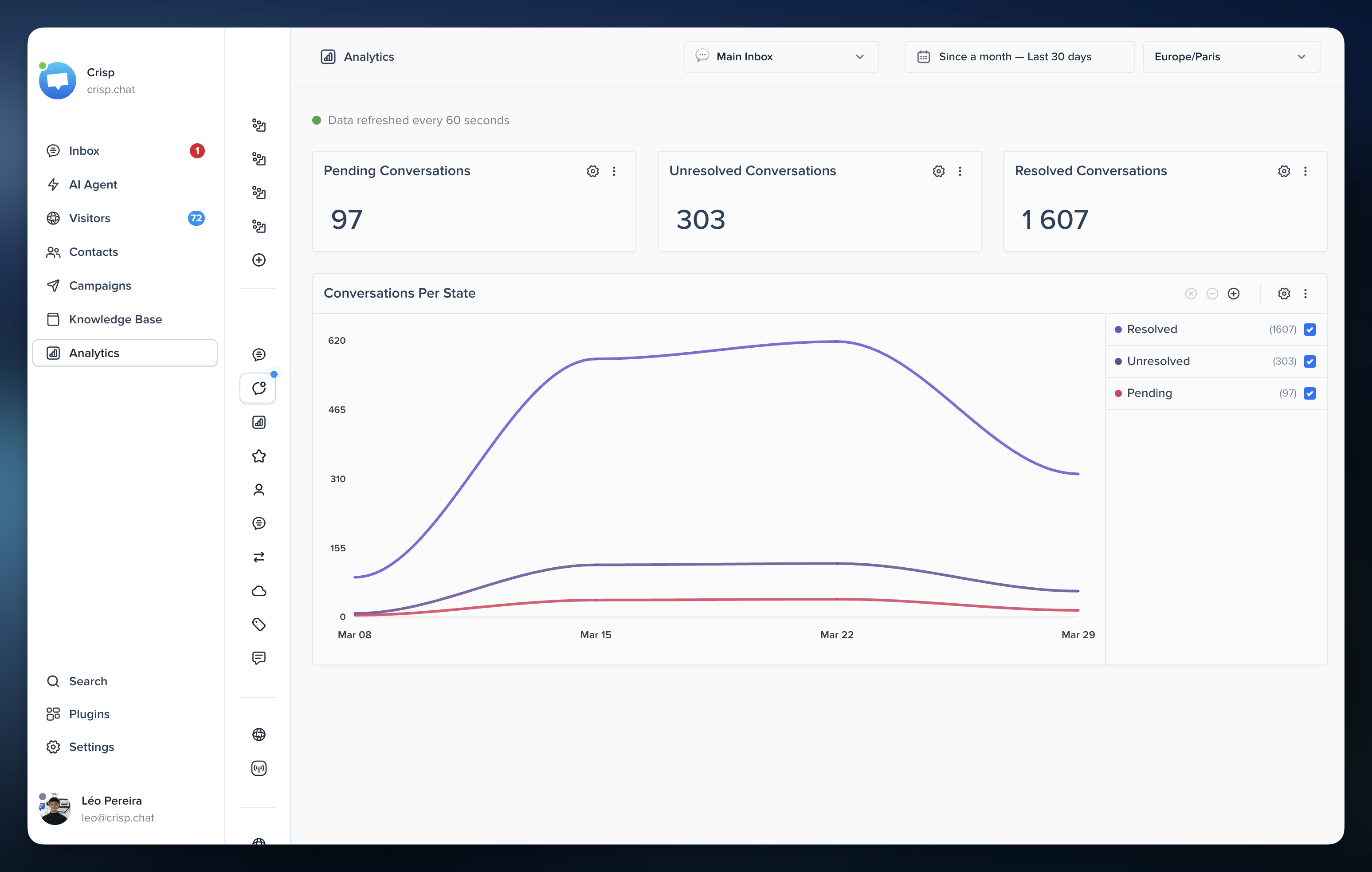
Measure real-time support workload with Conversation State 📈
The new “Conversation State” metric helps you track pending, unresolved, and resolved conversations over time. Combined with the new Workload view, it gives teams a clearer understanding of support demand across the workspace.
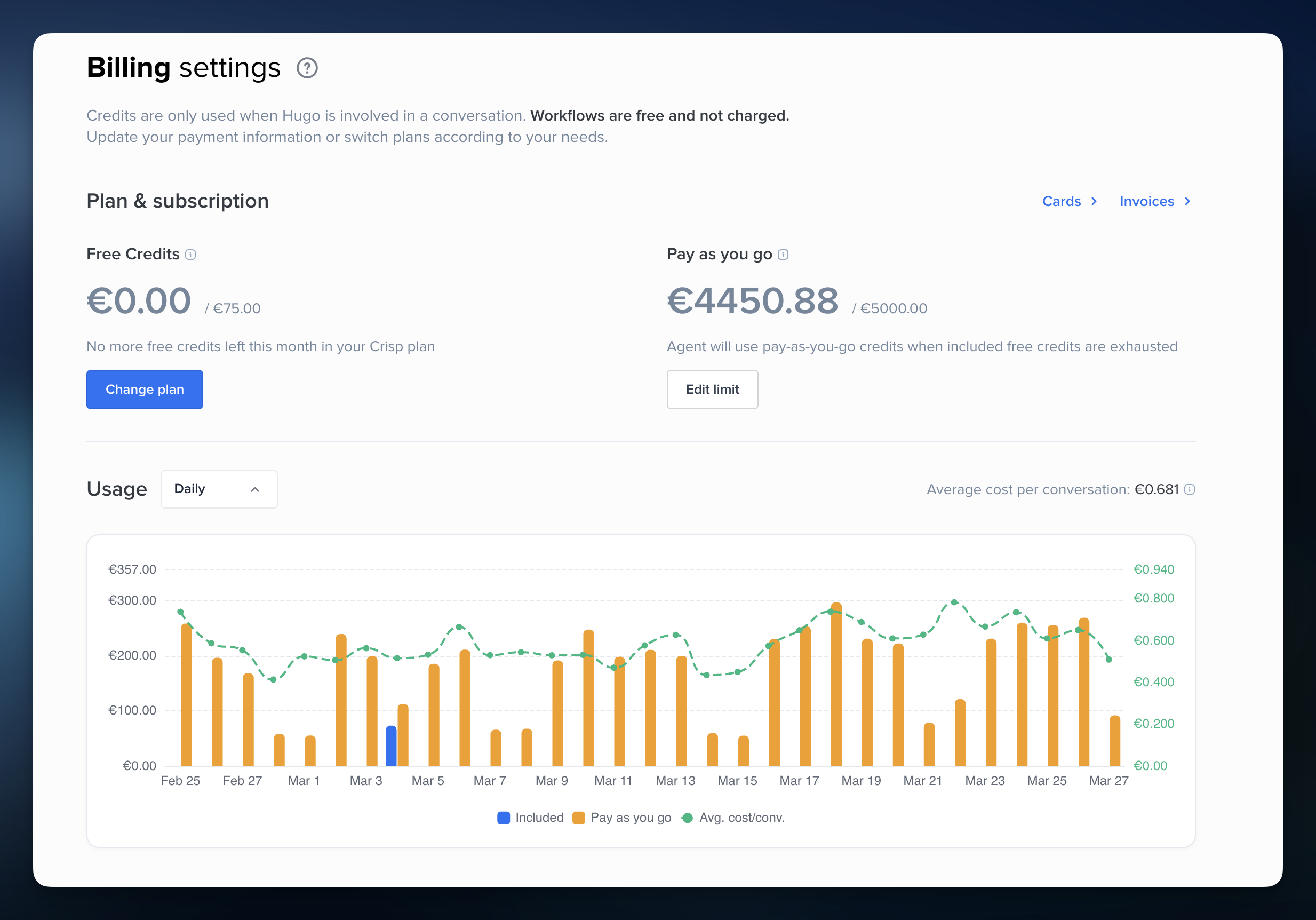
Track AI costs more clearly with Hugo Billing Analytics 💸
Hugo Billing Analytics now gives you a more detailed view of AI usage, with day and week breakdowns, average conversation cost, and downloadable pricing data. Hugo also now includes an in-app model picker with estimated prices to make AI cost decisions easier during setup.
Export conversations from Hugo Analytics in one click 📤
You can now download the conversations behind your Hugo Analytics data. This makes it easier to audit AI activity, investigate trends, and understand what sits behind a given period or cost pattern.
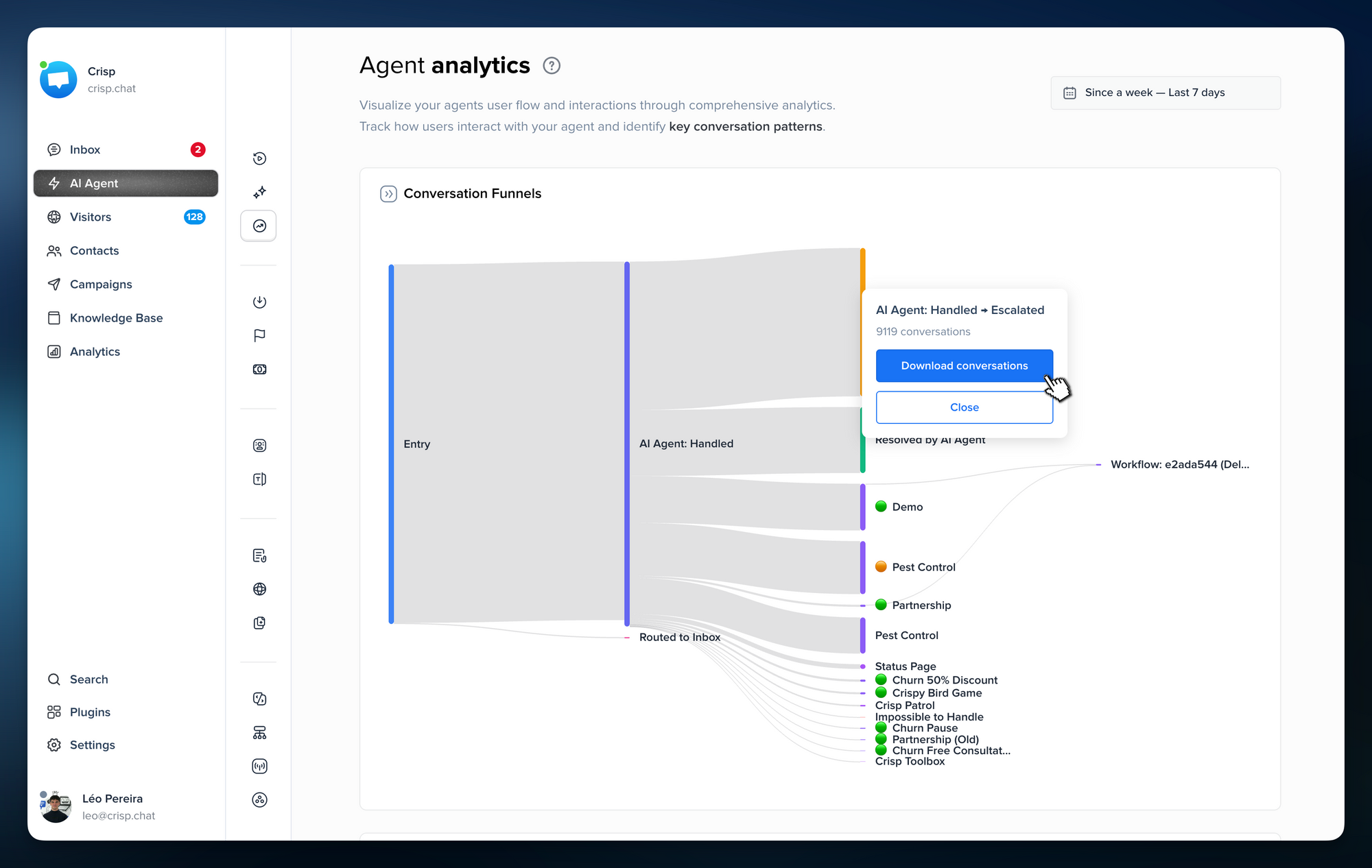
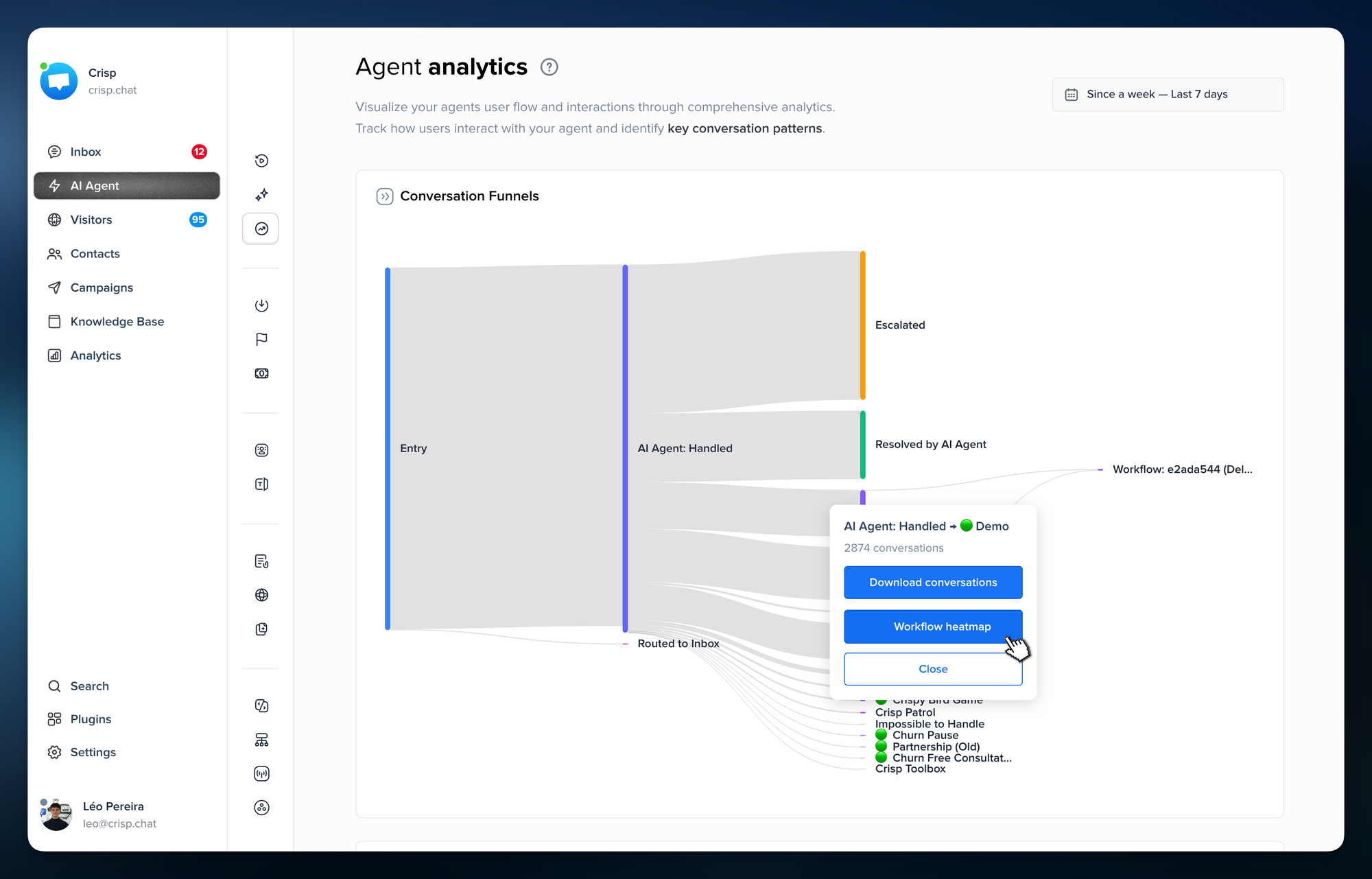
See how users move through your workflows with Workflow Heatmaps 🗺️
Workflow Heatmaps help you understand which paths are used most often inside your workflows. It is a simple way to monitor real usage, debug unexpected behavior, and improve your automations based on what users actually do.
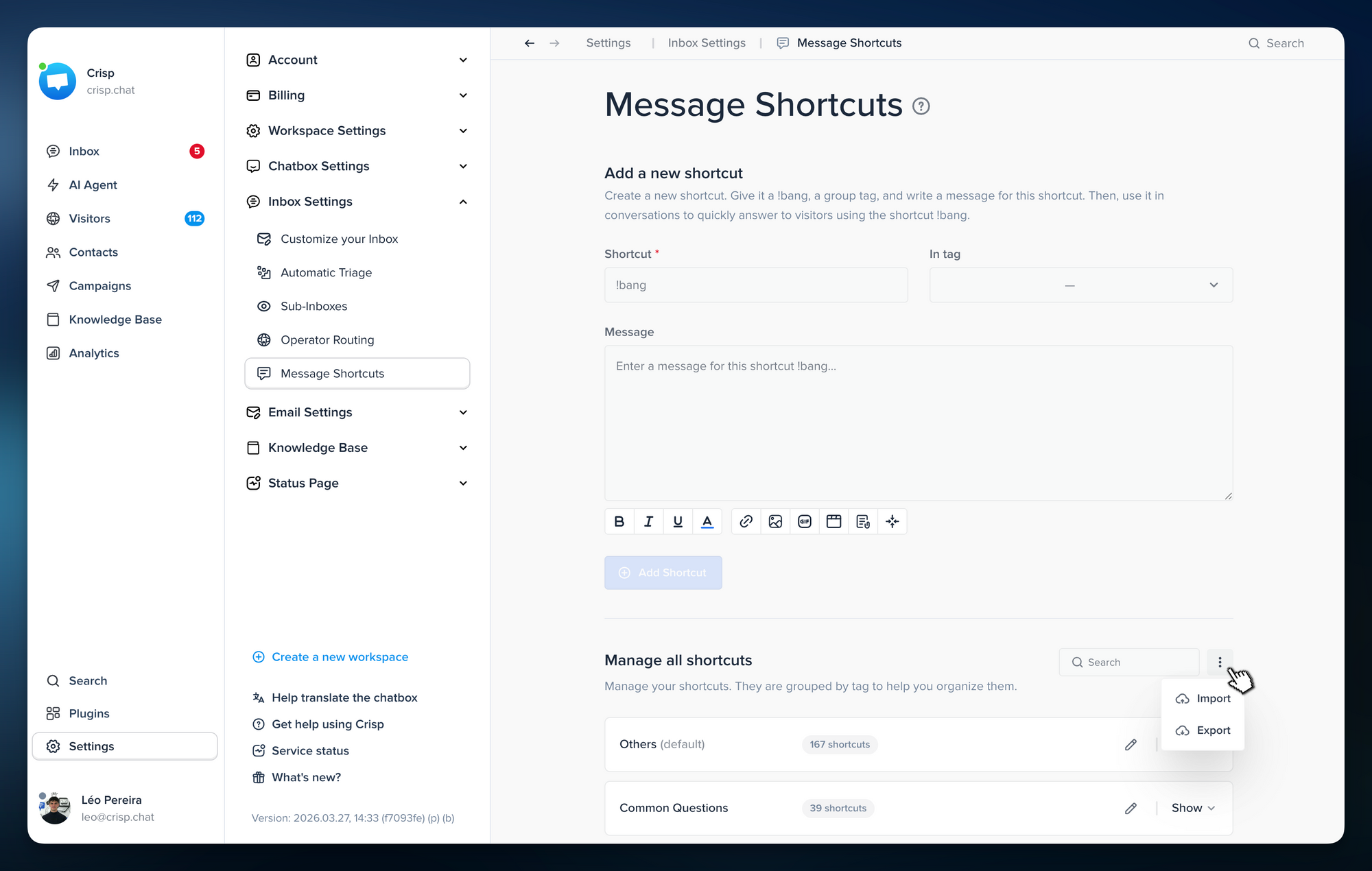
Import and export message shortcuts faster 💬
You can now import and export message shortcuts with CSV files. It is a faster way to back up replies, reuse them across workspaces, or migrate canned responses without rebuilding everything manually.
Build React Native support chat faster with Crisp 📱
We rebuilt Crisp’s official React Native Support Chat SDK from the ground up to give mobile teams a stronger foundation for the years ahead. It works with both Expo and bare React Native projects, so you can integrate Crisp in the setup that fits your app best.
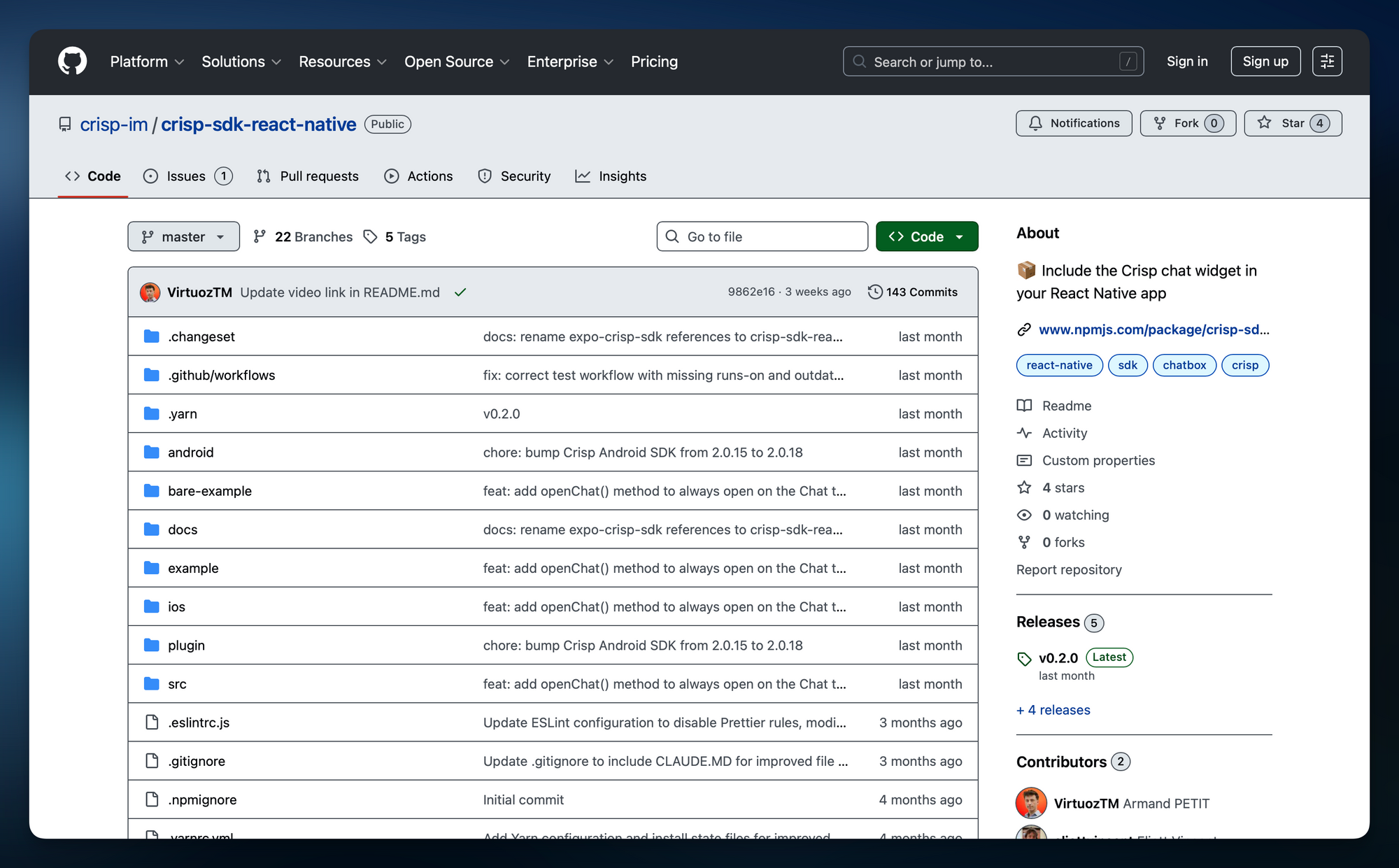
Discover the new support chat SDK for React Native →
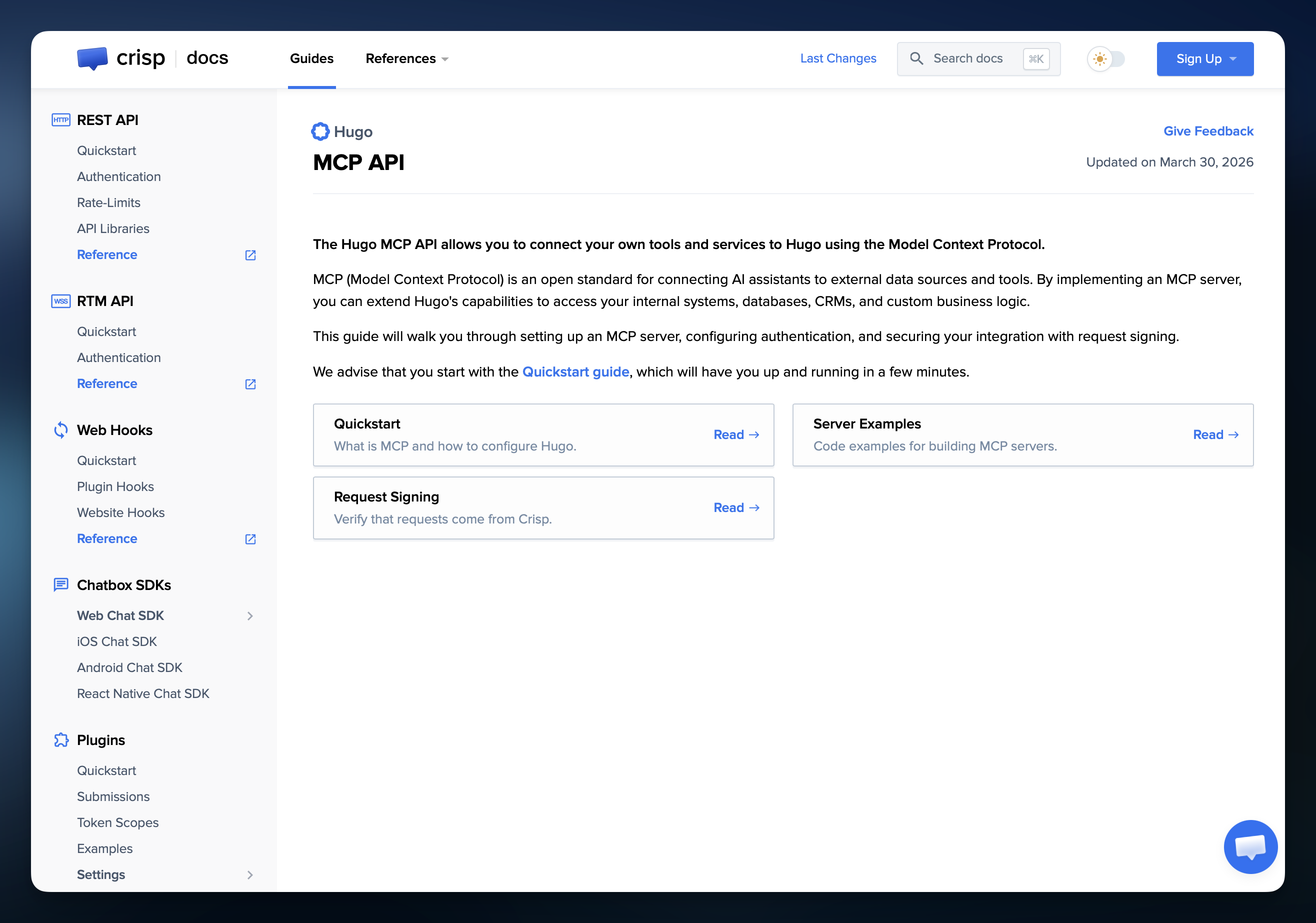
Connect Hugo MCP with stronger request verification 🔐
Hugo MCP now supports HMAC signatures, making it easier for enterprise teams to verify that requests really come from Crisp. We also published new MCP documentation to help you connect Hugo to your own tools and services with more confidence.
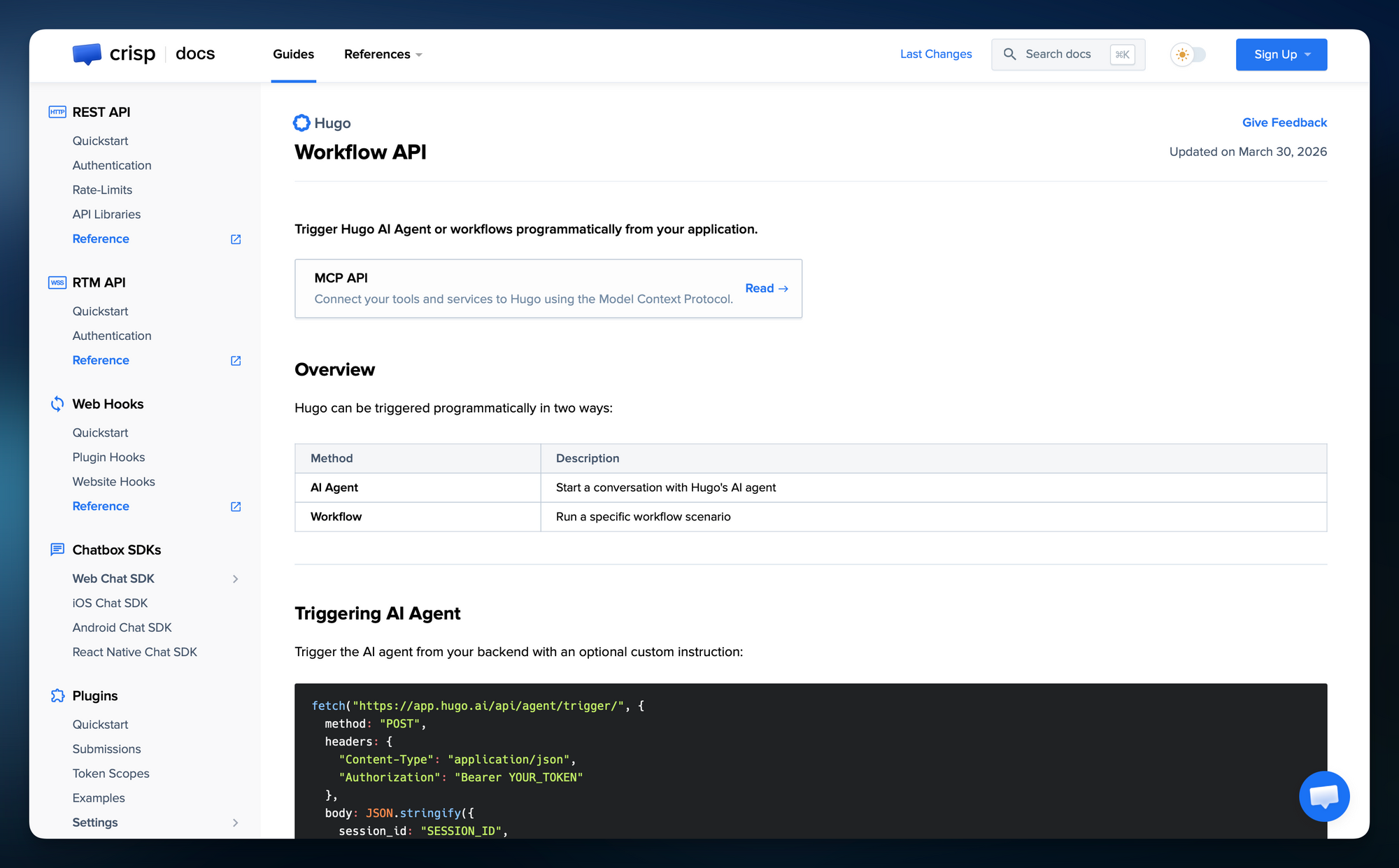
Trigger Hugo Agents and Workflows from your app ⚙️
You can now trigger Hugo AI Agent conversations or launch workflow scenarios programmatically through the REST API. This gives teams more flexibility to connect Hugo with their own product, automate actions from custom events, and embed AI deeper into their workflows.
Bug fixes & improvements 💪🏼
- AI Agent: GPT 5.2 and 5.4 are now supported in Hugo
- AI Agent: Locale handling has been improved on Hugo, especially for shorter queries
- AI Agent: Hugo’s crawler now does a better job crawling websites used as data sources
- Analytics: Analytics exports have been improved
- Apps: New Mac and Windows desktop apps are now available
- Inboxes: Conversation search now works across all inboxes
- Inboxes: “Assigned to me” is now global across inboxes
- App: Dark mode is now available on Hugo
- Campaigns: One-shot Campaigns are now sent up to 2x faster for users with a custom SMTP setup
- Prestashop: The PrestaShop plugin now supports PrestaShop 9
- Languages: Hugo is now available in French 🇫🇷, Spanish 🇪🇸 Portuguese 🇵🇹, and German 🇩🇪
- Languages: Chatbox is now available in Uzbek and Uzbek (Cyrillic) 🇺🇿
- Languages: Knowledge Base is now translated in Albanian 🇦🇱
- Languages: Dutch 🇳🇱 translations across the Crisp app have been improved
Helpdesk Updates 📚
How to prompt Hugo AI Agent to behave like your best support teammate?
Want Hugo to sound more like your team? This guide shows how to write better instructions so your AI Agent gives more relevant, more consistent answers.
Learn how to prompt instructions →
How to prompt Support AI Agent to route conversations?
Learn how to write routing instructions that turn Hugo into a more reliable part of your support workflow. This guide helps you trigger the right action based on a topic, situation, or tone.
Learn how to prompt routing rules →
How to import / export message shortcuts?
Learn how to move your shortcuts in and out of Crisp with CSV files to save setup time, reuse replies across workspaces, or migrate canned responses faster.
Learn how to manage shortcuts →
Moving to Crisp
Our “Moving to Crisp” section has been fully reworked to help teams switch from other platforms with more clarity, better guidance, and dedicated migration articles.
Explore migration guides →
Set up Crisp Analytics for Customer Support: 4 dashboards templates
This updated guide shows how to use in-app Analytics templates to launch the right dashboards faster and get a clearer view of support performance from day one.
Discover Analytics templates →
Product Webinar 👩🏫
How to Build an AI Setup That Fits Your Support Team
On April 23, 2026
Learn how to configure an AI Agent for customer support so it fits your team’s tone, logic, and support workflow.
Save my spot →
Reduce Repetitive Questions Before They Slow Down Your Team
On May 19, 2026
See how to reduce repetitive support work with your knowledge base, widget, Overlay AI, and Hugo.
Save my spot →
Automatically Route Every Conversation to the Right Place with AI
On June 18, 2026
Learn how to route conversations more accurately with Hugo, inbox rules, and workflows.
Save my spot →
Give Customers Faster Answers Without Growing Your Support Team
On July 9, 2026
Discover how to improve answer speed with the right mix of self-serve, AI, and human support.
Save my spot →
Teasing next releases 💥
- New “AI Suggestions” system in Hugo ✨ Spot repetitive questions, uncover knowledge gaps, and improve your help content faster.

Best AI Chatbot Platform for Reducing Ticket Backlogs in 2026
Want to get ahead of competition and choose the best AI Chatbot to reduce support backlogs? Here are our top picks for 2026.


24/7 Support Benchmarks: What customers expect in 2026
The 9-to-5 support model is dying, and your customers already know it. If your checkout page runs around the clock, they assume your support does too. But knowing you should offer 24/7 support and actually delivering it are two very different things.

Inside Hugo: How Crisp Built an AI Customer Support Agent
Discover how Crisp built Hugo, an AI customer support agent designed to automate support conversations. A behind-the-scenes look at how a 10-year-old SaaS rebuilt parts of its platform to adapt to the AI era.