June 2026 - Product Update
Hugo Copilot, Widget Tools, smarter AI setup reviews, improved routing, and more. Discover the latest features and improvements released by the Crisp team in July 2026.


New Features
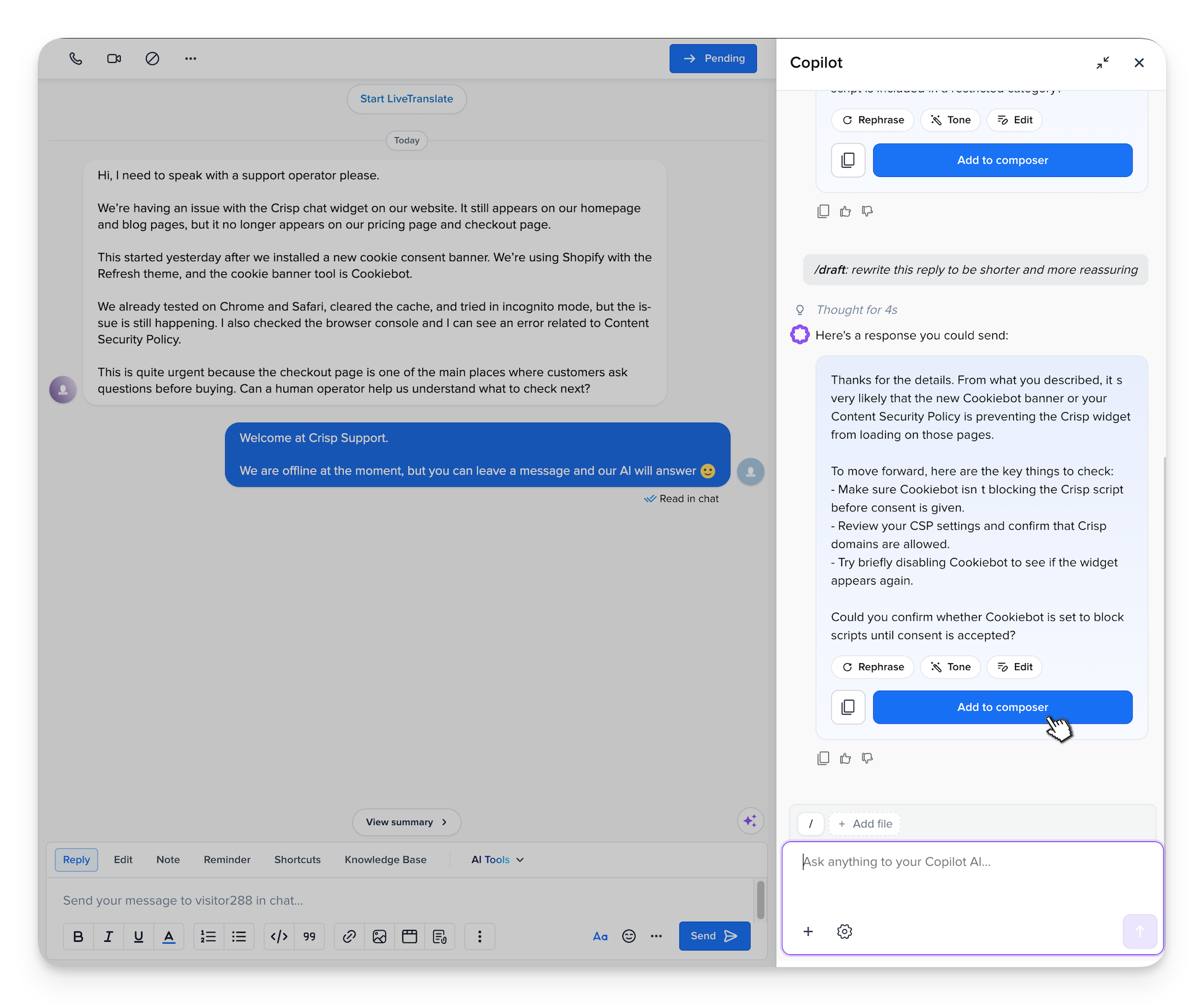
Meet the new Hugo Copilot for complex support cases 🧠
Hugo Copilot has been redesigned to help operators handle more complex conversations with better context and more efficiency. From one place, your team can investigate requests, summarize, draft replies, prepare handovers, add files(User screenshots), and review the sources to get more efficient at handling support conversations.
Let Hugo take actions directly on your website ⚡️
Your AI can now do more than answer questions. With Widget Tools, Hugo can trigger actions directly from your frontend, guiding users to the right place, applying discounts, or pulling account data in real time. It’s a powerful new way to turn conversations into product actions, without adding backend complexity.
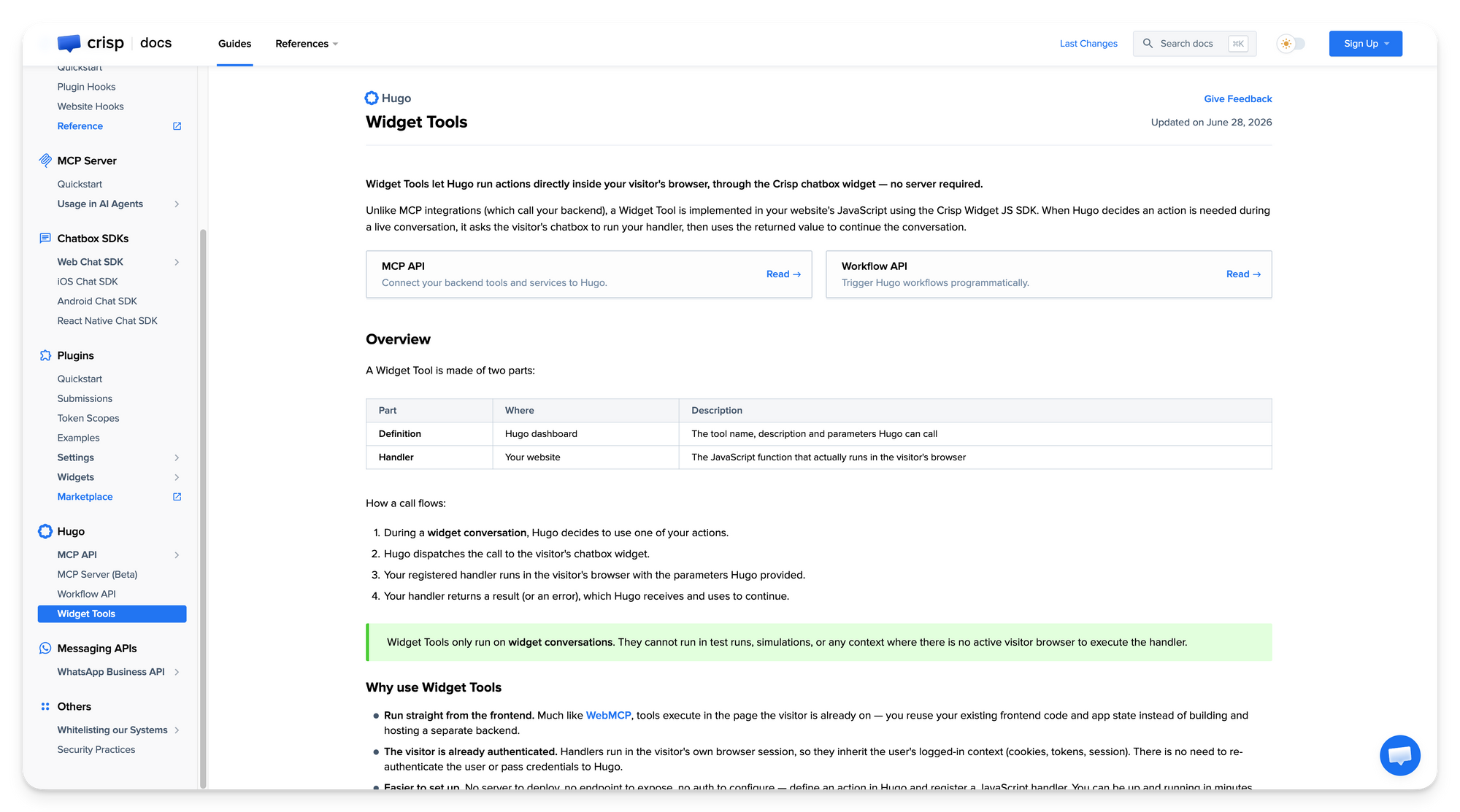
See Widget Tools Support Use-Cases →
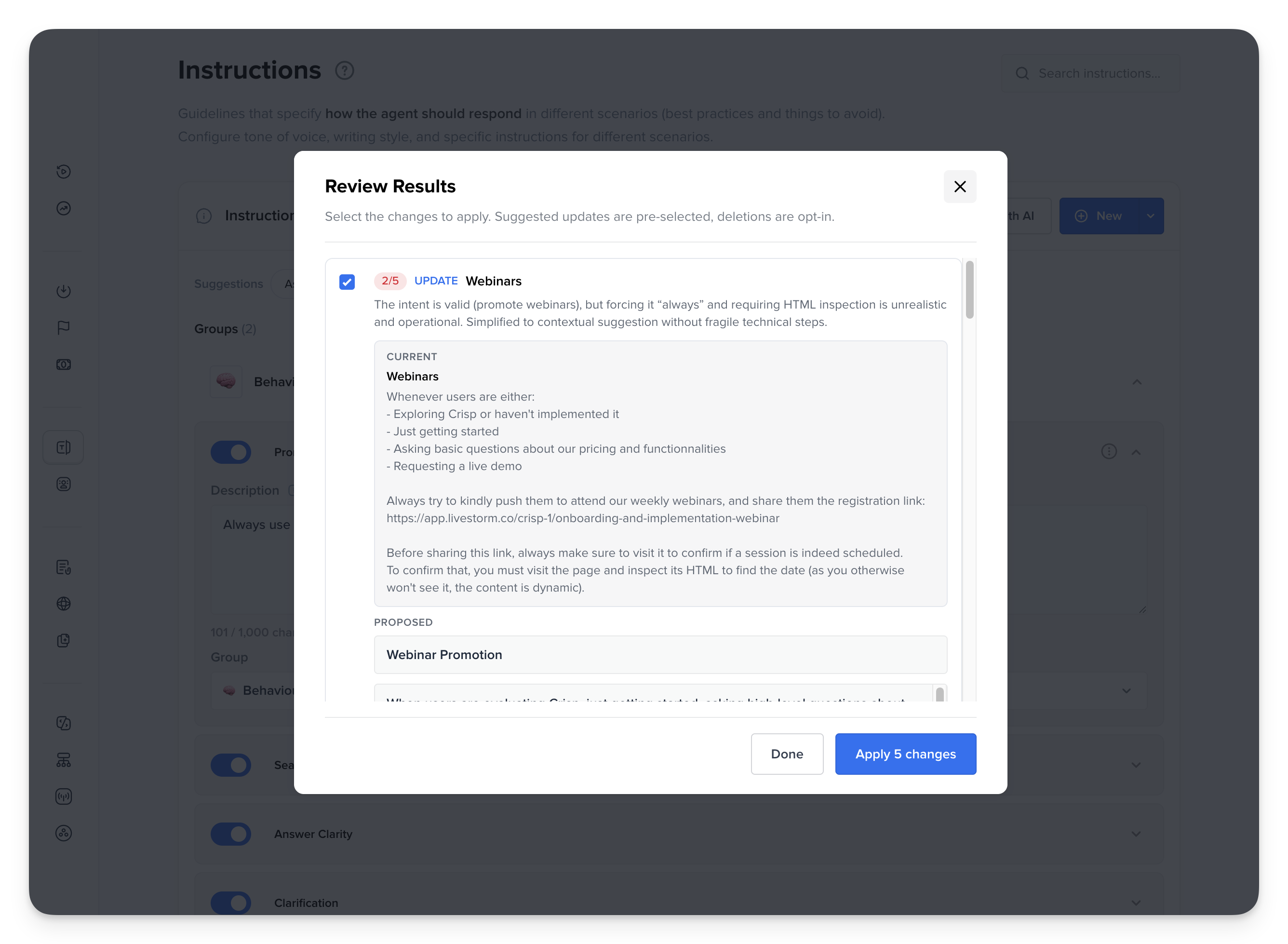
Review and improve your AI setup directly in Crisp 🛠️
Review instructions and routing rules with AI, get scored recommendations with clear explanations, and apply the best updates directly in Crisp to improve your agent setup faster.
Send out-of-credit Hugo conversations to a workflow 💳
On Crisp Plus, you can now trigger a workflow when Hugo reaches its billing limits, instead of only escalating the conversation to the inbox. This gives your team more control over what happens next when AI credits run out.

Set up out-of-credit workflow →
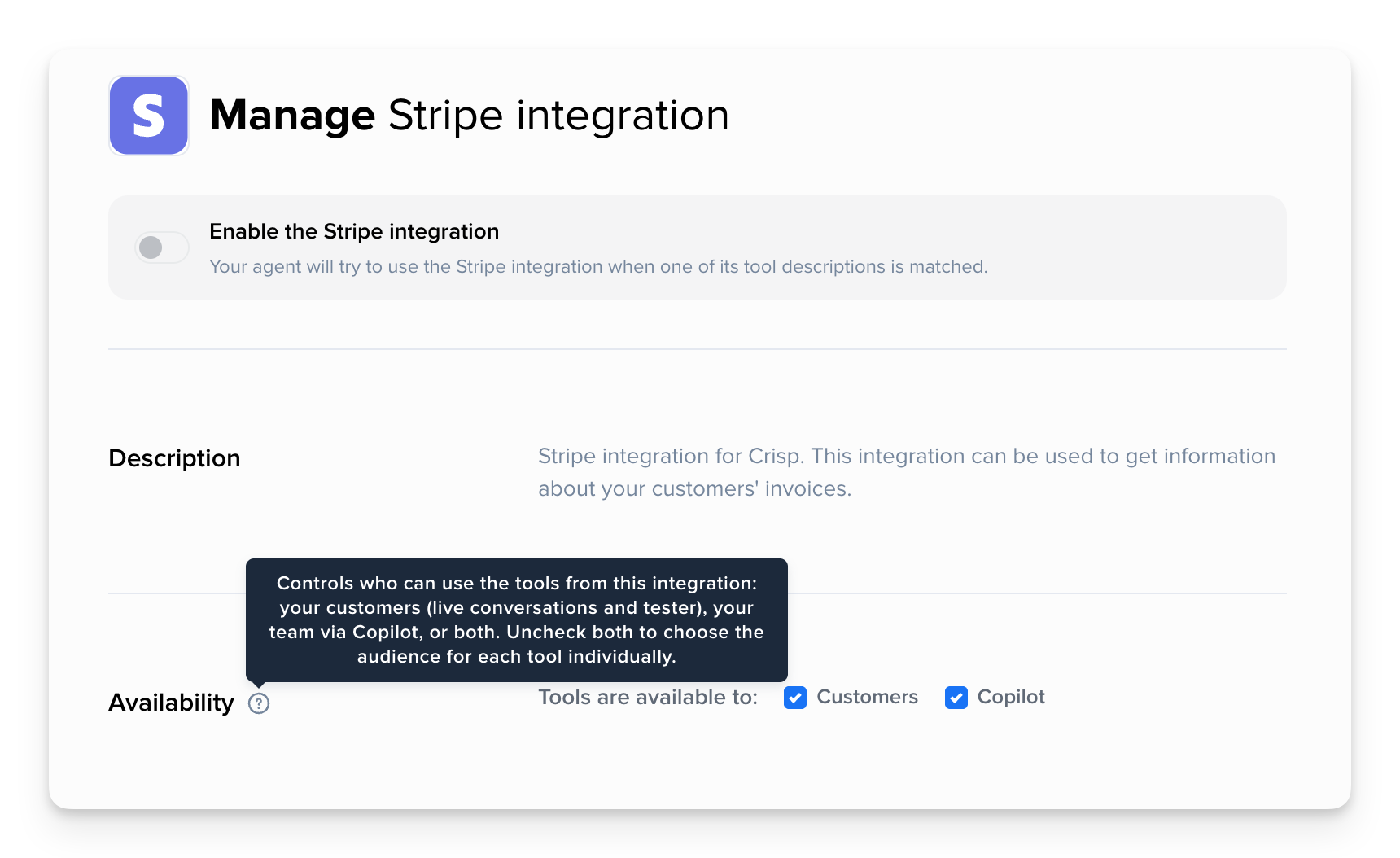
Choose who can use each integration tool in Hugo 🧩
As Hugo Copilot becomes a more powerful workspace for operators, you can now choose whether each integration tool is available to customers, Copilot, or both, giving you more control over where each tool is used.
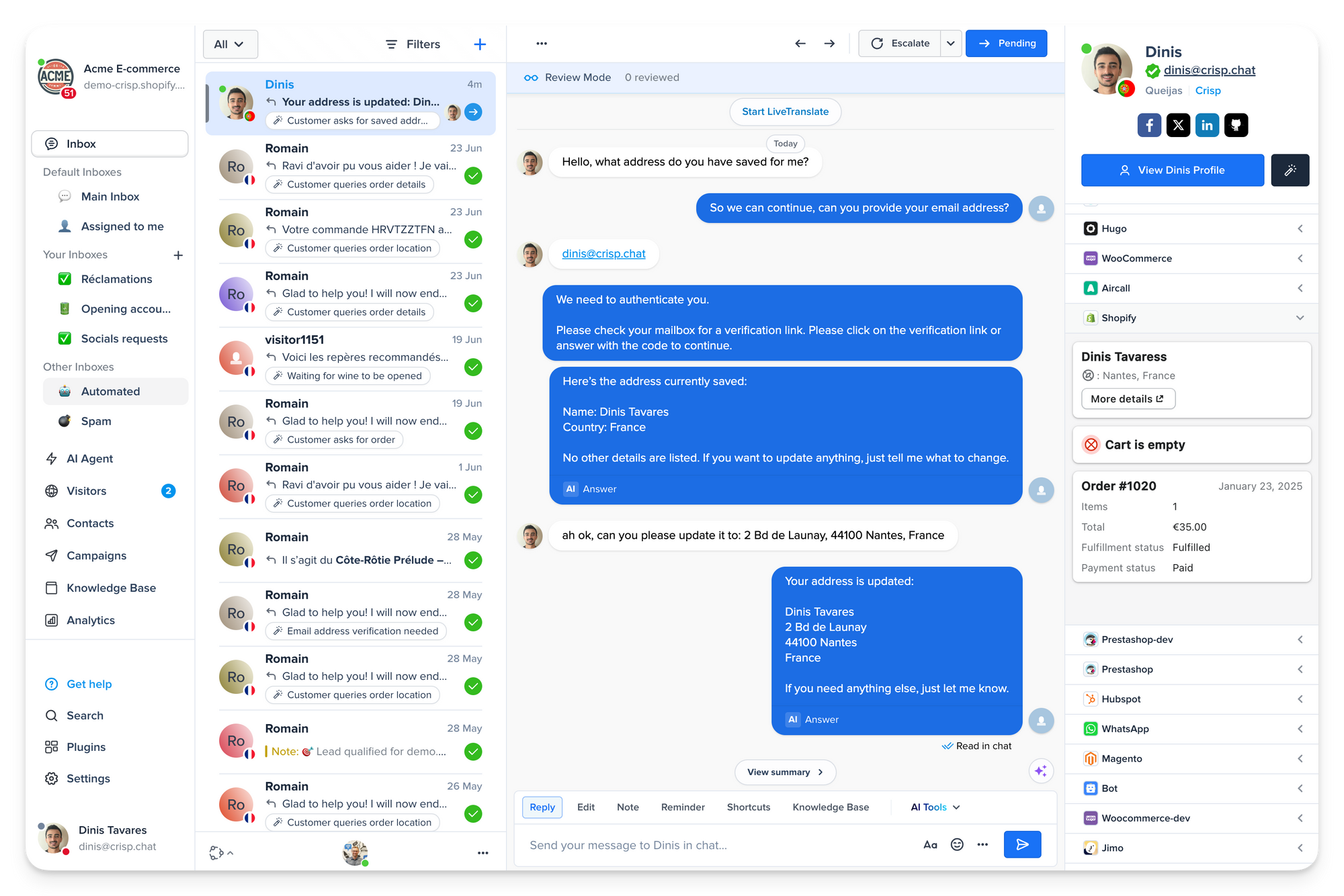
Let Hugo read and update customer addresses in Shopify 📦
Hugo can now pull a customer’s saved address from Shopify and update the shipping address when needed. It unlocks smoother address-change requests directly from support conversations, without sending the customer elsewhere.
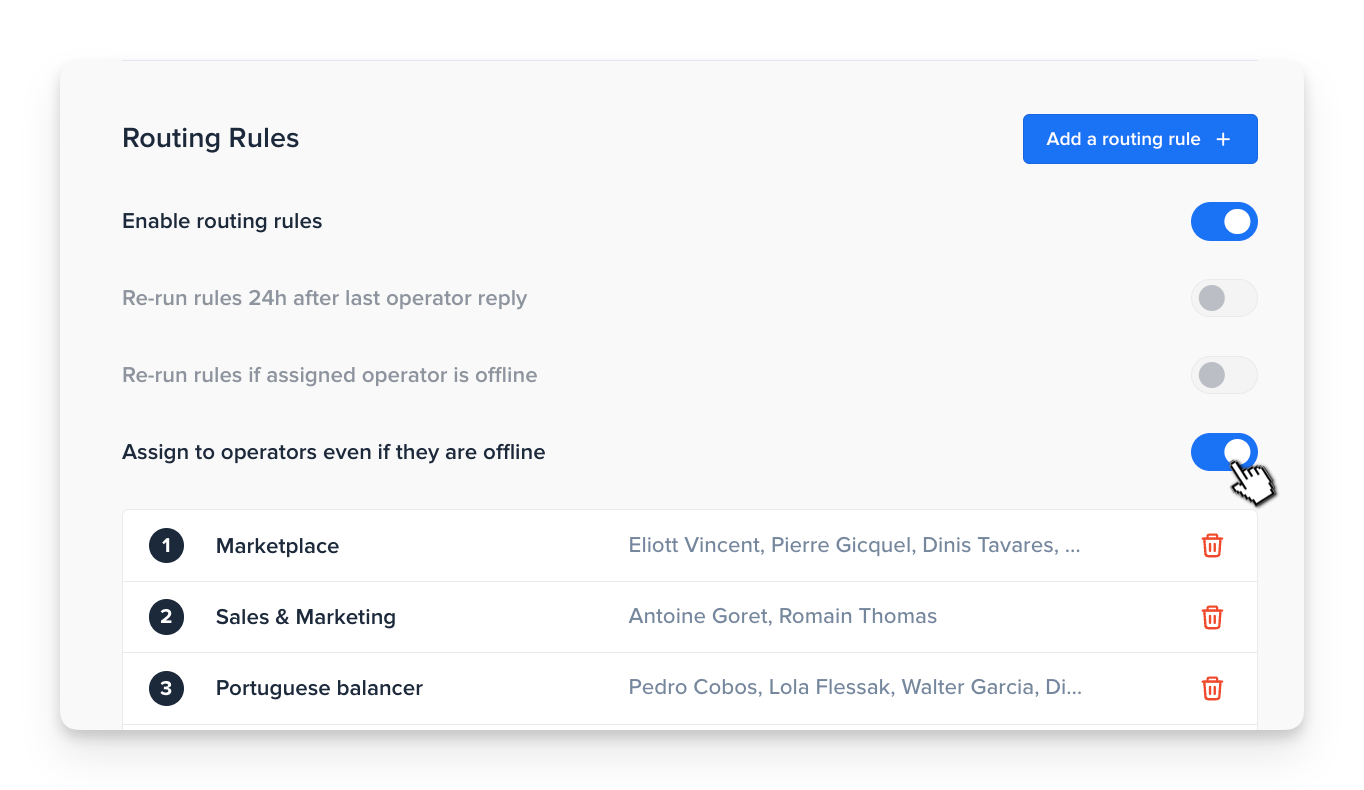
Assign conversations to offline operators with Routing Rules 🎯
Operator Routing can now assign conversations even if operators are offline. This gives teams more control over ownership and makes it easier to pre-assign conversations before agents come back online.
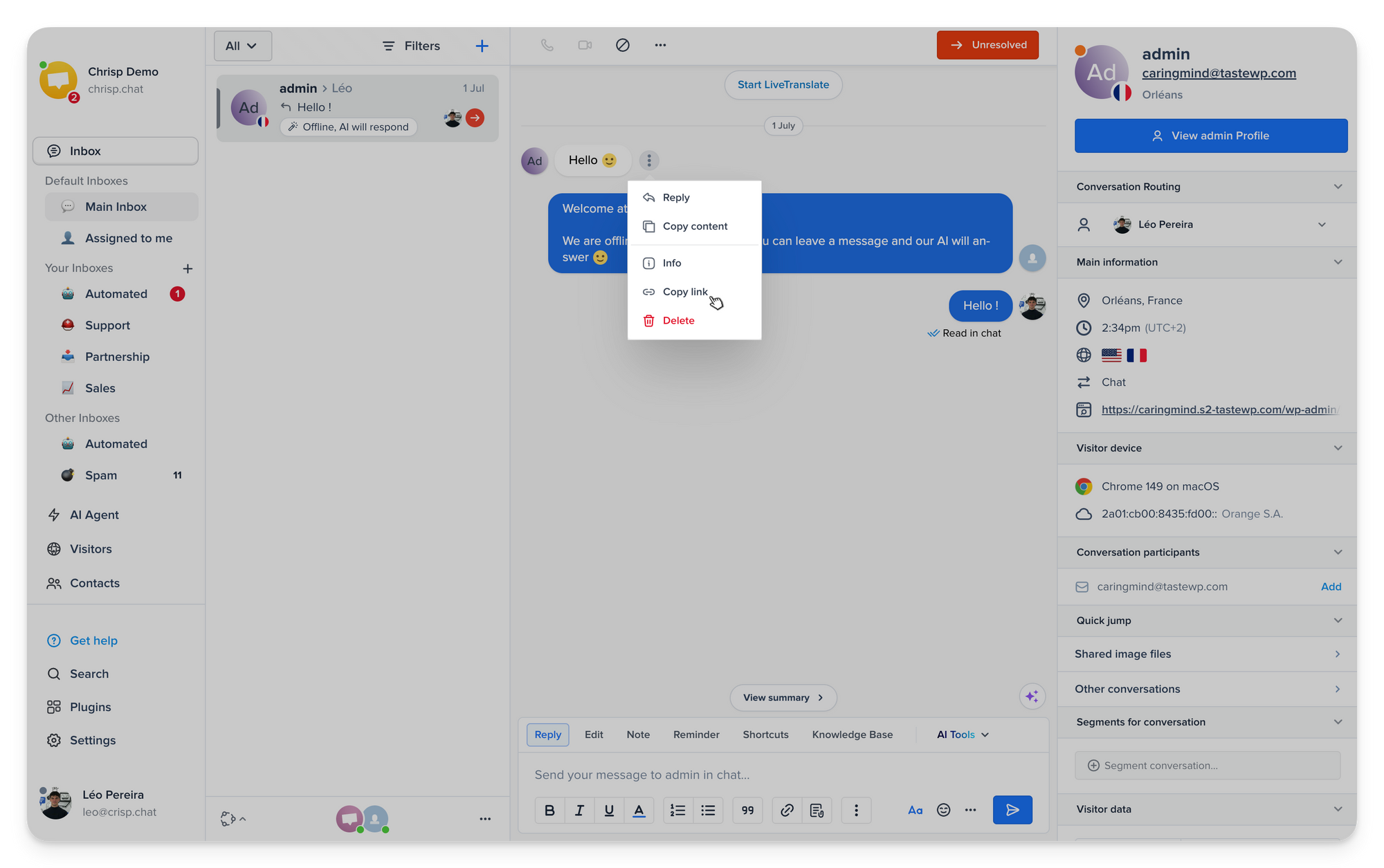
Share a direct link to any message in the Inbox 🔗
You can now copy a direct link to any message in a conversation and jump straight to it later. It makes it much easier to share context with teammates and find the exact message that matters.
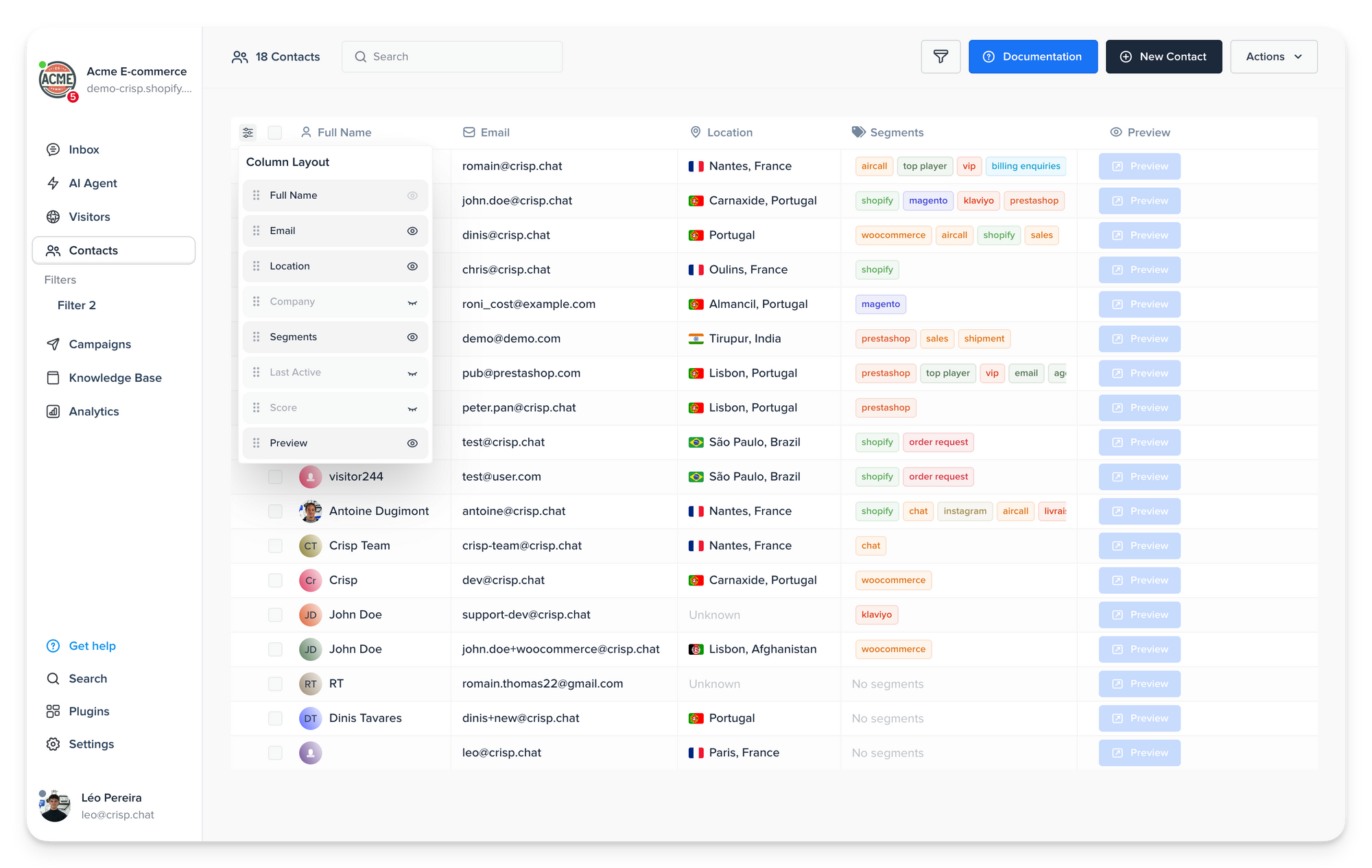
Customize your table layout across your Workspace 📊
No more working around rigid tables. You can now resize columns, reorder them, and hide the ones you do not need in Contacts, Campaigns, and Helpdesk, so each view stays focused on the data that matters most to your workflow.
Bug fixes & improvements 💪🏼
- AI Agent: Hugo’s webpage crawler now supports custom HTTP headers, making it possible to crawl websites that require specific request headers.
- AI Agent: Routing rules can now be imported and exported, making it easier to reuse proven setups across workspaces.
- AI Agent: Hugo’s built-in escalation rule now supports additional guidance, so you can refine escalation behavior without replacing the default rule.
- AI Agent: Hugo’s internal models are now more reliable and smarter.
- Settings: Rules now support up to 20 conditions per rule and up to 20 values per condition, making complex operator routing, triage, and sub-inbox setups easier to build.
- Triage: Triage now lets you filter inbound emails by the original From address, so your rules stay accurate even when Reply-To differs from the sender.
- Inbox: Inbox conversations now open more reliably on the latest message, without jumpy scrolling while content still loads.
- Contacts: Existing CRM contact names are no longer overwritten by auto-detected names, so names already set manually, by import, or by an operator stay preserved in the contact record.
- Contacts: Contact filters can now be reordered, so you can organize your saved views the way you work.
- Analytics: Summary charts now support raw data exports for current and compared values.
- Analytics: Split lists in charts are now searchable, making large chart breakdowns easier to explore.
- Analytics: Search terms are now highlighted in Operators and Ratings tables, so you can find the right result faster.
- Knowledge Base: The Knowledge Base now uses a new Markdown renderer, improving how help articles are displayed.
- Android app: The Android app now supports email variable replacement in shortcuts, more advanced inbox conditions, and several input improvements and bug fixes.
- Chatbox Widget: Safari iOS now resizes the chatbox properly when the keyboard opens.
- SDK / Mobile: React Native SDK 0.4.0 improves push notifications and mobile integration reliability on Android and iOS.
- Ticket Center: Ticket Center now supports 14 additional languages: Czech 🇨🇿, Danish 🇩🇰, Greek 🇬🇷, Finnish 🇫🇮, Hungarian 🇭🇺, Indonesian 🇮🇩, Japanese 🇯🇵, Korean 🇰🇷, Brazilian Portuguese 🇧🇷, Romanian 🇷🇴, Swedish 🇸🇪, Turkish 🇹🇷, Ukrainian 🇺🇦, and Vietnamese 🇻🇳
- Contact Form: Contact Form now supports 11 additional languages: Czech 🇨🇿, Greek 🇬🇷, Finnish 🇫🇮, Hungarian 🇭🇺, Indonesian 🇮🇩, Japanese 🇯🇵, Korean 🇰🇷, Brazilian Portuguese 🇧🇷, Romanian 🇷🇴, Ukrainian 🇺🇦, and Vietnamese 🇻🇳
Helpdesk Updates 📚
How to use Hugo Copilot in the Crisp Inbox
This guide shows you how to use Hugo Copilot to handle more complex conversations from the Inbox, draft replies, prepare handovers, add context when needed, and review sources before sending a final answer.
Learn how to use Copilot →
How Hugo Widget Tools guide customers inside your product
This article explains how Hugo Widget Tools help Hugo turn support conversations into guided product experiences, so customers can find the right feature, complete actions, and move forward faster.
Learn how Widget Tools work →
Understand Operator Routing in Crisp with the updated guide
This refreshed guide walks through how to assign conversations in Crisp, set up routing rules, and use the latest routing options to keep ownership clear as your support setup grows.
Read the routing guide →
Install Crisp Chat SDK in React Native with a new video tutorial
New video walkthrough showing how to install the Crisp Chat SDK in React Native, from setup and Website ID configuration to push notifications.
Watch the React Native tutorial →
Understand Hugo Analytics with a new walkthrough video
New video walkthrough showing how to use Hugo Analytics to understand what your AI Agent handles, review escalations, analyze workflow heatmaps, and spot the topics customers ask the most.
Watch Hugo Analytics walkthrough →
Teasing next releases 💥
- AI Suggestions Spot AI dataset training gaps, outdated content, and duplicate answers to improve your AI setup faster.

September 2026 - Product Update
Discover the new Knowledge Base editor, benchmark your AI support performance, track how often Hugo escalates conversations, and more. Discover the latest features and improvements released by the Crisp team in September 2026.

Summer 2026 - Product Update
Meet the refreshed Crisp experience, Understand how Artificial Intelligence handles every conversation, Build reusable teams across your workspace, and more. Discover the latest features and improvements released by the Crisp team in Summer 2026.

Best 9 helpdesk software and ticketing systems for 2026
Need help to choose your next helpdesk with a ticketing tool for 2026? We've gathered a guide that gives you everything you need to convince your C-levels.