How AI Improves Customer Service Workflows
want to understand how you can improve your customer service workflows to automate repetitive tasks? Here are 8 use-cases you can get started with.


It’s Tuesday morning. Not even noon yet. You open your support inbox and see 97 new conversations. One customer is furious because their payment failed. Someone else is sending screenshots. Lots of screenshots. There’s a WhatsApp ping. Then Instagram DMs. Then email. Then live web chat lights up ...
Oh, and somewhere in all of this? A VIP customer just typed “this is urgent” and hit send. Meanwhile, your agents have completely missed this while juggling tabs:
- CRM in one window
- Chat history in another
- Knowledge base that might be outdated
- Slack is blowing up with “who’s handling this?”
- And a growing queue that refuses to stop growing
Tickets pile up... Priorities blur... Response times stretch…
And then, just like that, something important gets buried.
“We already use AI”… Or do we?
Now, maybe you’re thinking: “Yeah, yeah. We already use AI customer support. This still happens.” Fair. But..
If AI isn’t reducing this chaos…
If your agents are still drowning…
If customers are still waiting…
Then either:
- You’re barely scratching the surface
- You’re using AI for summaries and auto-replies
- Or you’re using the wrong tools entirely
Because AI customer support, when done right, fixes most of the nightmares we described above.
It sorts before humans even see the ticket. It prioritizes urgency automatically. It routes conversations to the right agent instantly. It drafts responses, summarizes context, and kills busywork quietly in the background. And yes, it actually gets real work done, rather than just replying to queries.
8 Ways AI Improves Customer Service Workflows
Instead of theory, let’s talk mechanics.
Customer support isn’t one big activity. It’s a chain of small workflows that happen over and over again, every day. When AI works, it doesn’t magically fix everything; it removes friction at each step.
Below is a practical, workflow-by-workflow breakdown of how AI actually improves customer service operations.
1. Incoming message triage & intelligent routing
Once you have AI integrated in your customer support workflow, you notice a huge shift in your triage efficiency. The moment a message arrives, AI does two things at once: it understands it and sends it to the right place.
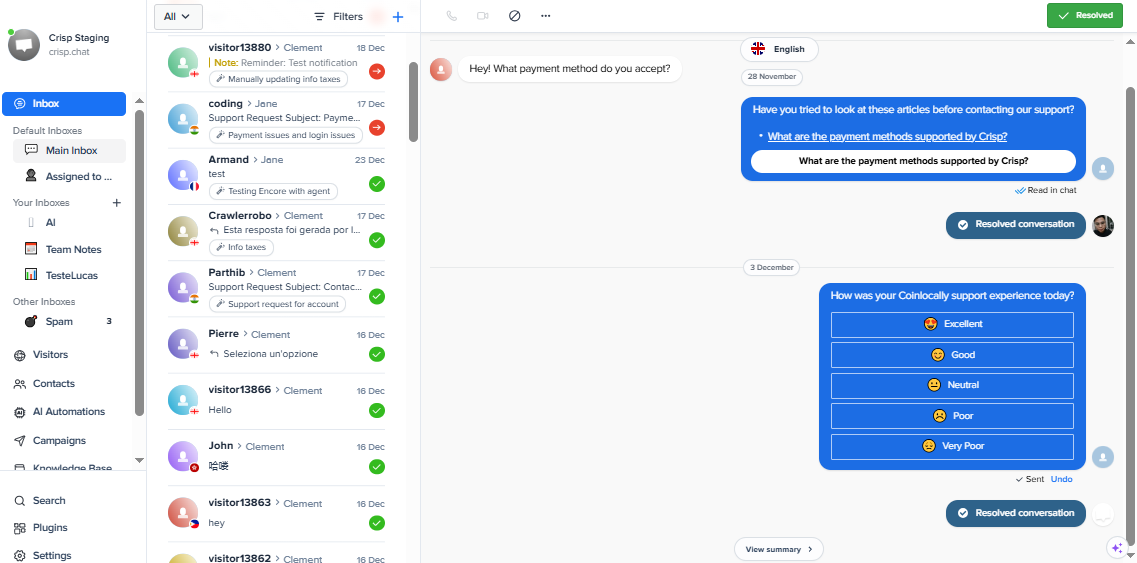
Imagine a concrete scenario in your inbox. A message comes in. It looks harmless at first glance:
“Hey, quick question — my account was downgraded this morning and I’m not sure why. Can you check?”
No all-caps. No “URGENT!!!” No angry emojis.
Easy to miss, right? On the surface, it sounds calm. But AI breaks it down and applies the appropriate tags immediately:
- Topic: Account / billing
- Intent: Loss of access
- Customer type: Active, paying user
- Hidden risk: Downgrades often lead to churn if unresolved
Based on this, the ticket is:
- Categorized correctly
- Routed straight to the billing or account team
- Sent to agents who can actually fix it
No manual sorting. The right people see the message first and on time, resulting in a significant workflow improvement.
2. Conversation summarization & post-ticket cleanup
Once a customer issue is resolved, support work usually continues quietly and repeatedly. Agents still need to:
- Write a summary
- Apply the correct tags
- Log the outcome
- Prepare the ticket for reporting
These steps feel small, but across dozens of tickets per day, they add up fast. AI automates this cleanup by generating a structured summary as soon as the conversation ends. It captures:
- The core issue
- The resolution provided
- Any follow-up actions or outcomes
Example: A multi-message troubleshooting conversation closes.
Instead of the agent writing a recap from scratch, AI could autogenerate something like:
“Customer experienced login failure due to expired token. Token refreshed and access restored. No further action required.”
The agent reviews it in seconds and approves. This improves workflows in two ways:
- Agents spend less time on admin work
- Summaries and tags become consistent and reliable
Better summaries also power better reporting, trend analysis, and future automation. What used to be forgotten admin work becomes usable operational data.
3. AI-assisted response drafting
Once a ticket reaches an agent, the delay usually isn’t understanding the issue. It’s deciding how to respond.
Before typing anything, agents have to recall rules, check edge cases, match tone, avoid overpromising, and stay consistent with past replies. That thinking loop happens dozens of times per shift, and at scale, it becomes a major drag on performance.
This directly impacts core support metrics:
- First Response Time (FRT) slows as agents hesitate
- Time to Resolution (TTR) increases due to repeated research
- Handle Time grows from rewriting and second-guessing
- Support costs rise as each ticket takes longer to close
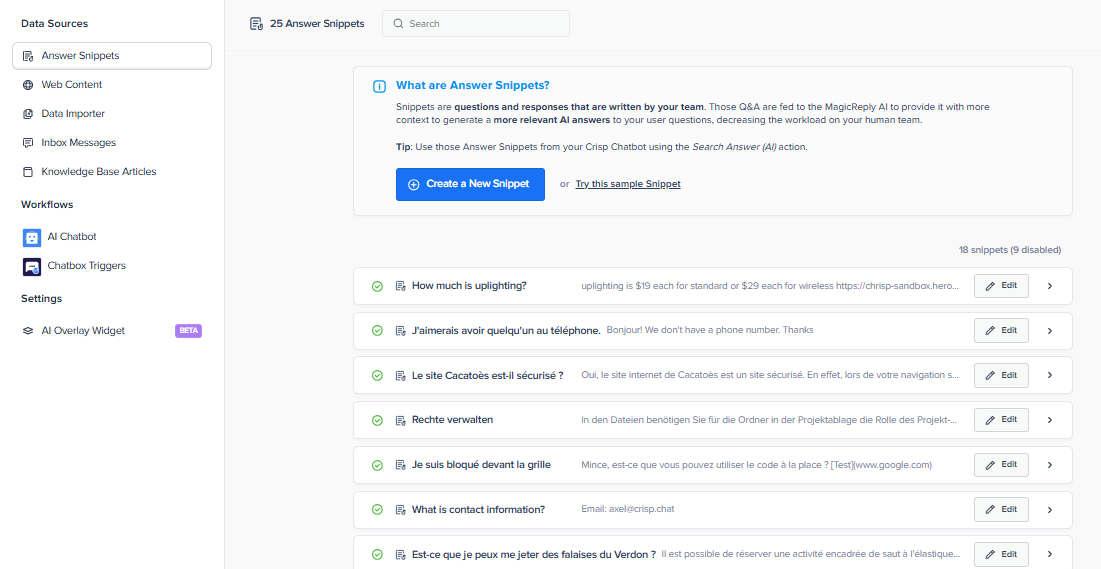
AI removes the blank-page problem by drafting a response in context. It pulls from:
- The customer’s exact wording
- Detected intent and emotional tone
- Relevant help articles or internal rules
- Past replies that successfully resolved similar cases
Agents don’t start from scratch; they have something solid to start with. Here’s a likely scenario. Customer sends a message:
“Why was my plan changed? I didn’t touch anything.”
With AI-assisted drafting, the response already:
- Explains the most likely reason for the change
- Clarifies whether action is required
- Sets expectations for next steps
- Uses a calm, non-defensive tone
The agent reviews, personalizes, and clicks send.
4. Self-service deflection
The fastest ticket to resolve is the one that never reaches an agent. In most support teams, a large share of incoming volume is predictable:
- “Where is my order?”
- “How do I reset my password?”
- “Why was I charged?”
- “How do I connect X to Y?”
These aren’t complex problems. They’re repetitive, high-frequency questions that quietly inflate queue size and agent workload. Static FAQs and keyword search assume customers know how to ask the “right” question. Most don’t.
They scan, scroll, get frustrated, and open a ticket anyway. At that point, self-service has already failed, and agent time is now spent answering something that could have been handled instantly.
AI-assisted resolution is the future of self-service. Instead of forcing customers to search, AI lets them ask questions in their own words. The system interprets the intent, scans the knowledge base, and responds with the most relevant answer immediately.
If the question is resolvable, the issue ends there. If not, the conversation is handed off with full context intact. Think of a simple scenario where a customer types:
“I can’t log in, it keeps kicking me out.”
AI detects an access issue and responds with:
- The most common cause
- Clear steps to fix it
- A follow-up prompt if the issue persists
No ticket created, and no need to get an agent involved.
Effective self-service deflection has compounding effects on core support workflow metrics:
- Lower ticket volume, especially at level 1
- Faster first response times for issues that do reach agents
- Shorter resolution times because queues are smaller
- Lower support costs without reducing service quality
Agents spend more time on complex, high-value conversations instead of repeating the same answers all day.
5. Support personalization
Personalization in customer support is about responding in a way that makes sense for that specific customer, in that specific moment.
At scale, that’s hard. Agents don’t have time to reconstruct context while juggling multiple conversations. Context here could mean a lot of things depending on the situation. AI could surface past conversations, account status, and recent actions before drafting a context-aware draft reply.
AI could also adapt responses based on sentiment and situation. A frustrated customer could get a direct, reassuring reply, while a casual inquiry stays lightweight. A first-time user could get more explanation, while a power user gets concise steps.
This prevents customers from repeating themselves and lets agents move straight to resolution. Without help, agents default to safe, generic replies because:
- Customer history is spread across tools
- Past issues aren’t immediately visible
- It’s risky to assume context under time pressure
The result is technically correct responses that feel impersonal and often trigger follow-up questions.
A real inbox example:
“Hey, I’m seeing this error again.”
AI recognizes:
- This customer reported the same issue last week
- A workaround was applied but not permanent
- They’re on a higher-tier plan
The agent sees this immediately. Instead of asking clarifying questions, the reply acknowledges history, skips repetition, and moves straight to resolution.
Workflow-level personalization drives measurable improvements:
- Lower Time to Resolution by avoiding repeated explanations
- Higher CSAT because customers feel understood
- Fewer follow-ups due to more relevant first replies
- Better First Contact Resolution (FCR)
Agents spend less time backtracking, just as customers spend less time repeating themselves.
6. Create a self-sustaining knowledge base
Most knowledge bases don’t fail because teams don’t care. They fail because keeping them updated is manual, slow, and always loses to day-to-day support work.
Meanwhile, sometimes the best answers already exist; they’re just buried inside resolved conversations from your human agents. With AI in your workflow, things can be much better. AI can continuously review closed tickets and look for patterns:
- Questions that come up repeatedly
- Issues that don’t have clear documentation
- Explanations that consistently lead to successful resolutions
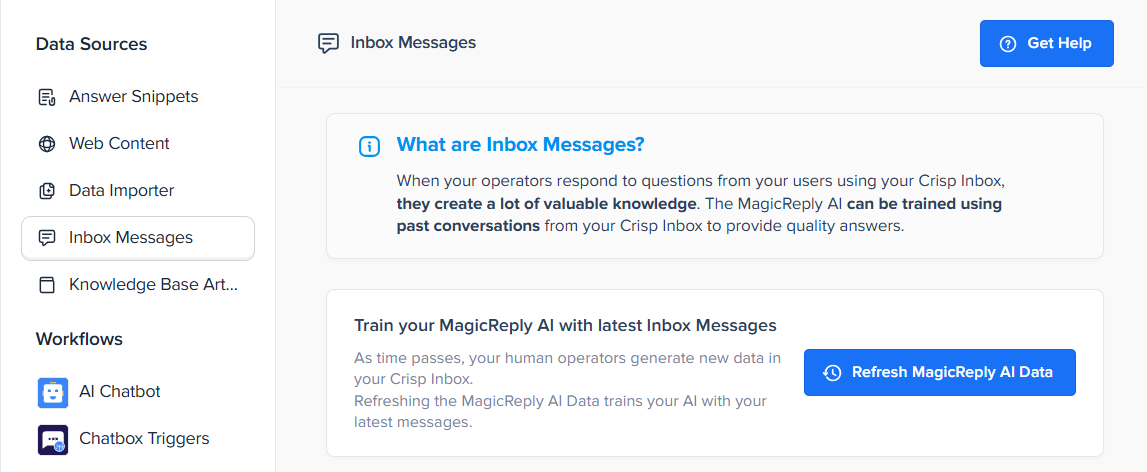
From there, it:
- Flags gaps in the knowledge base
- Drafts new help articles based on real customer conversations
- Suggests updates when existing articles stop performing well
Your team doesn’t start from a blank page. They review, refine, and publish. Documentation improves automatically, as a byproduct of doing support.
How does this look in practice?
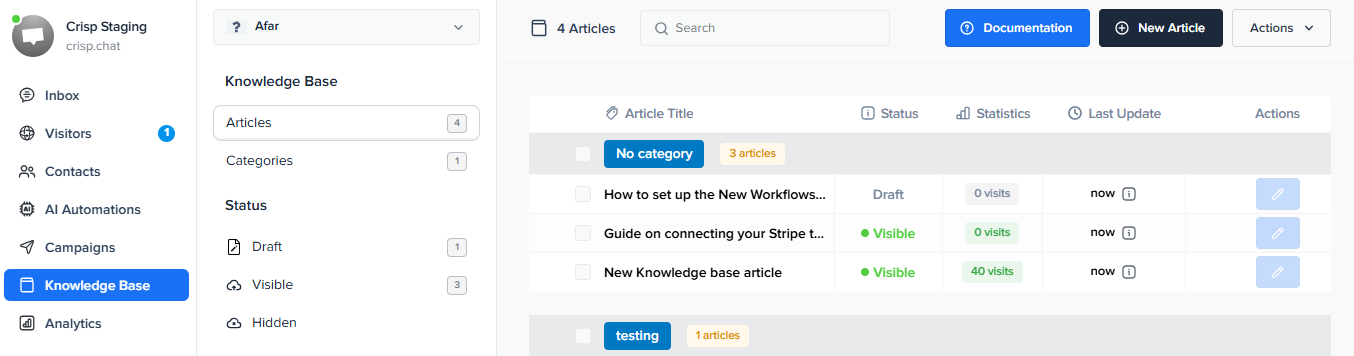
Let’s say, over two weeks, support sees a spike in tickets about a new feature setting. Agents explain the same workaround repeatedly in chat, but there’s no help article covering it. AI detects:
- High ticket volume around the same question
- Similar explanations leading to resolution
- No matching knowledge base content
It drafts a help article using the best-performing agent responses and flags it for review. Once published:
- Customers start finding the answer themselves
- Related tickets drop
- Agents stop repeating the same explanation
A self-sustaining knowledge base directly improves:
- Ticket Deflection Rate: More questions are answered before reaching an agent.
- Time to Resolution (TTR): Agents resolve tickets faster with better documentation available.
- First Contact Resolution (FCR): Customers get the right answer earlier, reducing follow-ups.
- Cost per Ticket: Fewer repetitive conversations means lower support costs without cutting quality.
7. Identify trends without living in spreadsheets
Every support team sits on a massive amount of insight. The problem isn’t data. It’s time.
Thousands of tickets, chats, and messages come in every month, and manually reviewing them to understand what’s changing just doesn’t scale. By the time patterns are spotted, customers are already frustrated.
AI can help fix this workflow deficiency by continuously analyzing conversations as they’re happening. It looks for:
- Shifts in customer sentiment
- Sudden increases in similar questions
- Repeated complaints tied to the same feature or flow
- Language that signals confusion, frustration, or risk
Instead of raw data, your support teams get clear signals.
What would this look like in real life?
Over a few days, customers start asking slightly different versions of the same question:
- “Is the new checkout supposed to do this?”
- “Why did the button move?”
- “I can’t complete my order anymore.”
Individually, these look like normal questions. Together, they point to a problem. AI groups these conversations automatically and flags a rising trend tied to a recent product change.
Support alerts the product before it escalates. Messaging is adjusted. A fix or clarification is shipped. What could have turned into a flood of tickets never fully formed.
Trend detection improves operations in very concrete ways:
- Lower Ticket Volume Over Time: Issues are addressed early, before they generate mass inbound.
- Improved CSAT: Customers feel heard because problems are fixed quickly, not ignored.
- Reduced Escalations: Fewer “this keeps happening” or “why wasn’t this caught?” moments.
- Better Support–Product Alignment: Support insights flow directly into product decisions instead of getting stuck in reports.
8. Offer 24/7 support without growing the team
Customers don’t care about office hours. When they’re blocked, confused, or mid-checkout, waiting until “Monday at 9am” feels broken even if your team is doing their best. The challenge isn’t coverage. It’s scale.
AI fills the gap when agents are offline by handling the first layer of support. This involves:
- Answering common questions instantly
- Guiding customers through basic troubleshooting
- Collecting key details when an issue needs a human
- Routing and prioritizing conversations for the next shift
How would this look in practice?
At 2:30 a.m., a customer opens chat:
“My payment didn’t go through, and I’m not sure if I was charged.”
AI would:
- Recognizes a billing concern
- Checks known payment failure scenarios
- Explains what likely happened
- Reassures the customer about the next steps
- Collects transaction details just in case
If the issue is resolved, the conversation ends there. If not, it’s queued with full context for an agent to pick up later. Always-on support improves key metrics across the board:
- Faster First Response Time (FRT): Customers get immediate acknowledgment, even outside business hours.
- Shorter Time to Resolution (TTR): Many issues are resolved before agents even log in.
- Lower Backlog at Shift Start: Agents don’t begin the day buried under overnight tickets.
- Higher CSAT: Customers feel supported instead of ignored.
This is how to provide after-hours customer service that delivers real value, without exhausting your teams.
Comparative table: an agent's workflow before and after AI
To truly visualize the benefits of AI in customer service, nothing beats a direct comparison. These daily frictions, added together, cost precious hours.
| Workflow Stage |
Workflow WITHOUT AI Manual chaos |
Workflow WITH AI Increased efficiency |
|---|---|---|
| New ticket processing | The agent manually selects a ticket from a general queue, spending time assessing priority. | The ticket is automatically prioritized and assigned to the agent with the right skill set. |
| Understanding context | The agent opens multiple tabs (CRM, chat history, back office) to piece together context. | AI surfaces a concise summary of past interactions and customer data directly in the inbox. |
| Writing the response | The agent writes the response from scratch or searches for a pre-written macro. | AI generates a contextual draft. The agent reviews, personalizes, and sends within seconds. |
| Information search | The agent leaves the conversation to manually search the knowledge base. | AI suggests the most relevant knowledge base articles directly in the workflow. |
| Closing the ticket | The agent manually writes a summary and applies tags, adding extra post-ticket work. | AI automatically generates a summary and recommends accurate labels. |
Measuring what matters: the impact of AI on your key indicators
Drastically reduce first response time (FRT)
First Response Time (FRT) remains the key to customer satisfaction. As you know, every minute lost is a missed opportunity to reassure an impatient user.
This is where technology is a game-changer. One of the key benefits of AI in customer service is that a bot provides an immediate response 24/7. Intelligent triage, meanwhile, does the work for you even before an agent arrives.
The goal? To prove to the customer that they are being heard immediately. There are several ways to improve response time, and AI is your most powerful tool.
AI resolution rate: an indicator of good health
The "AI Resolution %" measures conversations closed without any human intervention. It's a powerful indicator of effectiveness for verifying whether your automation brings real added value to your operations.
We're not aiming for 100%, that would be unrealistic. A rate of 40% is already sufficient to filter out the noise. With proper training, achieving 80% of conversations resolved by AI becomes a perfectly attainable standard.
Closely monitoring this metric allows you to adjust your settings and continuously enrich your knowledge base.
The direct impact on customer satisfaction (CSAT)
Ultimately, it all comes down to one simple question: are your customers happier? Providing quick, accurate answers, even at 3 a.m., has a direct impact on CSAT. The frustration of waiting disappears from the equation.
AI also relieves your teams of unnecessary stress, making them more available. It's a clear virtuous circle: a less overwhelmed agent offers a higher quality, more empathetic, and more human interaction.
Companies that have matured in this area are already seeing this. They are observing a 17% increase in customer satisfaction, proving that technical efficiency directly benefits the human experience.
Getting started with AI in your customer service: a simple action plan
Forget grandiose projects, start small
The classic mistake? Trying to automate everything from day one. That's a recipe for failure and guaranteed frustration within your teams. Believe me, it never works.
The method that works is iterative. Start with a single use case. For example, configure the AI to handle only questions about delivery times or sorting by language.
Analyze the results, correct your approach, then move on to the next use case.
Identify repetitive tasks with low added value
Sit down with your team over coffee. Ask them, "What is the one request we handle fifty times a day?" The answer is your starting point for understanding the benefits of AI in customer service.
- Analyze your data: Take a look at the most frequent ticket labels. These are often level 1 requests, ideal for automation.
- Listen to your agents: They know better than anyone which time-consuming tasks are dragging down their morale and should be handled by a bot.
- Set a clear goal: Aim to automate 30% of these specific questions within the first month. This is a realistic figure that demonstrates the project's value.
Choosing the right tool: simplicity and control above all
Don't be fooled by overly complex systems requiring three developers. You need a system that works, period. Look for AI-powered customer service software that prioritizes immediate results.
The ideal tool should allow you to maintain total control. You should be able to monitor the AI's actions, correct its mistakes, and train it without needing an engineering degree.
A good AI solution for support teams integrates with your current stack without creating friction.
Building the team: AI is a tool, not a threat
The final, often overlooked step is adoption by your employees. Clearly explain the "why": the goal is to free up time for high-value discussions, not to eliminate positions.
Show them in practice how the assistant works on a daily basis. Involve them directly in training the AI. After all, they are the experts who know how to best respond to your customers.
AI doesn't replace humans; it eliminates chaos so your agents can shine. By automating sorting and repetitive tasks, you finally regain control of your support. Don't wait: start small, test an initial workflow, and watch your team become more serene and efficient.
FAQs
1. Will AI actually resolve tickets, or just reply faster?
Done right, it resolves them. AI should close simple, repetitive issues end-to-end, not just acknowledge them. If humans still have to step in for everything, you’re automating noise, not support.
2. What happens when AI gets something wrong?
Nothing catastrophic. AI proposes actions; your team stays in control. Agents can review, correct, and train it over time, which makes the system better instead of brittle.
3. Does this replace support agents?
No. It replaces busywork. AI handles sorting, summaries, and repeat questions so agents can focus on real problems that need judgment and empathy.
4. How long does it take to see real impact?
Usually days, not months. Triage, routing, and self-service deflection show measurable improvements almost immediately once live.
5. Will this work with our messy, multi-channel setup?
That’s the point. AI is most valuable when messages are scattered across email, chat, WhatsApp, and social. It unifies context so nothing urgent gets buried.
Sources
"The future of AI in customer service"
Date: 2025
Source: IBM
https://www.ibm.com/think/insights/customer-service-future
"Gartner identifies three trends that will shape the future of customer service"
Date: June 25, 2025
Source: Gartner
https://www.gartner.com/en/newsroom/press-releases/2025-06-25-gartner-identifies-three-trends-that-will-shape-the-future-of-customer-service
"AI in customer service: benefits and practical applications"
Date: October 8, 2025
Source: IBM
https://www.ibm.com/think/topics/ai-in-customer-service
"Gartner says the most valuable AI use cases for customer service fall into four areas"
Date: October 8, 2025
Source: Gartner
https://www.gartner.com/en/newsroom/press-releases/2025-10-08-gartner-says-the-most-valuable-ai-use-cases-for-customer-service-and-support-fall-into-four-areas

Automated ticket routing: how to get every conversation to the right agent
Manual triage worked when a manager could eyeball every conversation. Now that AI resolves the easy tickets automatically, what's left for your team is the hard, ambiguous residual: exactly the conversations where routing to the wrong agent hurts most.


Unified customer view: how to give every support operator full context before they reply
Most support setups store customer context in pieces: chat here, email there, a note nobody linked. This guide shows what a true unified customer view requires, why fragmented context gets more expensive as you scale.

Ticket escalation done right: how to move issues up the chain without losing context
When AI handles first contact, every handoff to a human should feel like a continuation, not a reset. Here's how to build escalation that carries full context and clear ownership at every step, instead of making customers repeat themselves.